Use
Controlling the light
4
VOLISTA
IFU 01781 EN 19
43 / 106
4.2.1.2 From the touchscreen control panel
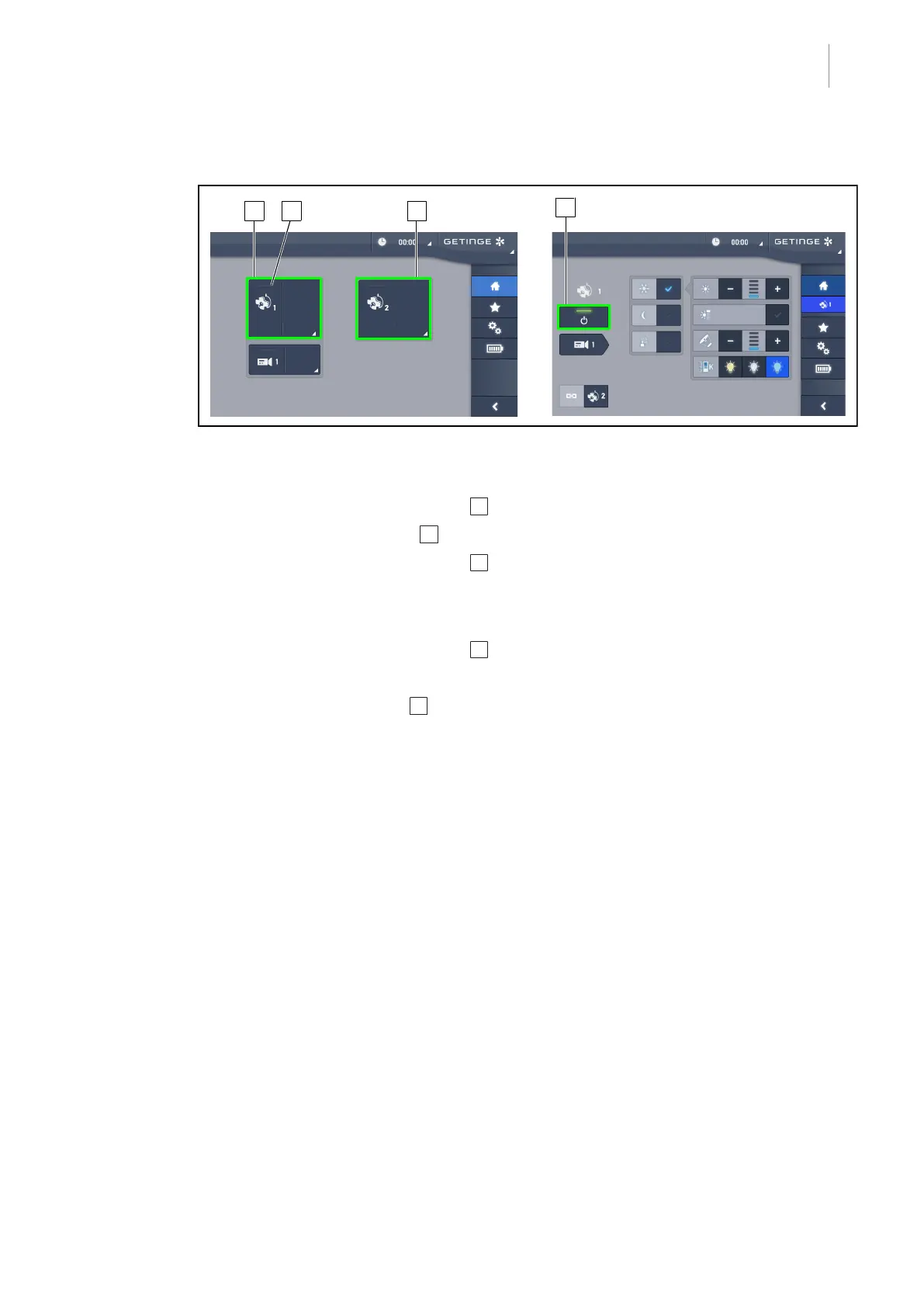
Fig.43: Home screen
Turning on the light
1. Press the Lighthead1 active area 1 .
Ø The operation indicator 2 is activated and lighthead1 turns on.
2. Press the Lighthead2 active area 3 , if available.
Ø The entire light is now on.
Turning off the light
1. Press the Lighthead1 active area 1 .
Ø The lighthead control page is displayed.
2. Press Lighthead ON/OFF 4 .
Ø Lighthead1 and the lighthead1 operation indicator are turned off.
3. Proceed in the same way for all lightheads that are on.
Ø The entire light is now off.











 To Next Page