3
Control interfaces
Touchscreen control panel
34 / 106
VOLISTA
IFU 01781 EN 19
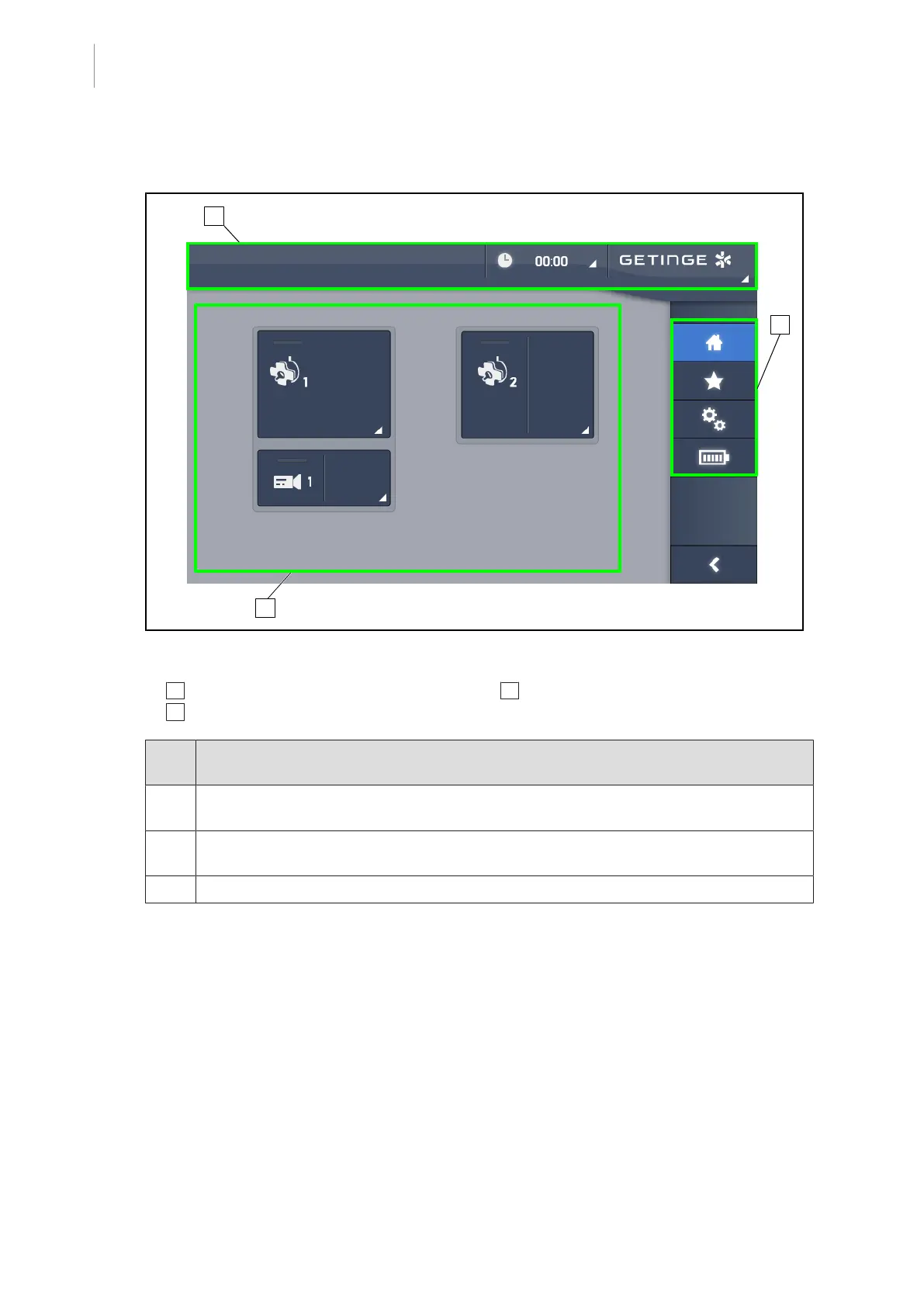
3.3 Touchscreen control panel
Fig.25: Touchscreen control panel
1 Status bar
2 Menu bar
3 Active area
Part
No.
Description
1 Area of the screen used to display the fault indicator, battery indicator, time, Maquet
logo and customer logo.
2 Area of the screen used to access the menus: home screen, presets, functions and set-
tings.
3 Area of the screen used to control the device.
Tab.9: Touchscreen control panel information











 To Next Page