Control interfaces
Touchscreen control panel
3
VOLISTA
IFU 01781 EN 19
35 / 106
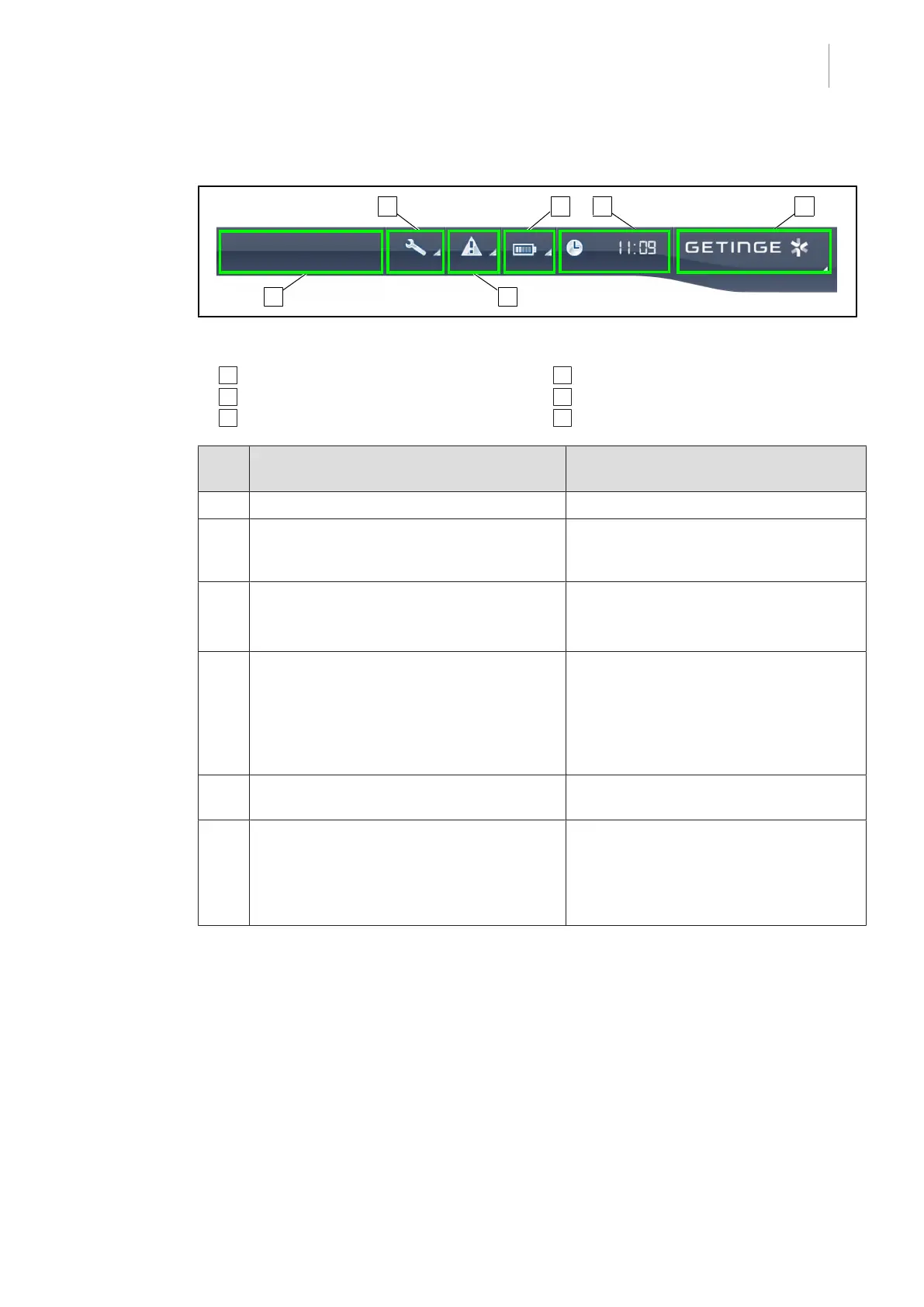
Status bar
Fig.26: Touchscreen control panel status bar
1 Customer logo (optional) 2 Maintenance indicator
3 Fault indicator 4 Battery indicator
5 Clock 6 Getinge logo
Part
No.
Description Possible actions
1 Customer logo (optional) /
2 Indicates maintenance needed.
Displayed only if maintenance is needed.
Press the maintenance indicator icon to
access the maintenance acknowledge-
ment screen.
3 Indicates a system fault.
Displayed only if a system fault has oc-
curred.
Press the fault indicator icon to view the
faults.
4 Indicates the battery status. For more in-
formation, see the dedicated section Indicat-
ors shown on the touchscreen control panel
[8Page86].
Displayed only if a backup system is
present.
Press the battery indicator icon to view
the status of the batteries.
5 Shows the time Press the clock icon to access the date
and time settings.
6 Getinge logo Press the Getinge logo to access product
maintenance information.
Press the Getinge logo a second time to
access a menu reserved for Getinge tech-
nicians and qualified personnel.
Tab.10: Touchscreen control panel status bar











 To Next Page