4
Use
Installing or removing a Quick Lock device (camera, LMD or handle mount)
66 / 106
VOLISTA
IFU 01781 EN 19
4.4.1.2 On the lighthead
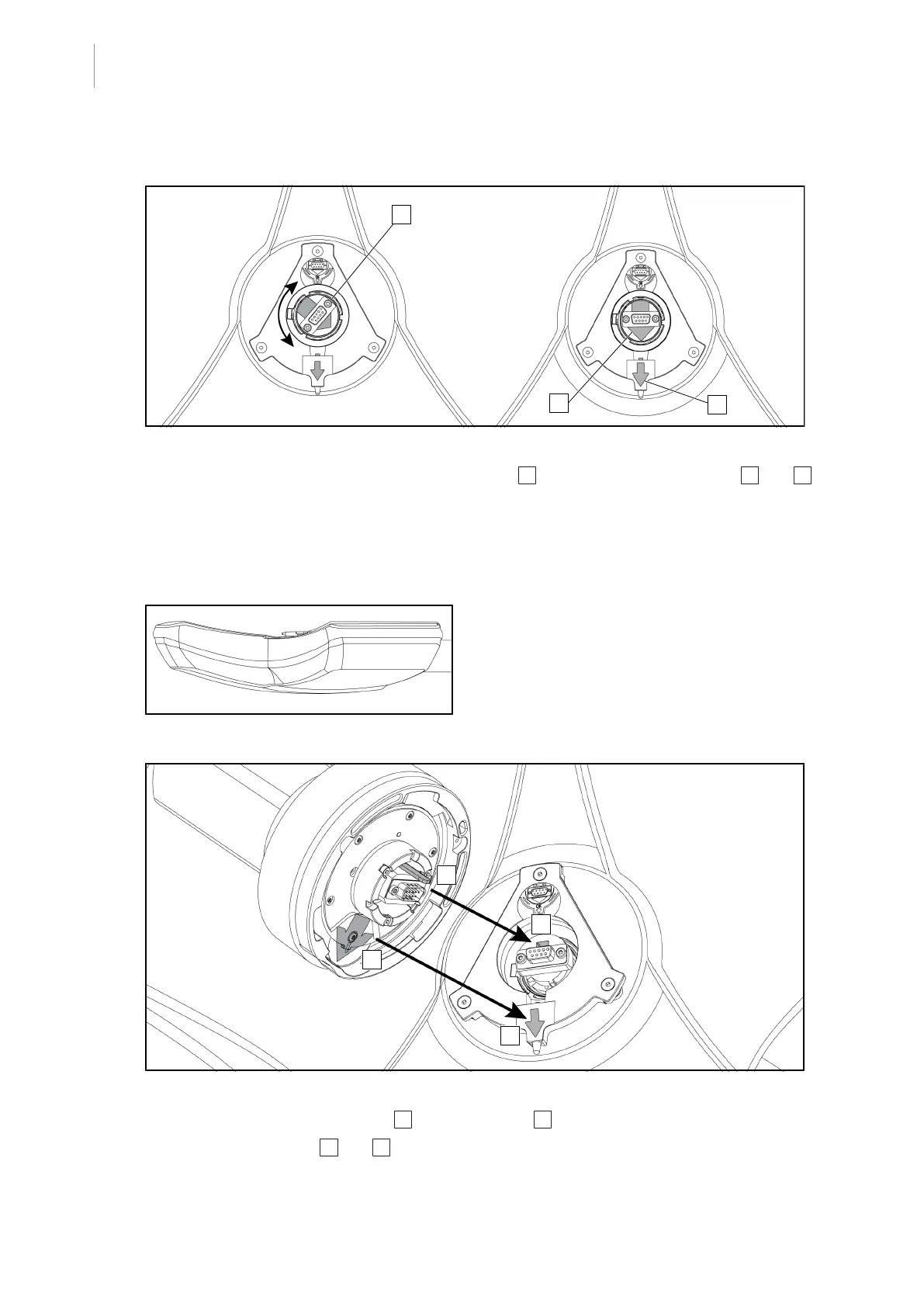
Fig.75: Pre-positioning the lighthead
1. In the centre of the lighthead, orient the connector 4 so that the two green arrows 5 and 6
are aligned.
Ø The lighthead is ready to receive the camera.
4.4.2 Fitting the device to the lighthead
Fig.76: Positioning the lighthead
1. Position the lighthead with the underside
facing the ceiling.
Ø This facilitates installation of the cam-
era on the lighthead.
Fig.77: Instructions for installing the Quick Lock system
1. Present the camera with the pin 7 opposite the slot 4 .
2. Place the two arrows 3 and 6 opposite each other.











 To Next Page