Use
Controlling the light
4
VOLISTA
IFU 01781 EN 19
51 / 106
4.2.6.2 From the touchscreen control panel
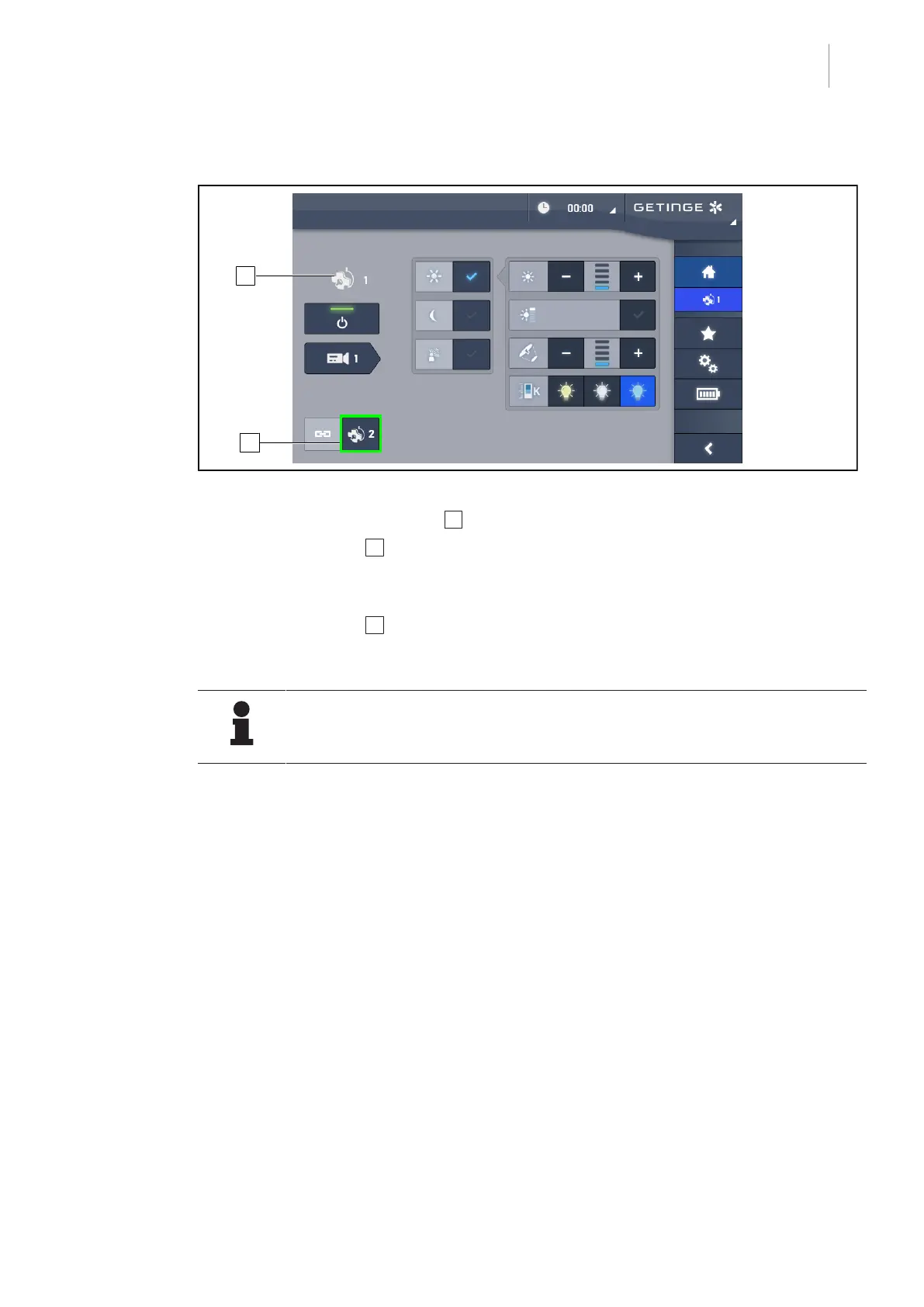
Fig.51: Synchronise the lightheads
1. Configure one of the lightheads 1 to the desired settings.
2. Press Synchronise 2 .
Ø The lightheads are now synchronised and all changes on one lighthead will result in the
same changes being applied to the other lighthead(s).
3. Press Synchronise 2 again to desynchronise the lightheads.
Ø The lightheads are desynchronised.
NOTE
Special case: To synchronise lightheads with ambient light mode, this mode must
be active on the lightheads concerned before synchronisation.











 To Next Page