4
Use
Controlling the light
48 / 106
VOLISTA
IFU 01781 EN 19
4.2.4 AIM (on Volista VSTII only)
With touchscreen control panel only
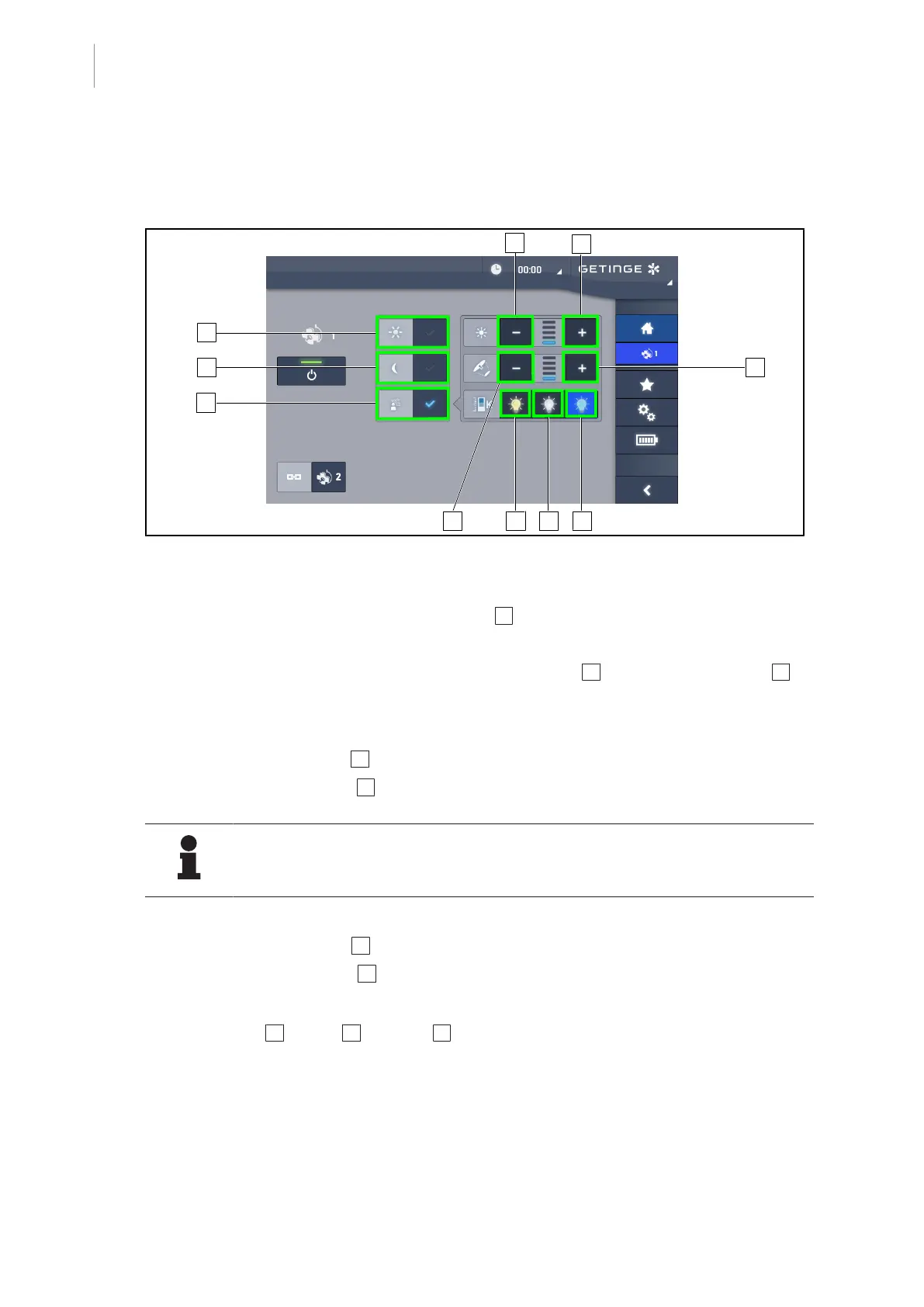
Fig.48: AIM page
Enabling/disabling AIM mode
1. From the lighthead page, press the AIM mode 1 button.
Ø The button is lit blue and AIM mode is enabled on the lighthead(s).
2. Disable the AIM function by pressing Standard light mode 9 or Ambient light mode 10.
Ø The button turns off and AIM mode is disabled on the lighthead(s).
Adjusting the light intensity with AIM
1. Press Increase intensity 3 to increase the light intensity of the lighthead(s).
2. Press Decrease intensity 2 to decrease the light intensity of the lighthead(s).
NOTE
Boost mode is not available when AIM mode is enabled. In this case, the light has
five illumination levels.
Adjusting the light field diameter with AIM
1. Press Increase diameter 5 to increase the light field diameter of the lighthead(s).
2. Press Decrease diameter 4 to decrease the light field diameter of the lighthead(s).
Adjusting the colour temperature with AIM (for VSTII lightheads equipped with this option)
1. Press 3900K 6 , 4500K 7 or 5100K 8 to select the desired colour temperature.
Ø The button is lit blue and the selected colour temperature is enabled on the lighthead(s).











 To Next Page