Use
Controlling the light
4
VOLISTA
IFU 01781 EN 19
45 / 106
4.2.2.2 From the touchscreen control panel
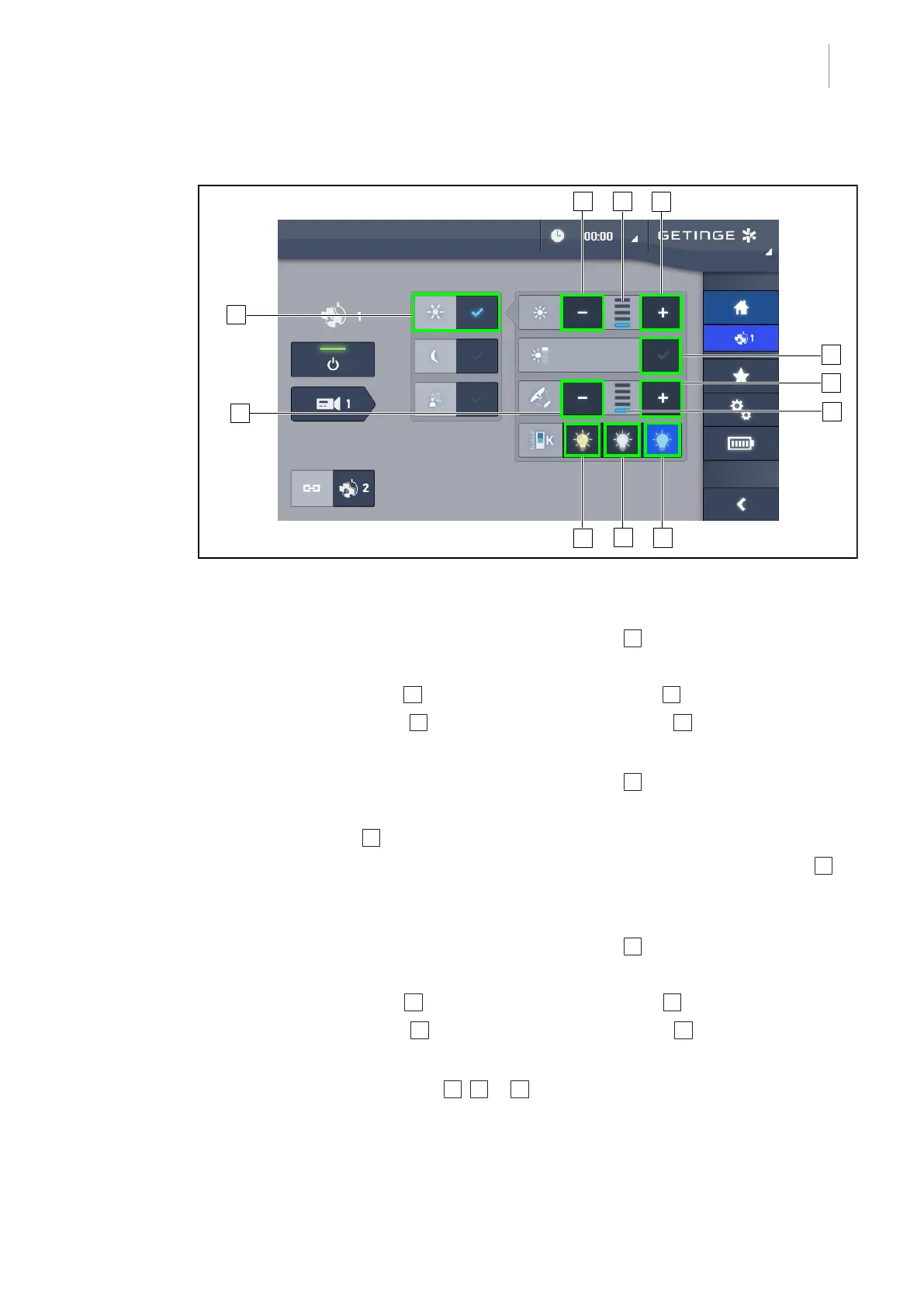
Fig.45: Adjusting the illumination level via the touchscreen control panel
Adjusting the light intensity of the lighthead(s)
1. From the lighthead page, press the Standard light mode 1 button.
Ø When enabled, the button is blue.
2. Press Increase intensity 3 to increase the light intensity level 4 .
3. Press Decrease intensity 2 to decrease the light intensity level 4 .
Enabling boost mode
1. From the lighthead page, press the Standard light mode 1 button.
Ø When enabled, the button is blue.
2. Press Boost mode 5 .
Ø The Boost mode button is lit blue and the last bar on the illumination level indicator 4
flashes. Boost mode is now enabled on the lighthead(s) concerned.
Adjusting the light field diameter of the lighthead(s)
1. From the lighthead page, press the Standard light mode 1 button.
Ø When enabled, the button is blue.
2. Press Increase diameter 7 to increase the light field diameter 8 .
3. Press Decrease diameter 6 to decrease the light field diameter 8 .
Adjusting the colour temperature
1. From the lighthead page, press 9 , 10 or 11 to select the choosen colour temperature.
Ø The button is lit blue and the selected colour temperature is enabled on the lighthead.











 To Next Page