Use
Battery backup
4
VOLISTA
IFU 01781 EN 19
85 / 106
4.7.2.2 From the touchscreen control panel
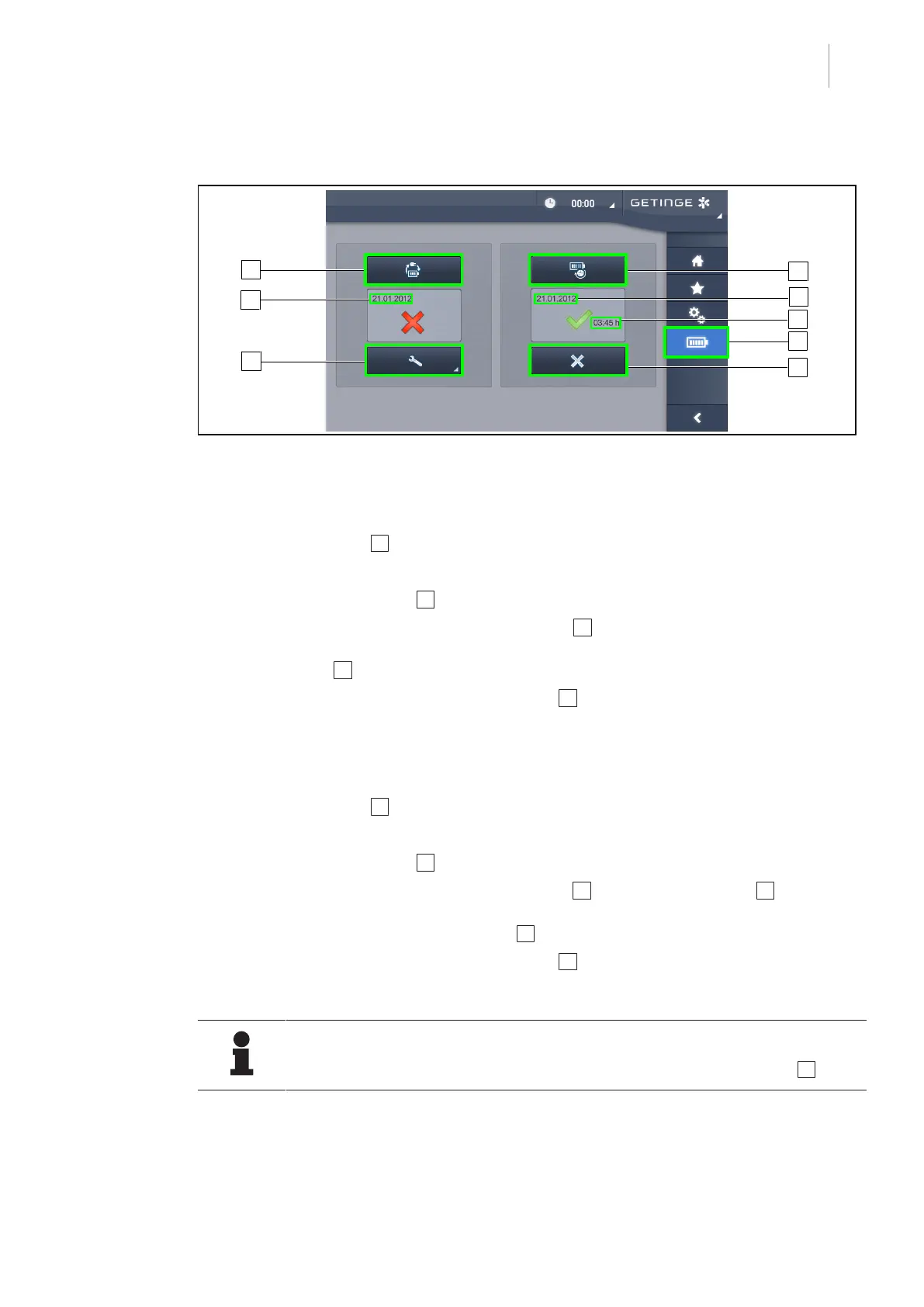
Fig.102: Battery test
Running a battery backup test
1. Turn off the light.
2. Press Battery Tests 1 in the menu bar.
Ø The battery tests page is displayed.
3. Press Battery backup test 2 to start the test.
Ø The date of the most recent battery backup test 6 is updated and a green tick is dis-
played if the test was successful. If the test fails, however, a red cross and a Maintenance
Information 4 button are displayed.
4. If the test fails, press Maintenance information 4 to access the maintenance information
page, and then call the Getinge technical service department.
Running a battery lifetime test (only with a Getinge backup)
1. Turn off the light.
2. Press Battery Tests 1 in the menu bar.
Ø The battery tests page is displayed.
3. Press Battery lifetime test 3 to start the test.
Ø The date of the most recent battery lifetime test 7 and the battery lifetime 8 are updated,
and a green tick is displayed if the test was successful. If the test fails, however, a red
cross and a Maintenance Information 4 button are displayed.
4. If the test fails, press Maintenance information 4 to access the maintenance information
page, and then call the Getinge technical service department.
NOTE
The battery lifetime test can be stopped at any time by pressing the cross 5 .











 To Next Page