4
Use
Controlling the light
42 / 106
VOLISTA
IFU 01781 EN 19
4.2 Controlling the light
4.2.1 Turning the light on and off
4.2.1.1 From the lighthead or wall-mounted control keypad
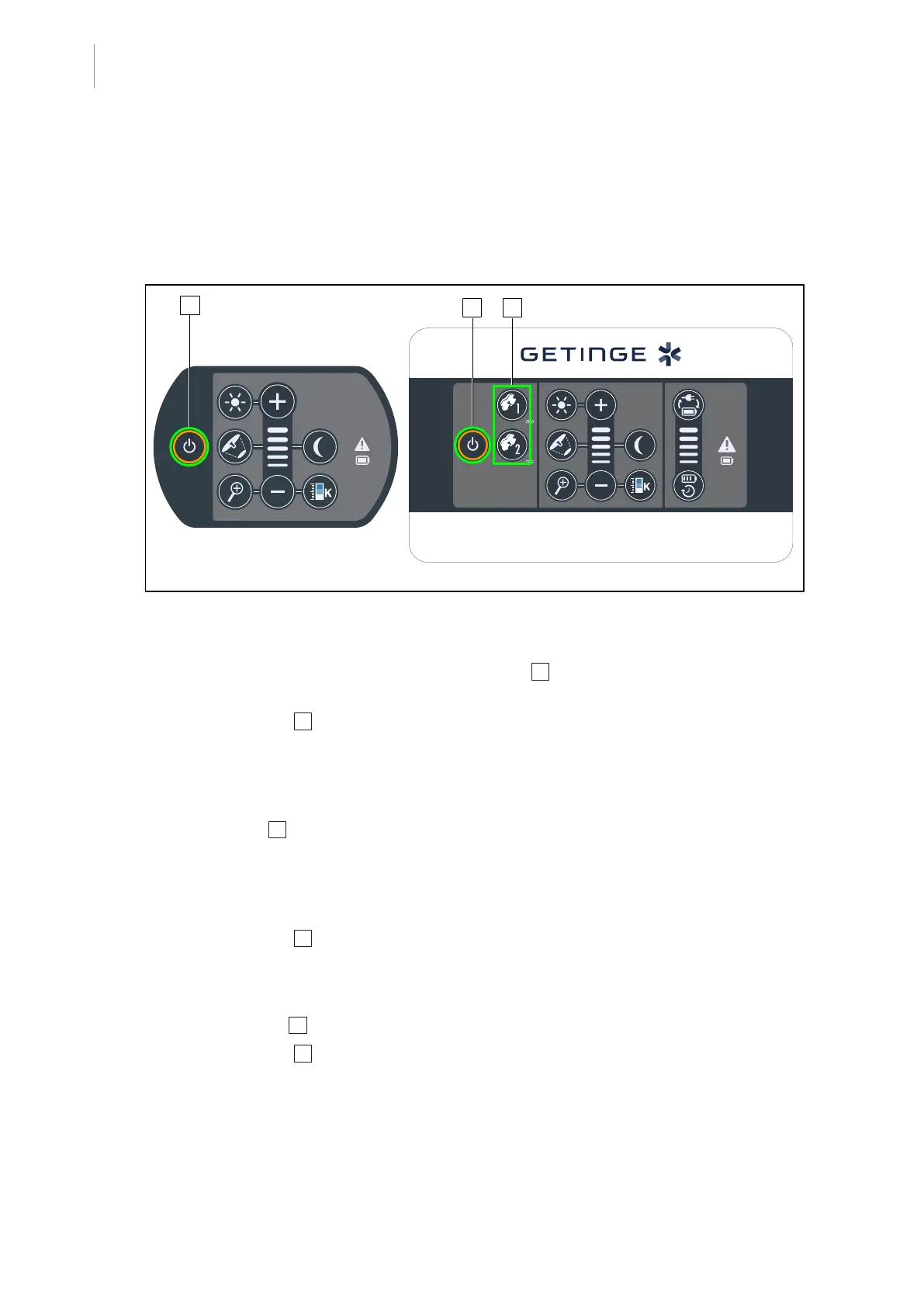
Fig.42: Turning the light on and off from the keypads
Turning on the light, one lighthead at a time
1. On a wall-mounted control keypad, press the button 2 for the lighthead to be turned on, and
hold it until the button is backlit.
2. Press the On/Off 1 button to turn on the lighthead.
Ø The LED sectors are turned on in sequence, and the illumination level is set to the last
value used when the light was turned off.
Turning on the entire light system (via the wall-mounted control keypad only)
1. Press On/Off 1 .
Ø The LED sectors on all lightheads are turned on in sequence, and the illumination level is
set to the last value used when the light was turned off.
Turning the light off via the lighthead keypad
1. Press the On/Off 1 button and hold it until the keypad turns off.
Ø The LED sectors on the lighthead are turned off in sequence once the button is released.
Turning the light off via the wall-mounted keypad
1. Press the button 2 for the lighthead to be turned off and hold it until the button is backlit.
2. Press the On/Off 1 button and hold it until the lighthead button turns off.
Ø The LED sectors on the lighthead are turned off in sequence once the button is released.











 To Next Page