4
Use
Controlling the light
52 / 106
VOLISTA
IFU 01781 EN 19
4.2.7 LMD (only on Volista VSTII with touchscreen)
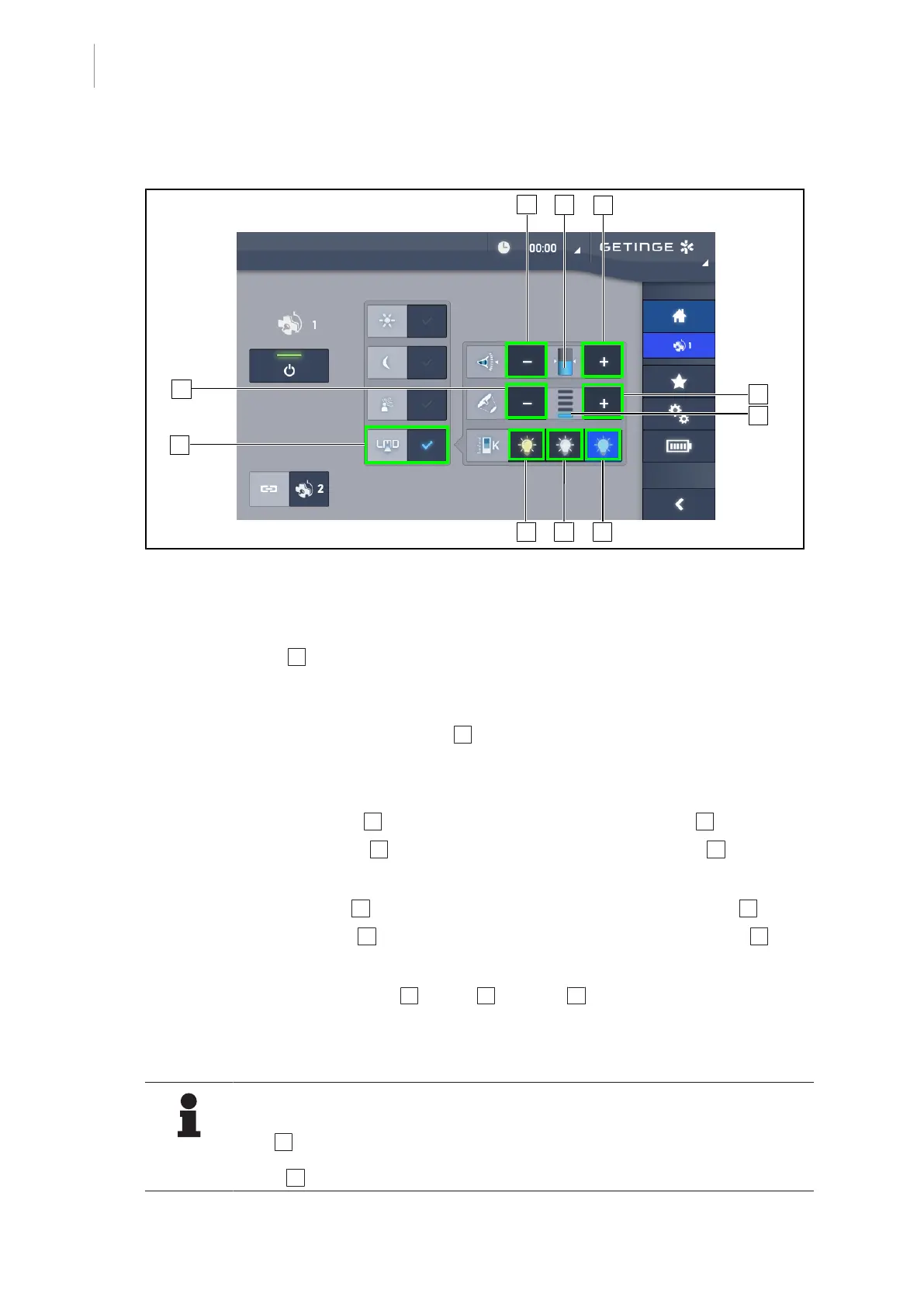
Fig.52: LMD page
Enabling/disabling LMD mode
1. Set the desired light intensity that is comfortable for the surgeon.
2. Next press LMD 1 .
Ø The button is lit blue and LMD is enabled on the lighthead(s) concerned; the lightheads
are automatically synchronised.
3. When LMD is enabled, press AIM mode 1 to disable it.
Ø The button turns off and LMD is disabled on the lighthead(s) concerned.
Adjusting the luminance setpoint value
1. Press Increase luminance 4 to increase the luminance of the lighthead(s) 3 .
2. Press Decrease luminance 2 to decrease the luminance of the lighthead(s) 3 .
Adjusting the light field diameter with LMD
1. Press Increase diameter 7 to increase the light field diameter of the lighthead(s) 6 .
2. Press Decrease diameter 5 to decrease the light field diameter of the lighthead(s) 6 .
Adjusting the colour temperature with LMD enabled
1. With LMD enabled, press 3900K 8 , 4500K 9 or 5100K 10 to select the desired colour tem-
perature.
Ø The button is lit blue and the selected colour temperature is enabled on the lighthead.
NOTE
If the lighthead is at its maximum level, the luminance cannot be increased and the
Plus 4 button is shaded and inactive.
If the lighthead is at its minimum level, the luminance cannot be decreased and the
Minus 2 button is shaded and inactive.











 To Next Page