4
Use
Controlling the light
50 / 106
VOLISTA
IFU 01781 EN 19
4.2.6 Synchronising the lightheads
4.2.6.1 From the wall-mounted control keypad
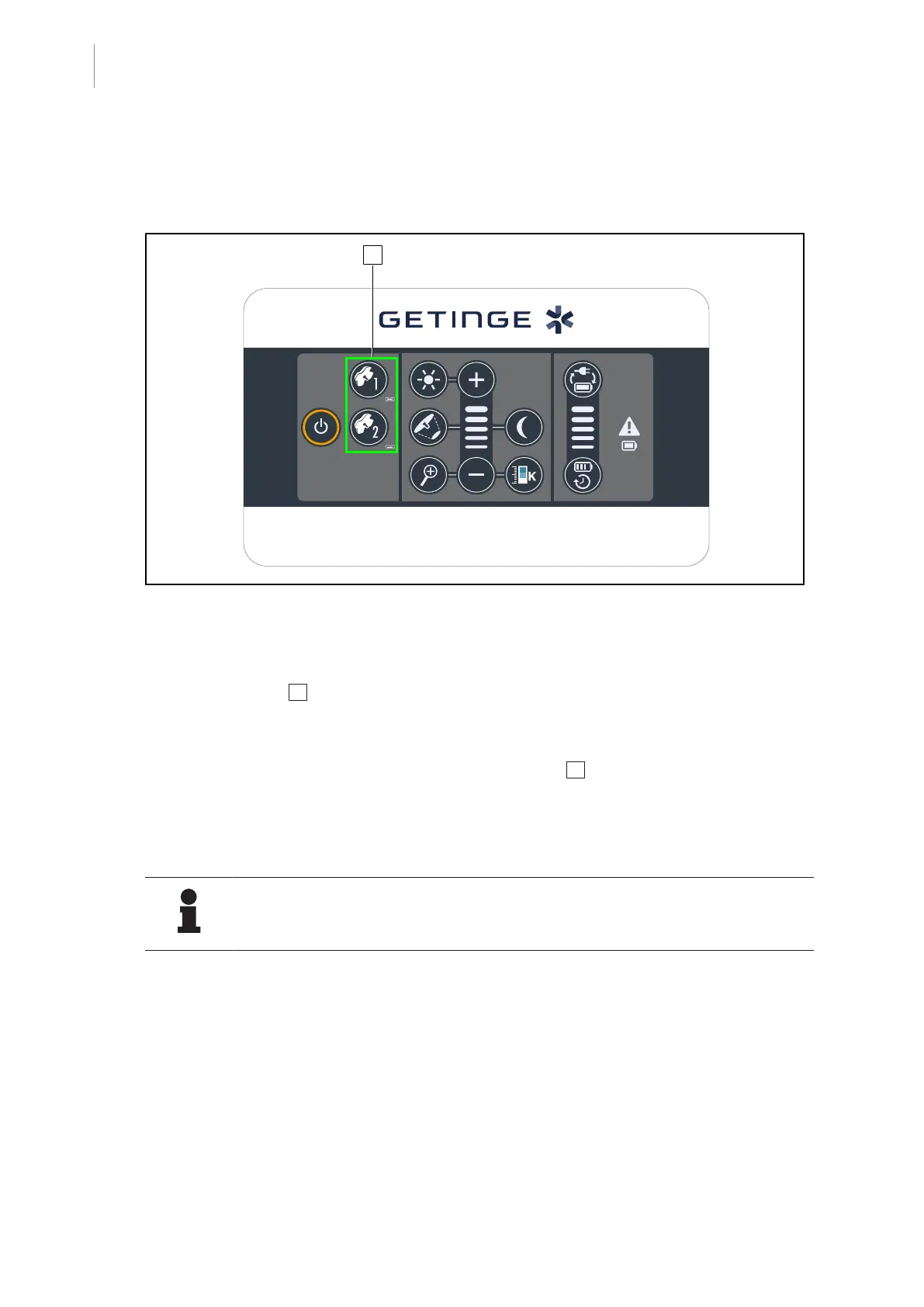
Fig.50: Synchronising the lightheads via the wall-mounted keypad
Synchronising/desynchronising the lightheads
1. Adjust one of the lightheads to the desired settings.
2. Press the button 2 for the lighthead to be synchronised and hold it until the button is backlit.
Ø The lightheads are now synchronised and all changes on one lighthead will result in the
same changes being applied to the other lighthead.
3. To desynchronise the desired lighthead, press the button 2 for the lighthead to be desyn-
chronised and hold it until the button is no longer backlit, or modify the status of a lighthead
using its local control keypad.
Ø The lightheads are no longer synchronised.
NOTE
Special case: To synchronise lightheads with ambient light mode, this mode must
be active on the lightheads concerned before synchronisation.











 To Next Page