Use
Controlling the light
4
VOLISTA
IFU 01781 EN 19
49 / 106
4.2.5 Volista VisioNIR* (on Volista VSTII only)
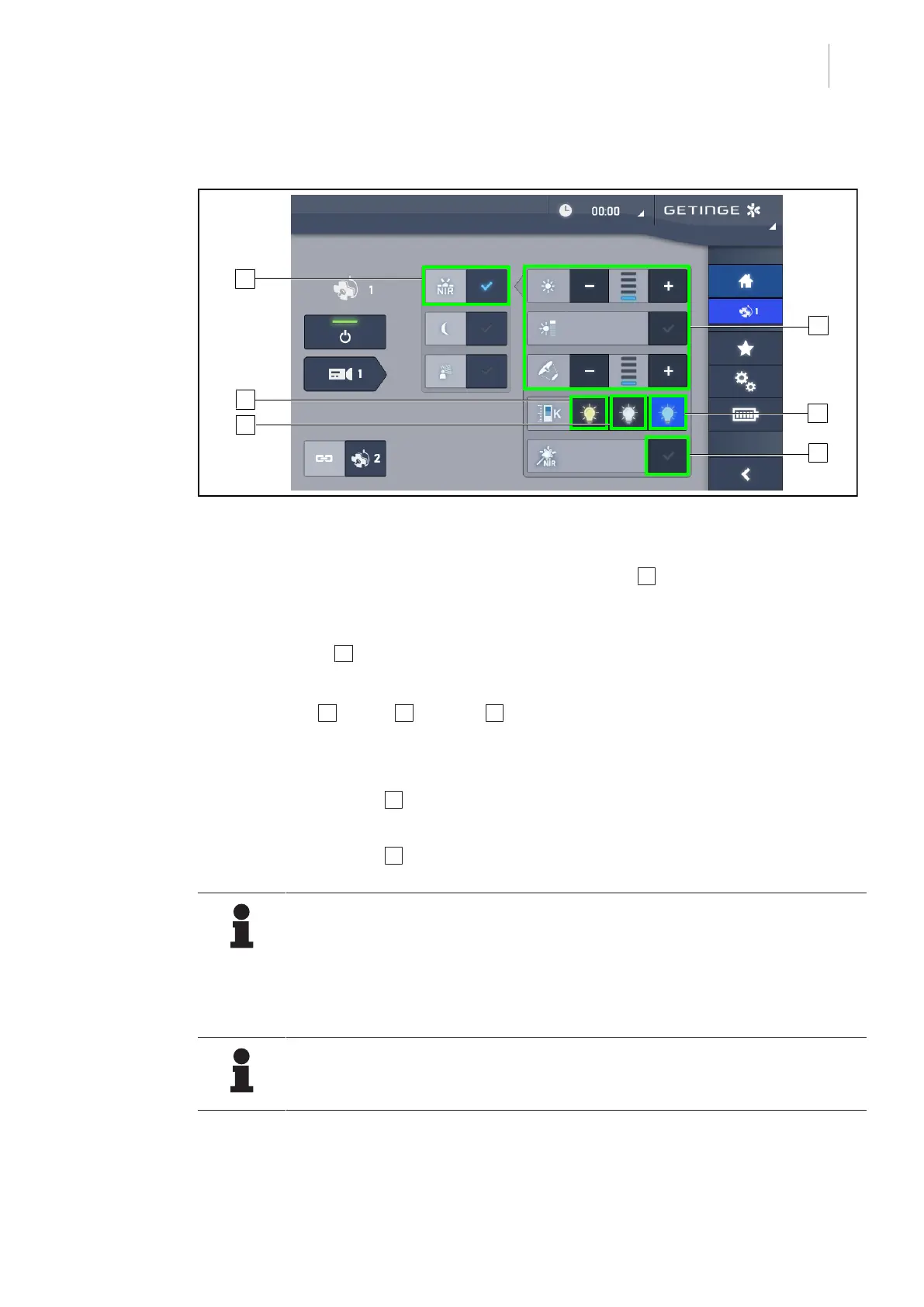
Fig.49: VisioNIR
Adjust the illumination of the lighthead in Volista VisioNIR mode
1. From the lighthead page, press the Volista VisioNIR Mode 1 button.
Ø The button turns blue when enabled.
2. Activate Boost mode, adjust the light intensity or light field diameter in the same way as in
Standard mode 2 Adjusting the illumination [8Page44].
Adjusting the colour temperature
1. Press 3900K 6 , 4500K 7 or 5100K 8 to select the desired colour temperature.
Ø The button is lit blue and the selected colour temperature is enabled on the lighthead.
Enabling/disabling the VisioNIR Boost function
1. Press VisioNIR Boost 6 to enable the VisioNIR Boost function.
Ø The button turns blue when enabled.
2. Press VisioNIR Boost 6 to disable the VisioNIR Boost function.
NOTE
When a fluorescence camera is used with indocyanine green, in most cases, the
Volista VisioNIR lighthead exhibits little disturbance in the fluorescence signal in
Standard mode. For a weak signal, or to improve contrast on the screen, the Vis-
ioNIR Boost function can be used to optimise the settings (see Table36). The light-
heads are then automatically set to the 5100K colour temperature, and the central
ring LEDs on the Volista600 are turned off.
NOTE
The Volista VisioNIR Boost is automatically applied to all the lightheads in the con-
figuration.











 To Next Page