4
Use
Using the camera
70 / 106
VOLISTA
IFU 01781 EN 19
4.5.1.2 Switching on the registered system
Once the camera is turned on, the receiver automatically connects to the camera with which the
receiver was paired. A message appears when connecting to indicate the channel and the resol-
ution.
4.5.2 Controlling the camera
4.5.2.1 From the lighthead or wall-mounted control keypad (zoom only)
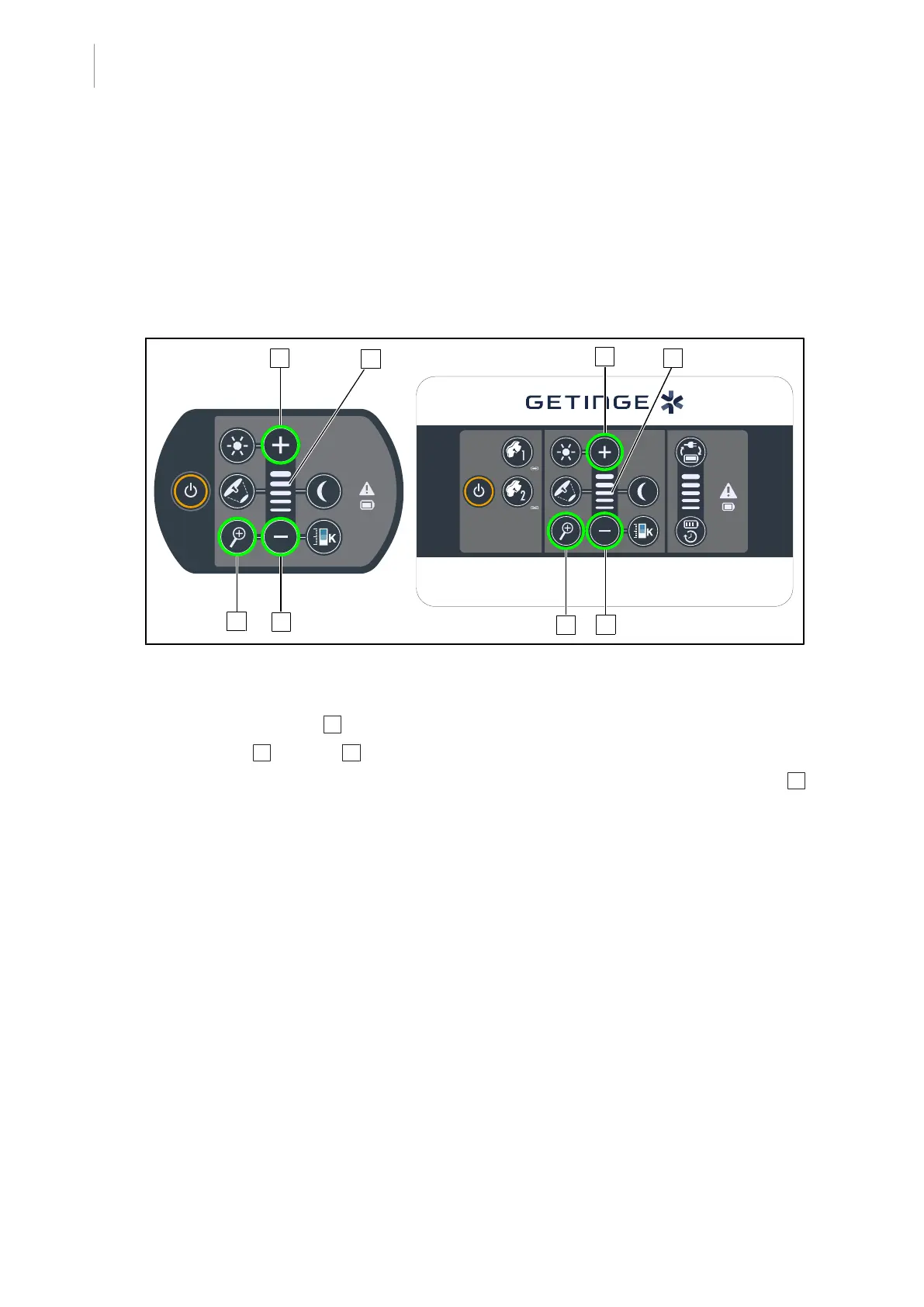
Fig.84: Camera keypad controls
Adjusting the camera zoom
1. Press Camera Zoom 6 .
2. Press Plus 7 or Minus 9 to modify the zoom level.
Ø The camera zoom level varies as shown by the level indicator for the selected function 8 .











 To Next Page