Use
Controlling the light
4
VOLISTA
IFU 01781 EN 19
53 / 106
The luminance level indicator 5 provides a visual indication that the stored luminance level is
maintained:
The setpoint value is achieved.
The lighthead is at its minimum and the luminance remains above the set
value (orange gauge above the reference value).
The lighthead is at its maximum and the luminance remains below the set
value (orange gauge below the reference value).
Tab.12: Luminance levels
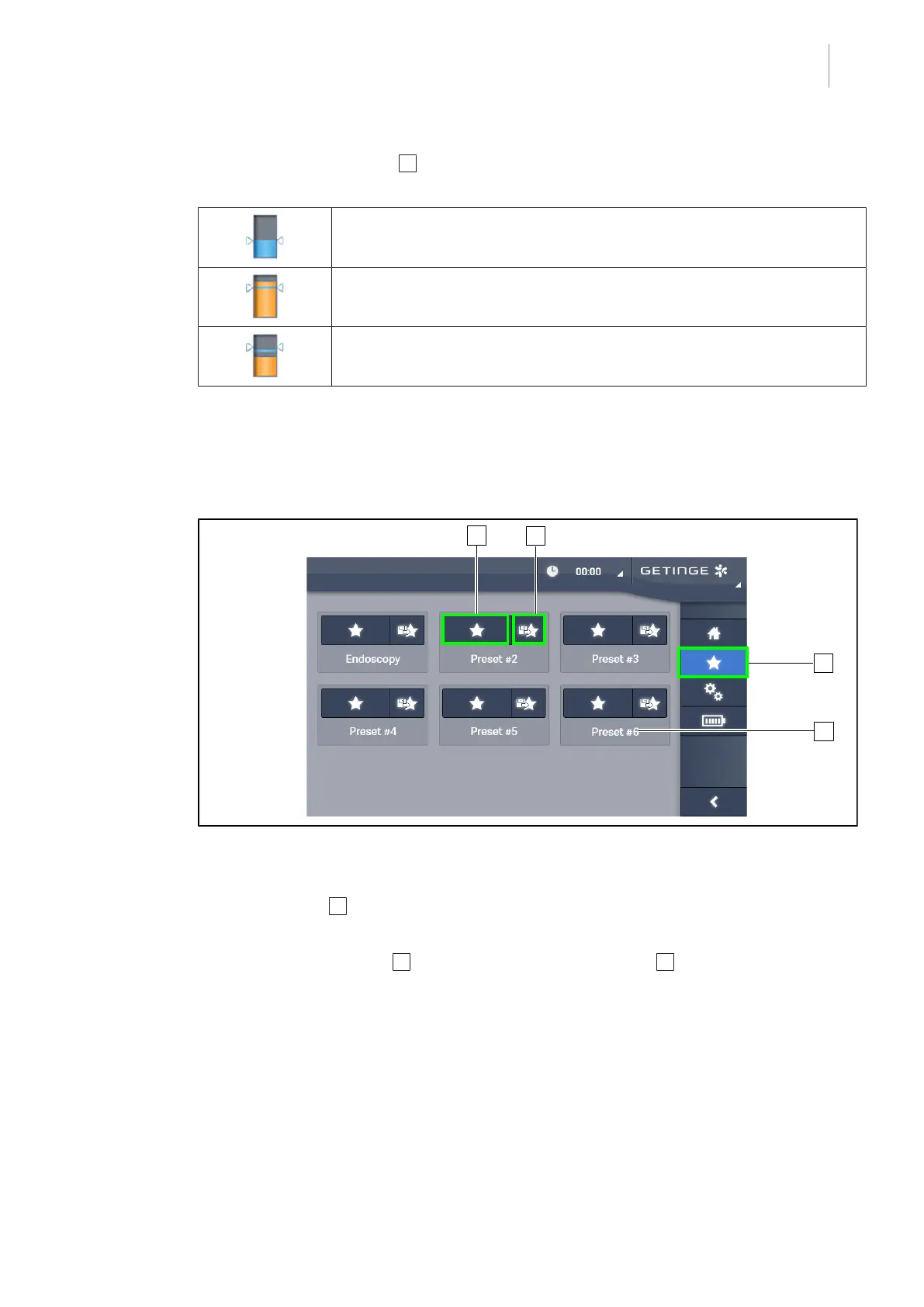
4.2.8 Presets (with touchscreen control panel only)
4.2.8.1 Selecting or storing a preset
Fig.53: Presets page
Applying a preset
1. Press Presets 1 to access the Presets page.
Ø The presets page is displayed.
2. Press the Apply preset 2 button for the desired preset name 4 corresponding to of the six
saved presets.
Ø The selected preset is applied.











 To Next Page