Use
Installing or removing a Quick Lock device (camera, LMD or handle mount)
4
VOLISTA
IFU 01781 EN 19
65 / 106
4.4 Installing or removing a Quick Lock device (camera, LMD or
handle mount)
WARNING!
Risk of injury
If the handle mount or camera are not installed, live parts may be accessible.
Technicians should turn off the equipment before installing or removing
Quick Lock accessories on a lighthead.
NOTE
A wired camera can only be positioned on the lighthead on the lower extension
arm. If installed on the upper extension arm, no video connection will be possible.
4.4.1 Pre-positioning the device
4.4.1.1 On the Quick Lock camera
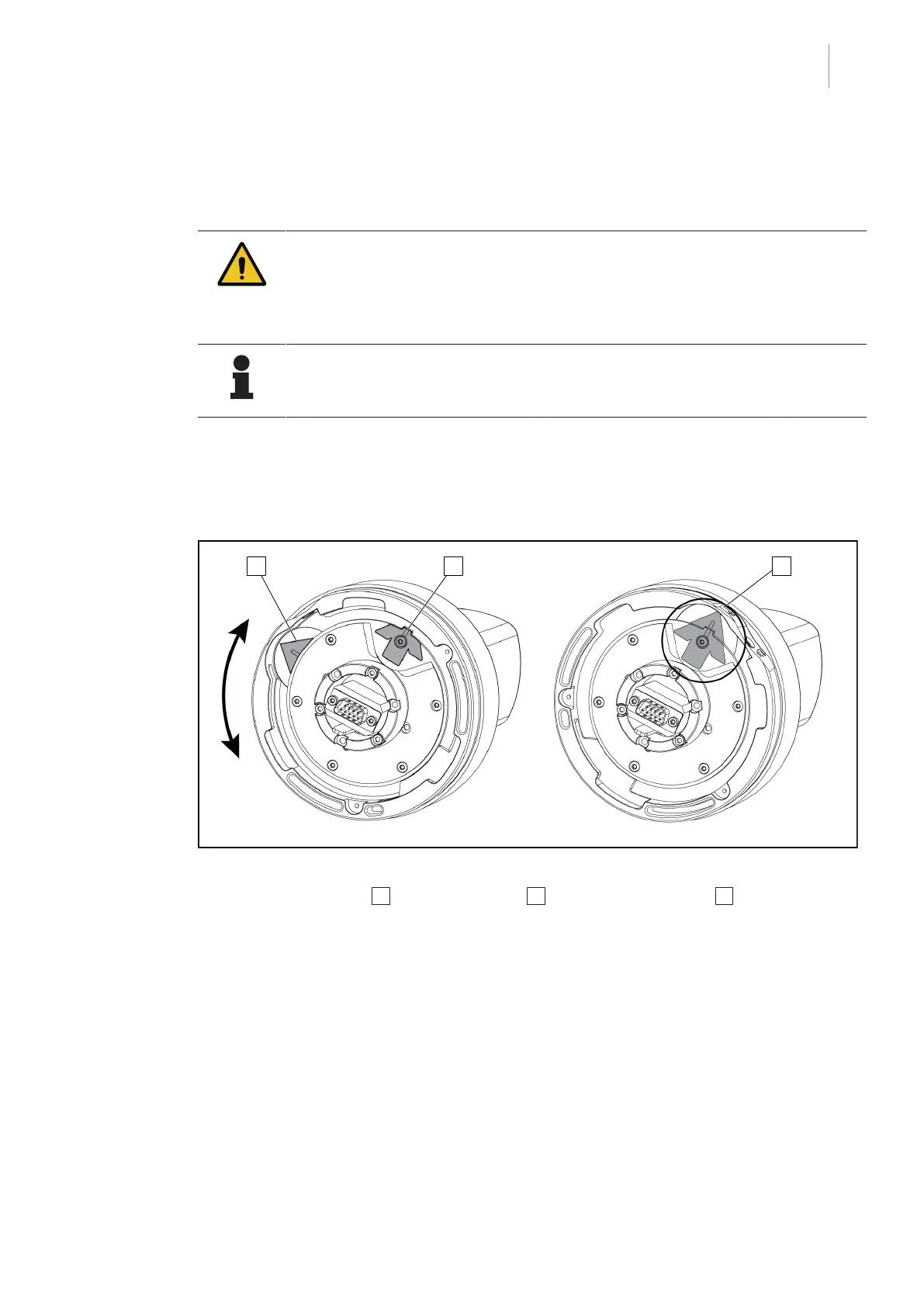
Fig.74: Pre-positioning the Quick Lock camera
1. Rotate the baseplate 1 to align with the tip 2 and form a green arrow 3 .
Ø The camera is ready to be positioned.











 To Next Page