4
Use
Controlling the light
44 / 106
VOLISTA
IFU 01781 EN 19
4.2.2 Adjusting the illumination
4.2.2.1 From the lighthead or wall-mounted control keypad
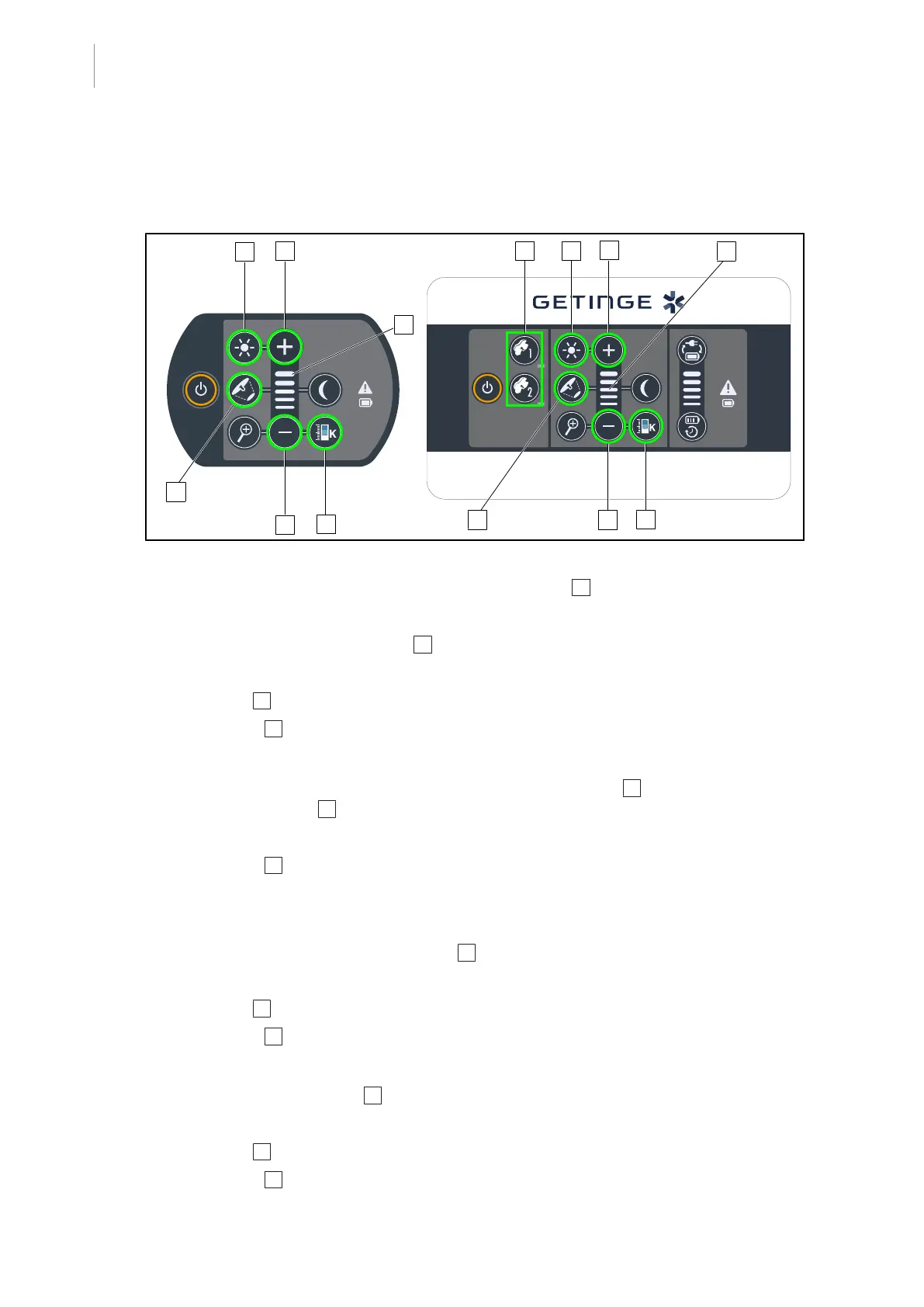
Fig.44: Adjusting the illumination using the control keypads
For the wall-mounted control keypad, first select the lighthead 2 to be adjusted.
Adjusting the light intensity
1. Press the Standard/ambient light 4 button.
Ø The button is backlit on the keypad.
2. Press Plus 7 to increase the light intensity level of the lighthead.
3. Press Minus 9 to decrease the light intensity level of the lighthead.
Enabling/disabling boost mode
1. When the light intensity level is at 100%, press and hold the Plus 7 button until the last LED
on the level indicator 8 starts flashing.
Ø Boost mode is now enabled.
2. Press Minus 9 to disable Boost mode.
Ø Boost mode is now disabled.
Adjusting the light field diameter
1. Press the Light field diameter variation 5 button.
Ø The button is backlit on the keypad.
2. Press Plus 7 to increase the light field diameter of the lighthead.
3. Press Minus 9 to decrease the light field diameter of the lighthead.
Adjusting the colour temperature
1. Press Colour temperature 11
Ø The button is backlit on the keypad.
2. Press Plus 7 to select a colder colour temperature.
3. Press Minus 9 to select a warmer colour temperature.











 To Next Page