Operation
Manual 20791, Rev. C, June 2001 2-69
2.8.2 Path Calibration Correction for Component Variations
These procedures explain how to perform path calibration corrections for component variations.
Connect the input port of the bridge to the RF Output connector of the sweeper. You may need an
adapter to adapt the sweeper to the bridge.
Configure the analyzer for your measurement. First, turn off channels 3 and 4. Press Channel
[3]
. Then
press the
[OFF]
key. This should remove the channel 3 trace and its associated information area. Turn
off channel 4 in the same way.
2.8.2.1 Set Up Sweep Parameters
Press the Source
[START]
key. Enter the desired start frequency on the numeric entry pad, and press
the correct units key (MHz or GHz). The frequency indicators at the bottom of the analyzer display as
well as the frequency display on the sweeper should indicate your new start frequency.
If the sweeper does not respond to the new Start frequency, check that the GPIB cable from the analyzer
to the sweeper is properly connected. Also check that both the analyzer and the sweeper agree on the
sweeper GPIB address (see the Sweeper Installation in Section B.3.3 for more details).
In the Source section, press
[STOP]
and enter the stop frequency. Press
[POWER]
and enter the
desired RF power level (often the maximum leveled power from the sweeper). Locate the [RF POWER
ON/OFF] softkey. The OFF characters are in light blue indicating that RF Power is currently set to OFF.
Press this softkey and notice that the ON characters become light blue, and that the RF power from the
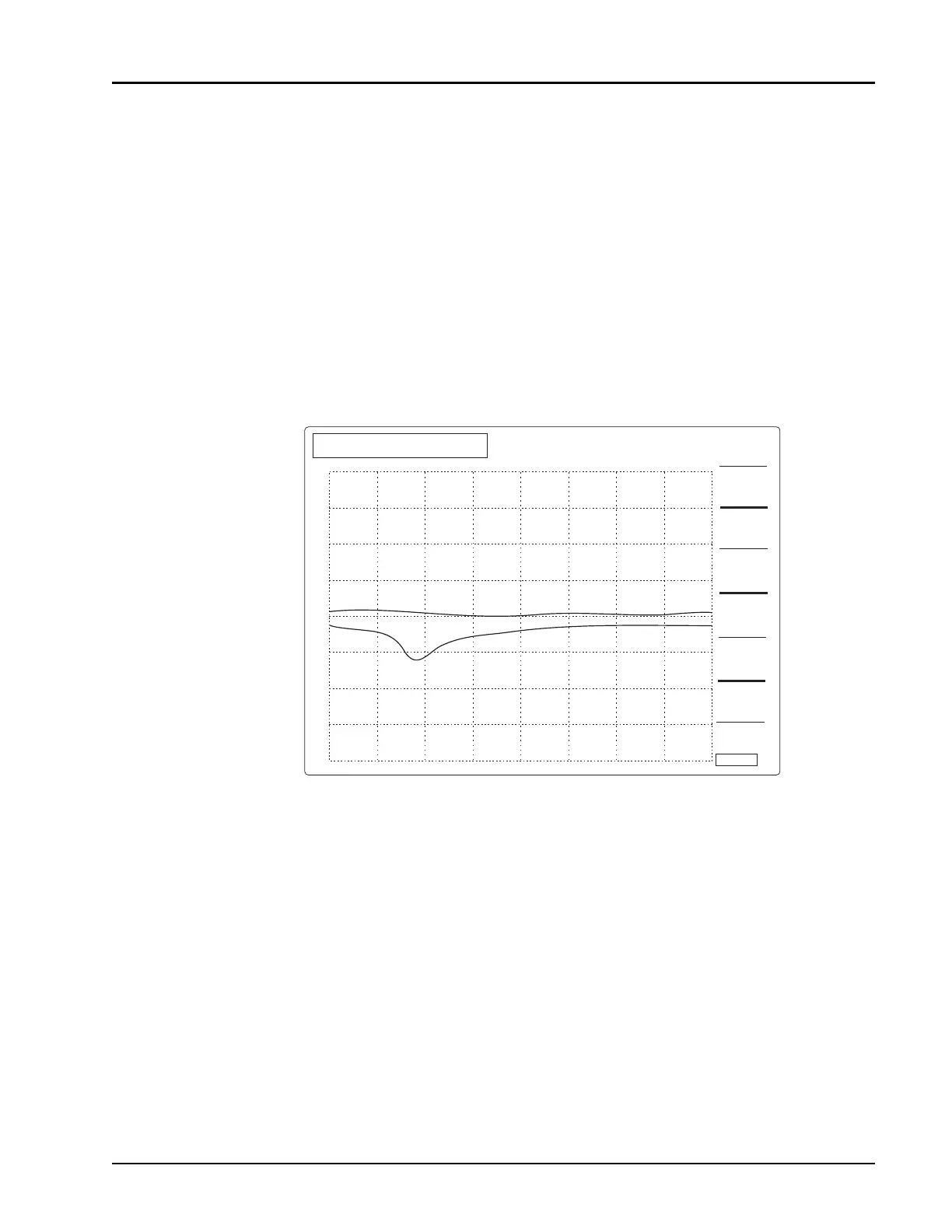
Figure 2-22: New Frequency Parameters Display Screen
CH1:SWA
20 Db / REF 0.00 dBm
CH2:SWB
20 dB / REF 0.000 dBm
CW
∆F
STOP
STOP
STRT 8.000 GHz STOP 12.400 GHz
STOP FREQ
12.400 GHz
2
1


 To Next Page