Remote Operation
Manual 20791, Rev. C, June 2001 3-63
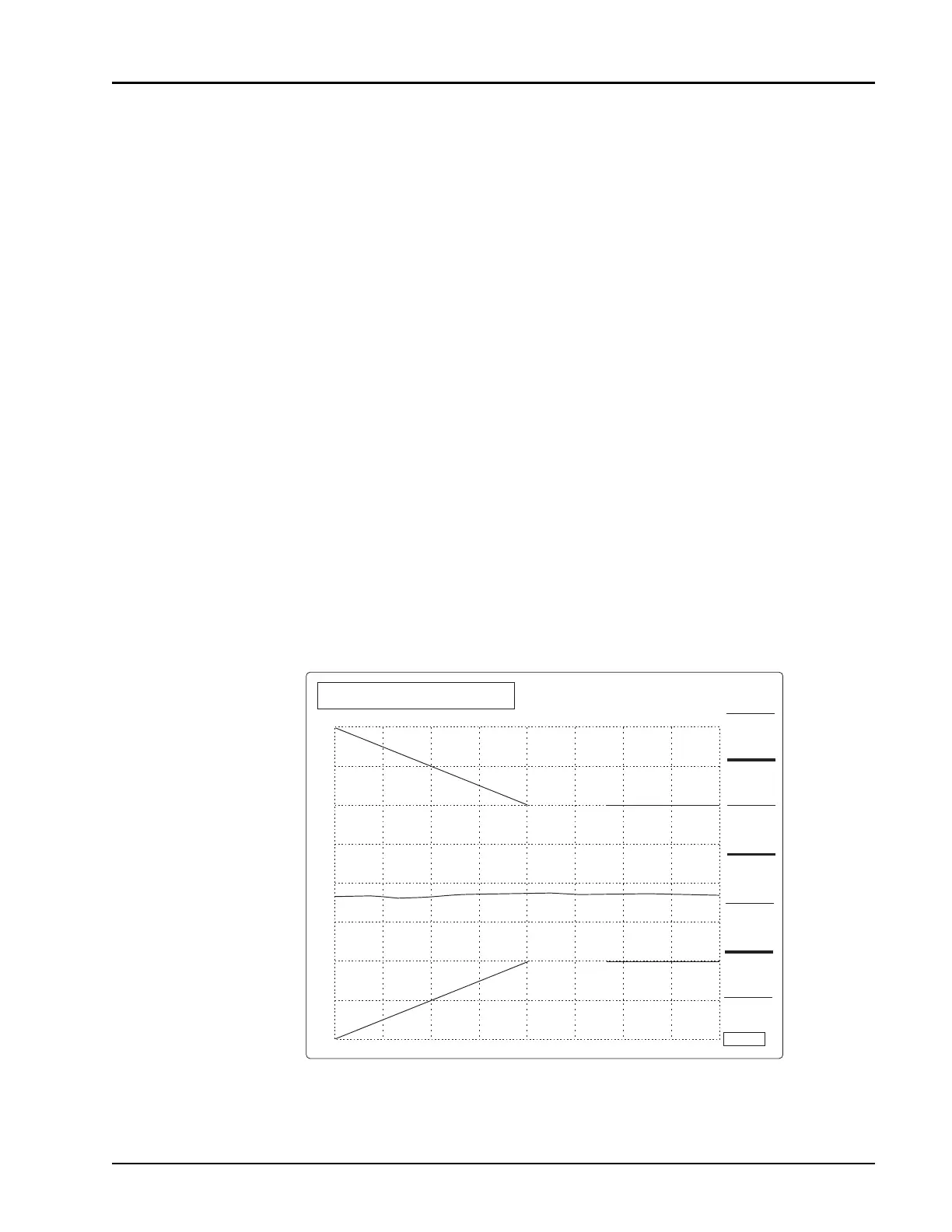
Limit Line Programming Example
10 !*************************************************************
20 ! DEMONSTRATION OF LIMIT LINE PROGRAMMING
30 !*************************************************************
40 CLEAR 704 ! Device clear presets analyzer
50 !
60 ! First configure analyzer and sweeper
70 OUTPUT 704;SWP 1,A;on;CH 2;off;CH 3;off;CH 4;off
80 ! channel 1 on, all other channels off
90 OUTPUT 704;SWPF;start 2000;stop 4000;level 0;level on
100 ! Sweep from 2 to 4 GHz at 0 dBm
110 OUTPUT 704;SWP 1;scale 1;rp 0;rl 0! Manually scale channel 1
120 WAIT 4! Wait for sweeper to settle and make full trace update
130 !
140 !================================================================
150 ! Limit line demonstration
160 OUTPUT 704;SWP 1;limit all;clear! clear previous limit lines
170 !
180 ! Set 3 segments, a slope segment, point segment, and flat segment
190 OUTPUT 704;SWP 1;limit 1;slope 2000,4,-4,3000,2,-2
200 OUTPUT 704;SWP 1;limit 2;point 3200,1,-1
210 OUTPUT 704;SWP 1;limit 3;flat 3400,2,-2,4000
220 !
230 ! Now, turn limit line on
240 OUTPUT 704;SWP 1;limit on
250 !
260 ! Read pass or fail status of limit line test
270 ! Analyzer returns string PASS or FAIL as result of test
280 OUTPUT 704;OUTPUT 1;limit
290 ENTER 704;Pass fail$
300 PRINT Limit line status = ;Pass fail$
310 END
Figure 3-5: Limit Line Display Example
STRT 2.000 GHz
STOP 4.00 GHz
1
CH1: SW A
1.0 dB / REF 0.00 dBm
INK
PRINT
PAINT
PRINT
DISP
LASER
PRINT
ABORT
PRINT
RETURN
>
>
CH1: PASS



 To Next Page