System Configuration
Manual 20791, Rev. C, June 2001 B-13
B.5.4 HP 7470A
B.5.4.1 HP 7470A Pen Color Format (2 Pens)
(When pens are formatted as follows, the colors will correspond to the 8003's default display.)
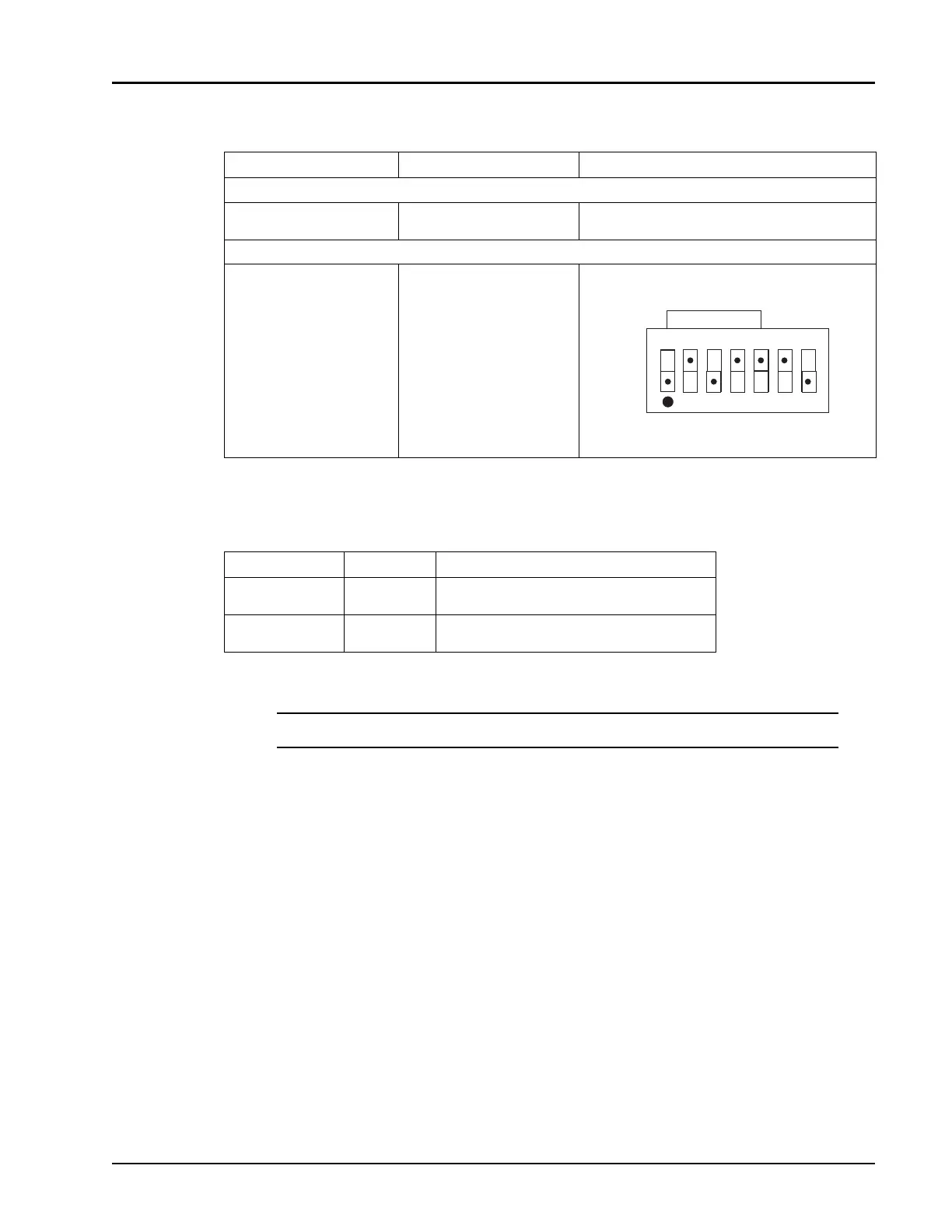
Instrument Connector Label To Set Printer Address
CONNECT FROM:
8003 Analyzer GPIB/PRIVATE Press: CONFIG → GPIB DEVICES → (softkey) →
PLOTTER (softkey) → 5 → GHz/dB
CONNECT TO:
HP 7475A Plotter HP-IB Connector Set rear panel DIP switches as shown below:
Pen Number Color Displayed Function
1 Black Giga-tronics Logo, Channel 1, Channel 3,
Channel 4
2 Red Channel 2, Grid, Title, Channel Title and
Frequency
NOTE:
After setting the address, the plot must be turned OFF and then ON again.
I
O
8
ADDRESS
A4
US
1
2
4
16
☛
☛☛
☛



 To Next Page