Gilson 157/159 UV-VIS Detectors User’s Guide 3-3
Operation
3
Turn Lamp On
Turn Lamp On
The detector lamp is automatically on when the detector is powered on, provided that it was on when the
detector was powered off.
To use TRILUTION LC to turn the lamp on:
1 Create a TRILUTION LC method with the detector in the configuration.
a) Click Scan. The software searches for the detector.
b) From the Available Instruments window, drag and then drop the detector in the workspace.
2 On the Control tab, drag and then drop the Turn Lamp On task into the control workspace.
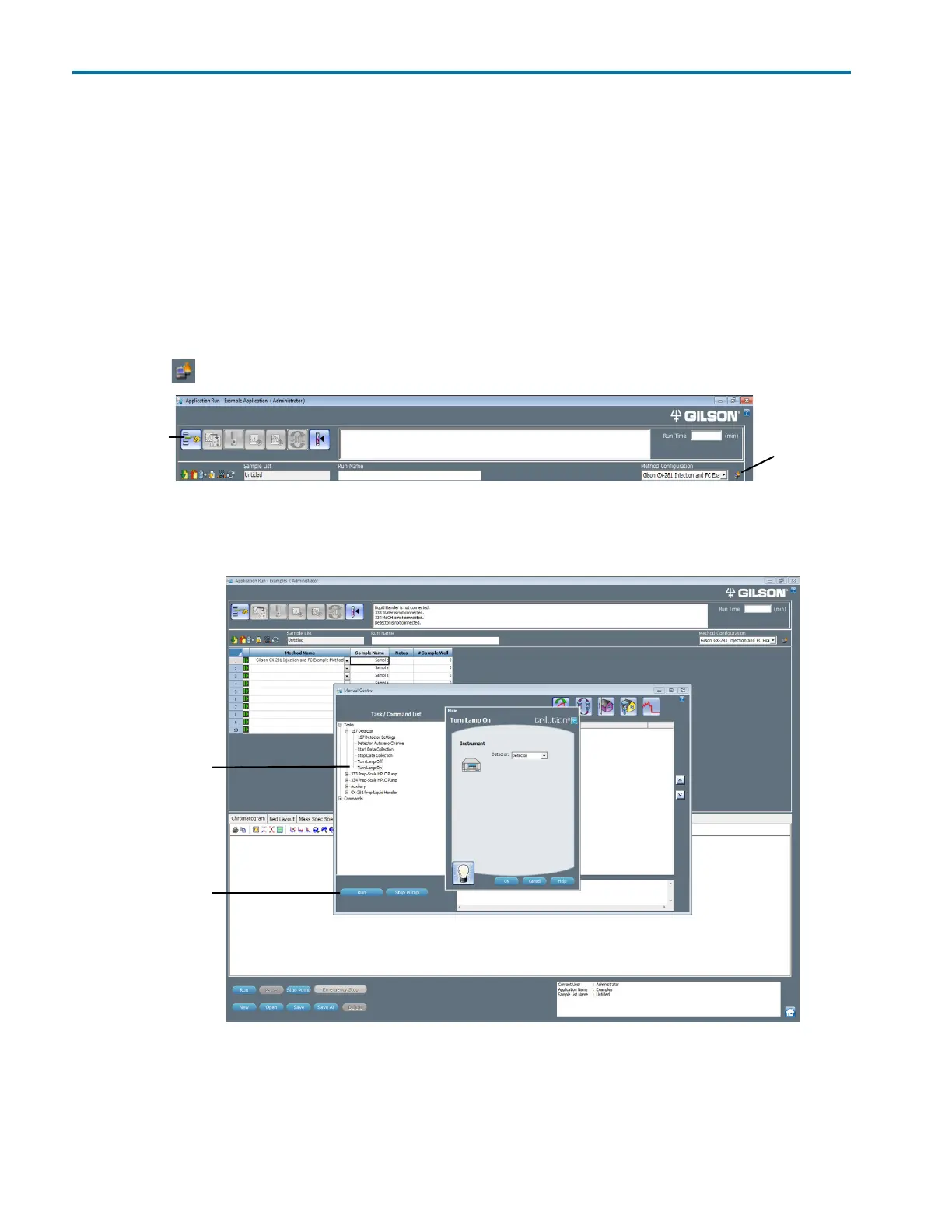
3 Save the method, and then click Run. The Application Run window appears.
4 On the Application Run window, select the method name from the Method Configuration drop-down list and
then click .
5 Click the Manual Control icon. The Manual Control window appears.
6 Tasks are filtered by instrument name. Drag and then drop the Turn Lamp On task into the workspace. Click OK.
7Click Run on the Manual Control window.
Note: The detector requires a 15–30 minute warm-up period to achieve a stable baseline.
Manual Control
icon
Method
Configuration
Figure 3-4: Application Run Window
Run
Turn Lamp On
task
Figure 3-5: Turn Lamp On Task














 To Next Page