Gilson 157/159 UV-VIS Detectors User’s Guide B-5
Front Panel Control
B
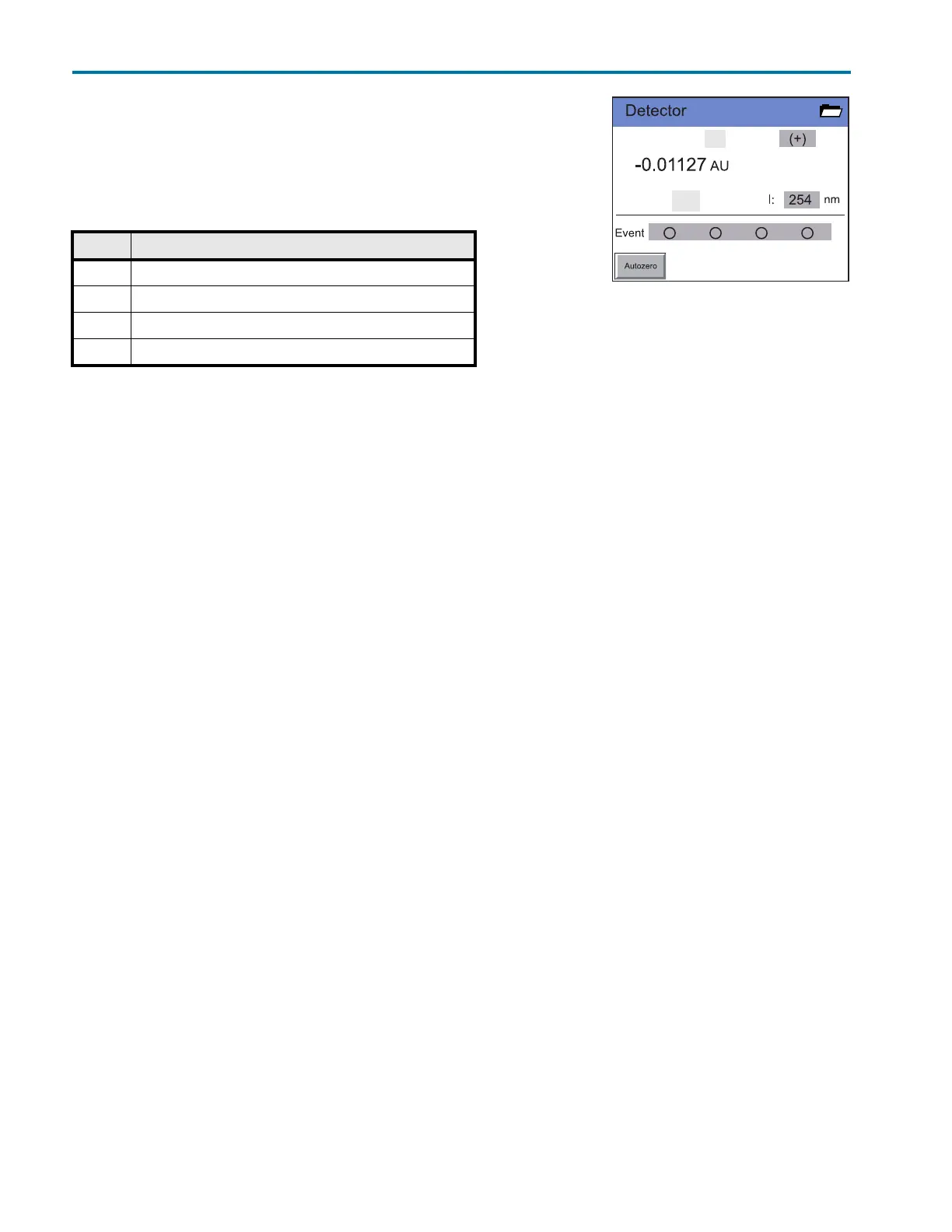
Status Display Settings
Status Display Settings
Signal Options
Select the top gray field on the status display to select a signal output
option.
With options (1/2) and (2/1) the absorption ratio can be generated to check the chromatographic separation
quality with two wavelengths. The result appears in the window half C1 or C2, respectively. The unit AU has no
pertinent meaning.
Wavelengths
Touching the gray fields next to opens a virtual number pad in which the measuring wavelengths can be
specified. The entry is confirmed with the return key. The entry is deactivated with the disable key.
Events
Events are electric signals that are effective on the terminal strip events and remote control and are used to
control the detector and other devices.
Up to four events can be activated by touching the gray Event button.
Autozero
Touch Autozero to perform an autozero scan.
Option Explanation
(-) Signal is inverted
(+) Signal remains unchanged
(1/2) Displays signal 1 divided by signal 2 (159 UV-VIS Detector only)
(2/1) Displays signal 2 divided by signal 1 (159 UV-VIS Detector only)
Figure B-3: Status Display














 To Next Page