Operation
3
3-4 Gilson 157/159 UV-VIS Detectors User’s Guide
Detector Control from TRILUTION LC
Detector Control from TRILUTION LC
The following pages describe how to set conditions for detector control via TRILUTION LC. For additional
information about method setup and the chromatography run in TRILUTION LC, refer to its on-line help or user’s
guide.
Configuration
On the Configuration tab in the Method Builder, tell the software that a 157 Detector or 159 Detector will be
used and how many data channels on the detector will be used.
1 In the Method Builder, select the Configuration tab.
2Click Scan. The software searches for connected instruments.
3 From the Available Instruments window, drag and then drop the 157 Detector or 159 Detector in the
workspace.
4 For the Detector, right-click on a data channel marked for use and then select Primary Channel. One channel
per configuration must be specified as the primary channel. Fraction collection and sample re-injection are
based on the primary channel.
Configuration Properties
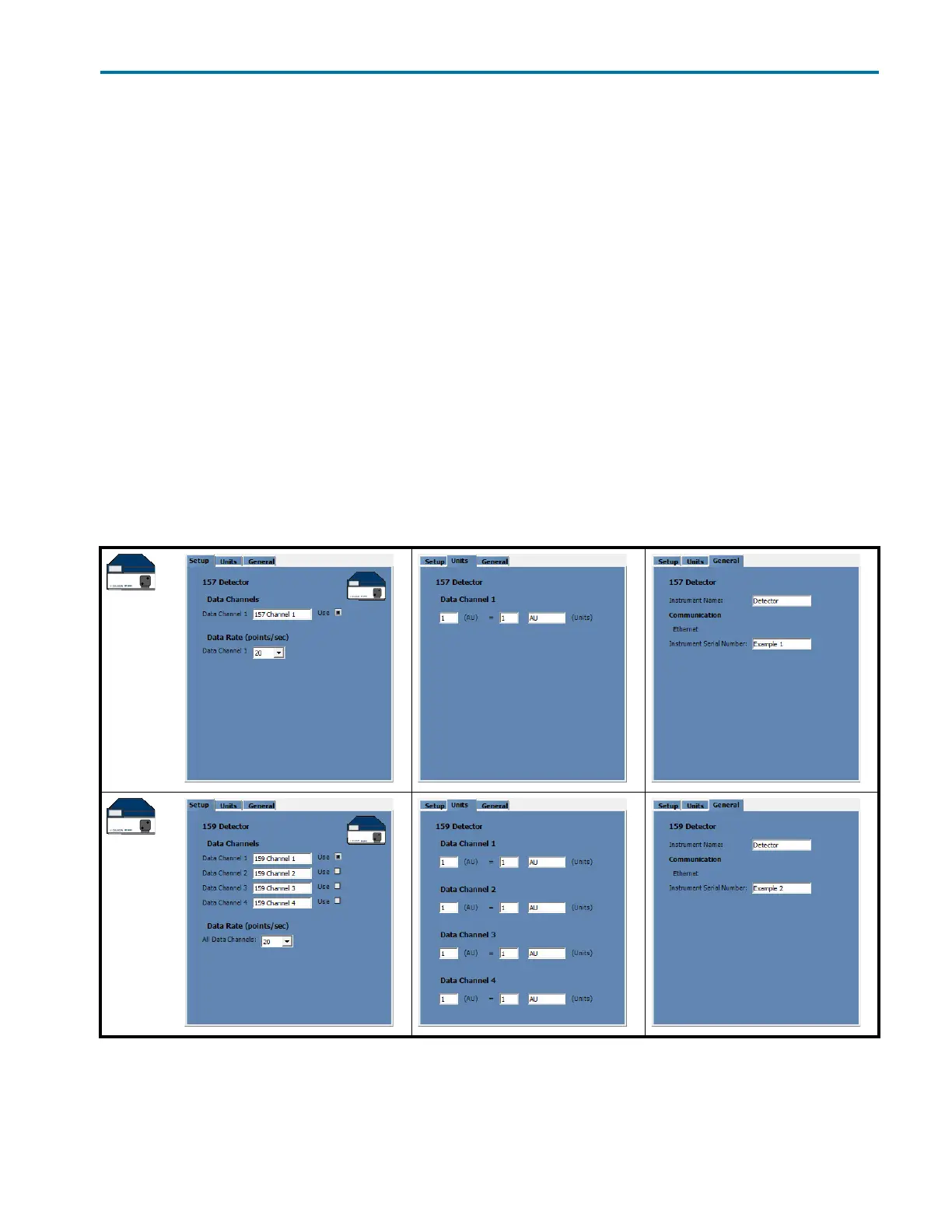
The configuration property pages are shown below. Descriptions of the properties are on the next page.
157 Detector
159 Detector














 To Next Page