Gilson 157/159 UV-VIS Detectors User’s Guide B-11
Front Panel Control
B
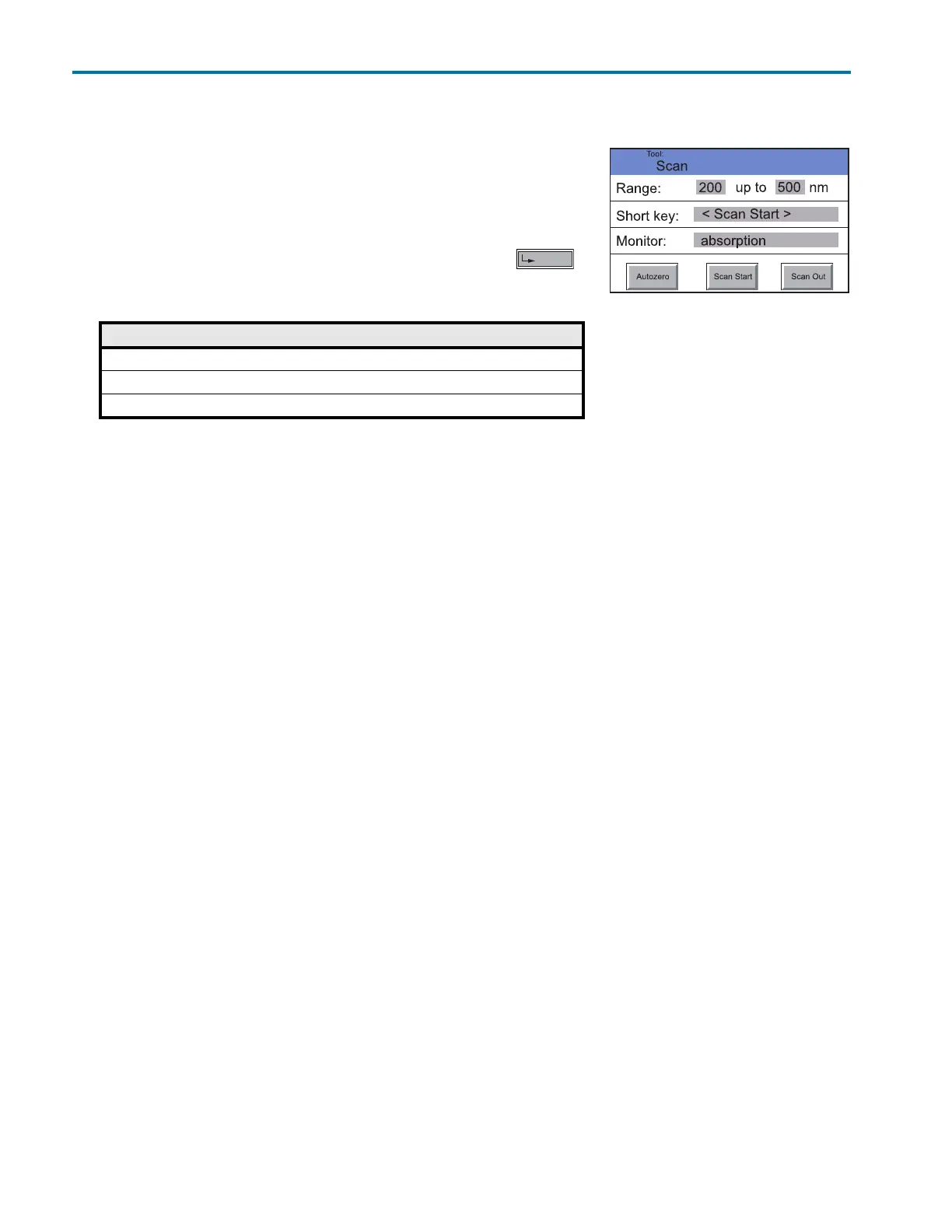
Scan Menu (159 UV-VIS Detector Only)
Scan Menu (159 UV-VIS Detector Only)
Navigation
1Touch Scan in the Main menu to display options.
2 Touch the gray highlighted values in the Range line to determine the
wavelength range for autozero and scan.
3 Enter the desired wavelength values and confirm each with .
4 Touch the gray highlighted values in the Short key line to determine the
scan start area display in the status display.
5 Touch the gray highlighted area of the Monitor line to make the following selections:
• absorption
• intensity of signal channel
• intensity of reference
Now there are the following options:
6Touch Autozero to carry out the zero balance of the measuring signal.
7Touch Scan Start button to start the scan.
8Touch Scan Out to output the scan data to the selected integrator output (RCA port on the back of the device).
Option Explanation
<Scan Start> The button Scan Start appears in the status display.
<Enter screen Scan> The button Scan appears in the status display.
Disable Removes the Scan button














 To Next Page