Front Panel Control
B
B-12 Gilson 157/159 UV-VIS Detectors User’s Guide
Setup Menu
Setup Menu
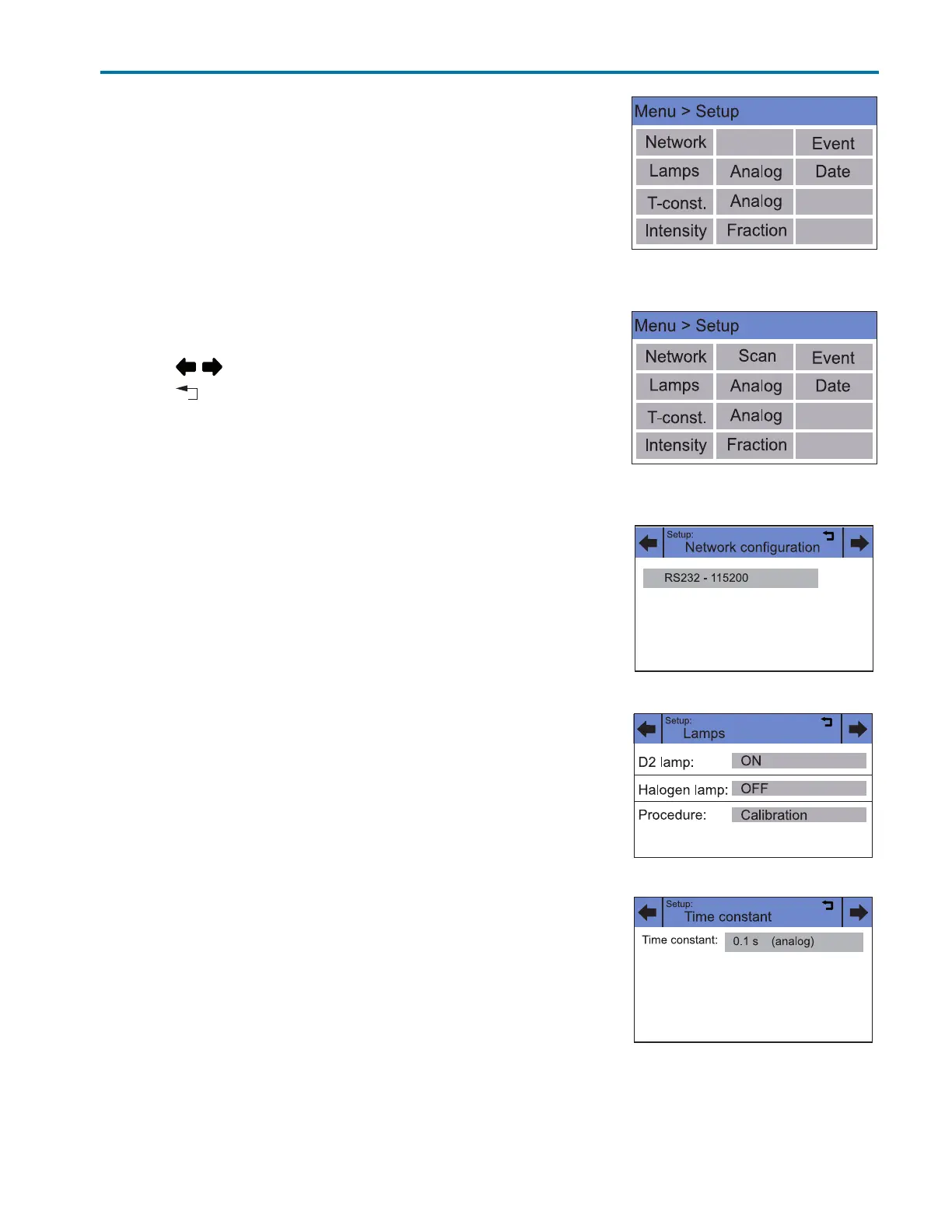
In the Setup menu, fundamental parameters for controlling the detector
are specified.
Navigation
1Touch Setup to display options.
2 Touch this option to see current parameters selected. The option Scan is
only available for multiple wavelength detectors.
3 Touch the gray highlighted values to display all available parameters.
4 Touch the desired parameters.
5 Touch to scroll through the other options in the setup menu.
6 Touch to go to a higher level, or hold for two seconds to go to the
Main menu.
Setup Menu Parameters
Network
The network configuration is displayed.
Touching the gray areas opens a list of further configuration options.
Lamps
The deuterium lamp can be switched and calibrated.
Note: The Halogen lamp is not currently offered.
T-const.
Here a time constant can be selected from prescribed values from 0.1 s to
10.0 s, to smooth the analog output signal.
Figure B-16: Setup menu
(157 UV-VIS Detector)
Figure B-17: Setup Menu
(159 UV-VIS Detector)
Figure B-18: Setup > Network
Figure B-19: Setup > Lamps
Figure B-20: Setup > T-const.














 To Next Page