Front Panel Control
B
B-8 Gilson 157/159 UV-VIS Detectors User’s Guide
Program Menu
Changing a Program
1Touch Program to display the program list.
2 Touch the desired program number and then Edit to edit the program.
3 Change the desired value.
4Save setting.
5 Touch to go to a higher level, or hold for two seconds to go to the
Main menu.
Displaying the Program Lines
1Touch Program to display the program list.
2 Touch the desired program number and then Tab to reach the program
line display.
3 Touch to go to a higher level, or hold for two seconds to go to the
Main menu.
Deleting the Program
1Touch Program to display the program list.
2 Touch the desired program number and then Delete to delete the program.
3 Confirm the query.
4 Touch to go to a higher level, or hold for two seconds to go to the Main menu.
Creating a Program with a Starting Time
Program WU
The program labeled WU serves as a wake-up program. It can be used to
load a program or link and can be started at a predetermined time.
Note: Make sure that the date and time configured in the Setup menu are
correct.
Procedure
1Touch Program to display the program list.
2Touch WU and Edit to edit the program.
3 Enter the program or link to be run at the wake-up time in the wake-up line and confirm it with .
4 Enter the program start-date and confirm it with .
5 Enter the program start-time and confirm it with .
6 Touch to go to a higher level, or hold for two seconds to go to the Main menu.
WU > Load
The WakeUp control mode can be started with WU > load after answering the security query “load wakeup
program?”. The screen will display the characters WAKEUP, as well as the detector’s wake-up time and the current
time. The screen turns on the power saving mode.
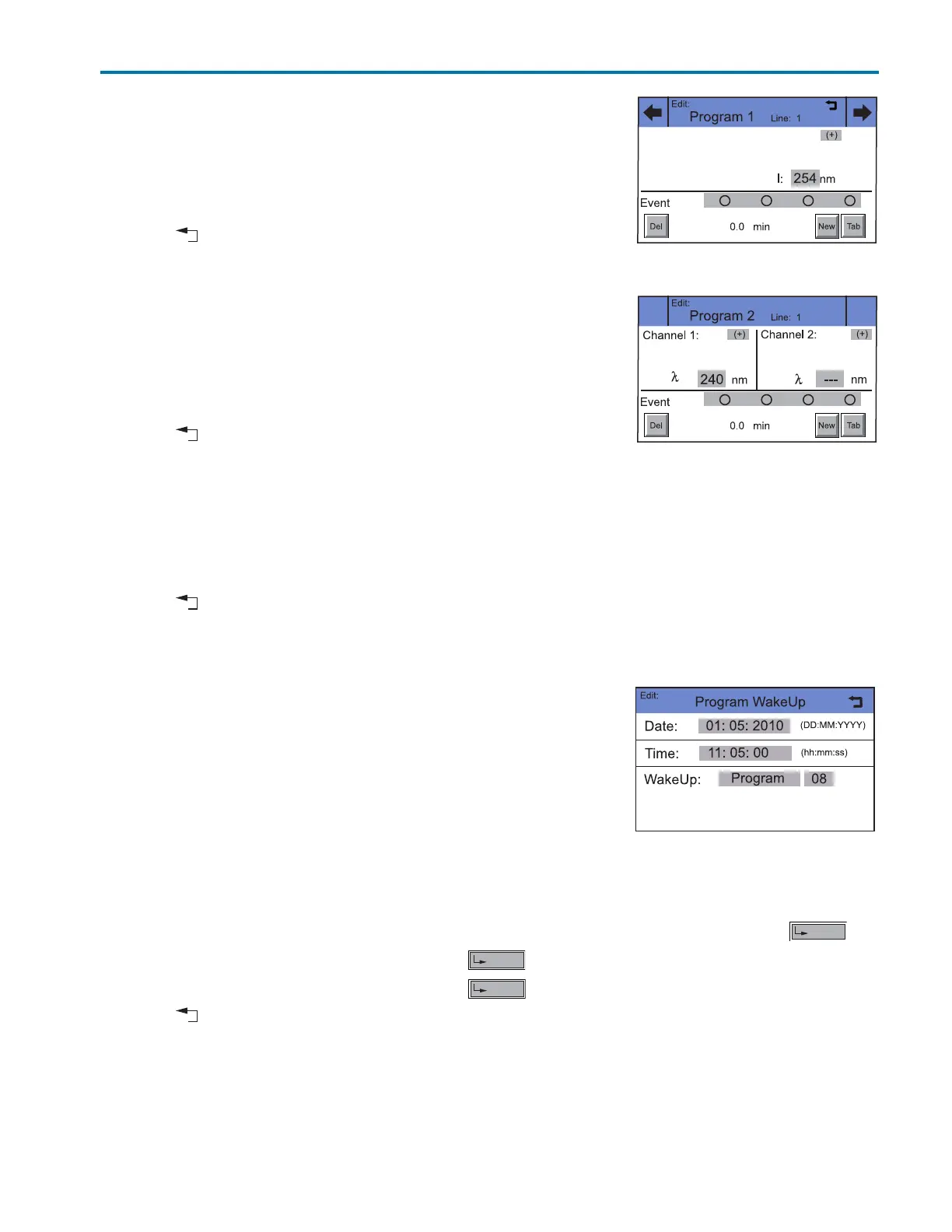
Figure B-9: Program 2 > Edit
(157 UV-VIS Detector)
Figure B-10: Program 2 > Edit
(159 UV-VIS Detector)
Figure B-11: Program > WU > Edit














 To Next Page