Maintenance
4
4-10 Gilson 157/159 UV-VIS Detectors User’s Guide
Lamp Replacement
Overview
Lamp replacement requires access to the rear panel of the detector.
Steps are completed in the following order:
1 Turn detector off and disconnect power cord.
2 Remove cover.
3 Disconnect lamp.
4 Remove lamp.
5 Install replacement lamp.
6Connect lamp.
7Install cover.
8 Reconnect power cord and turn detector on.
Remove Cover
1 Turn detector off and disconnect power cord.
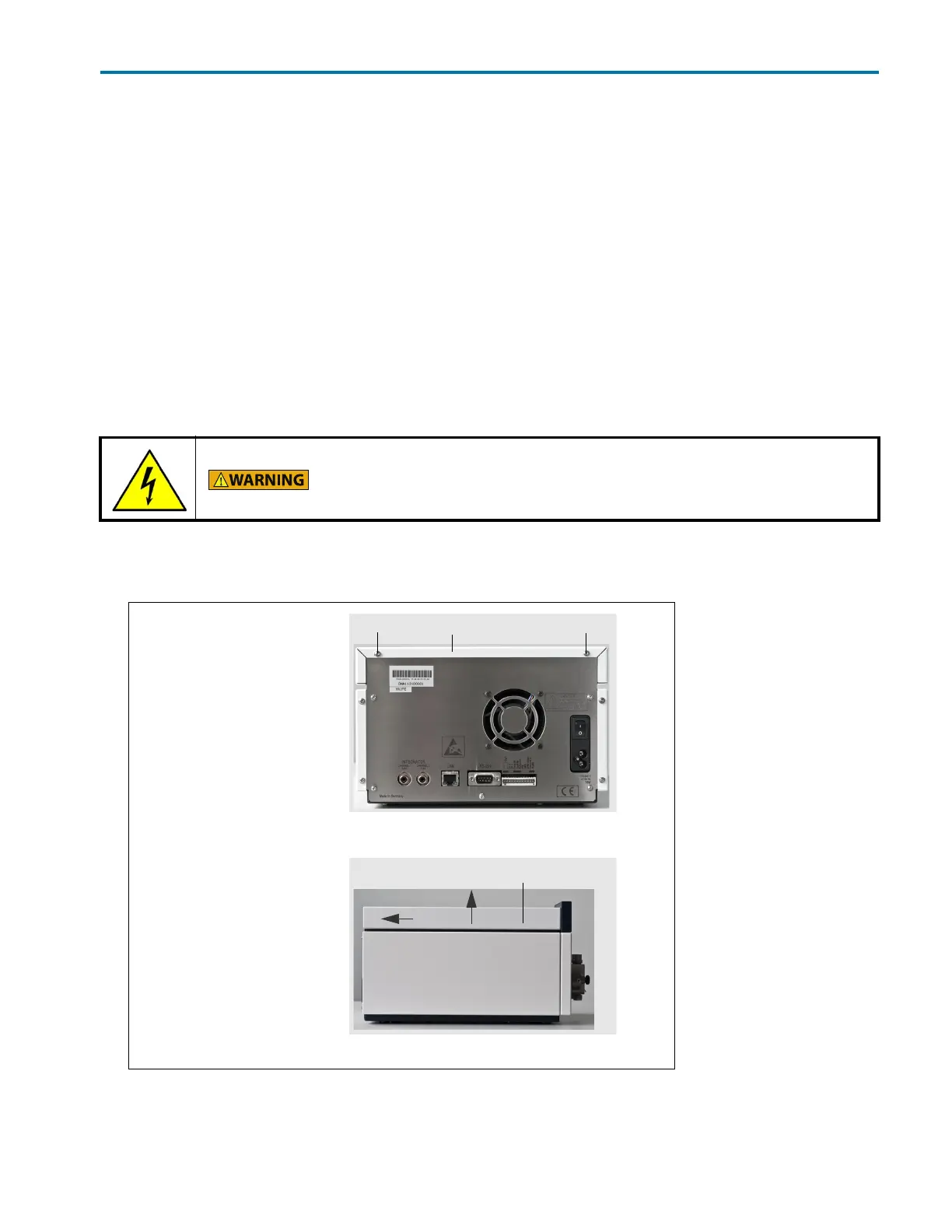
2 Remove the two 2 mm Allen screws (labeled A and C in the figure below) that secure the cover to the detector.
3 Push the cover back and then lift up to remove.
Risk of electric shock!
To avoid possible electric shock, turn off the detector and disconnect the power
cord before opening or servicing the detector.
Legend
A Allen screw
BCover
C Allen screw
Figure 4-9: Remove Allen Screws
Figure 4-10: Remove Cover














 To Next Page