Gilson 157/159 UV-VIS Detectors User’s Guide 4-11
Maintenance
4
Lamp Replacement
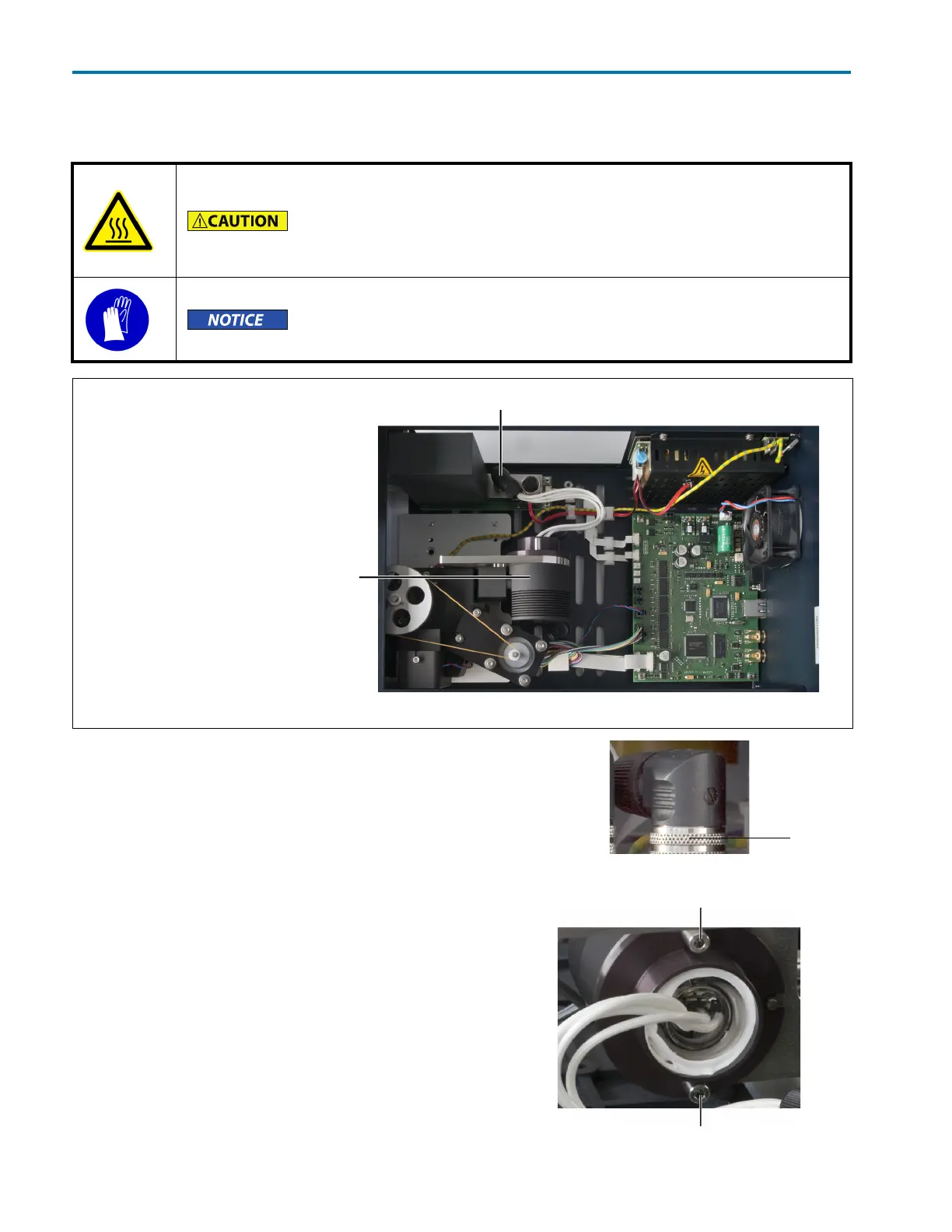
Disconnect Lamp
Disconnect the lamp before removing it.
Turn the locking ring on the lamp connector and then
disconnect.
Remove Lamp
1 Remove the two screws that secure the lamp in the lamp
pod.
2 Remove the lamp from the lamp pod.
Caution, hot surface
Never touch a hot lamp.
Turn off the lamp, but leave the detector on (fan running) for 15–30 minutes
before replacing a lamp.
Wear protective gloves!
Do not touch the glass body with hands. Deposits can falsify measuring
results and can damage the lamp.
Legend
A Connector for lamp
BLamp pod
Figure 4-11: Lamp Position
Figure 4-12: Turn Locking Ring to Disconnect Lamp
locking
ring
screw
screw
Figure 4-13: Remove Screws














 To Next Page