4.1.2. Configuration avancée
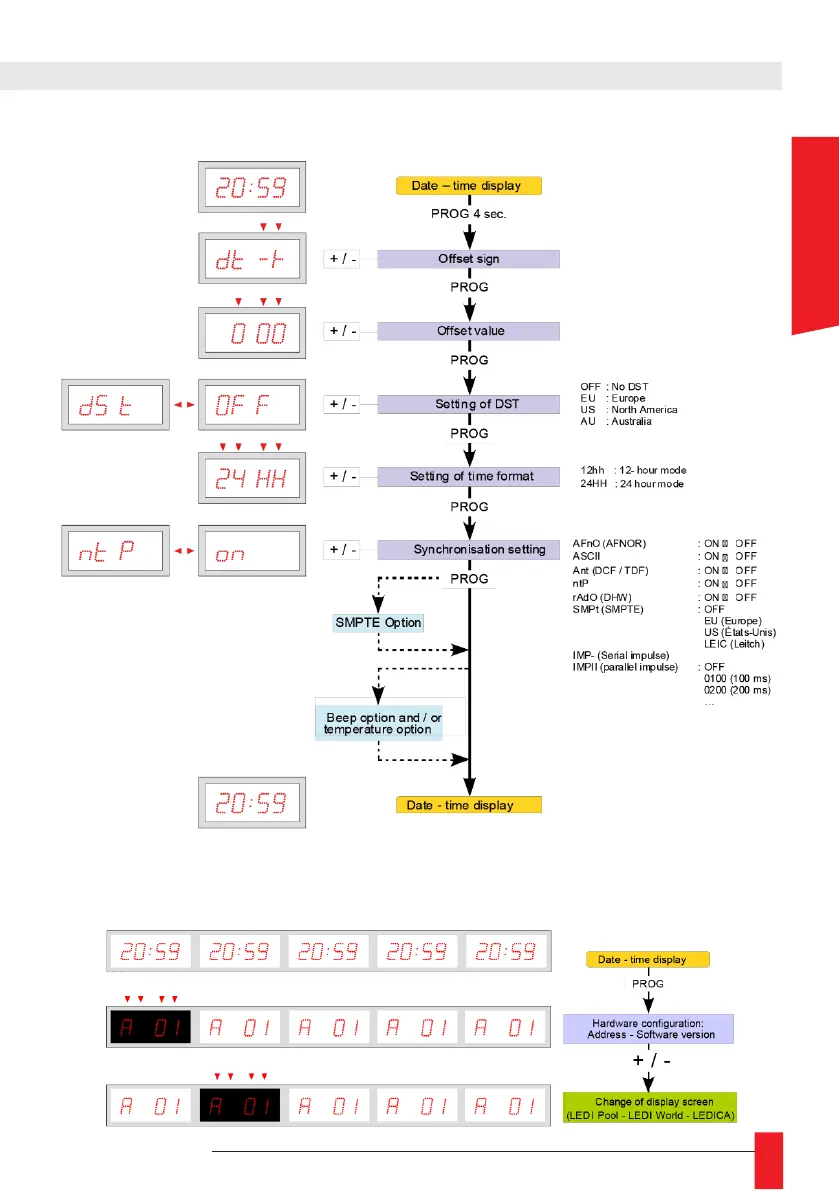
► To switch between display screens on a LEDI
®
WORLD, LEDI
®
POOL or LEDICA
®
, press
PROG button on the clock, the version of firmware will be displayed, the first display
screen is selected for setting. If you want to switch to another display screen, press +/-
button to select the display to be set.



 To Next Page