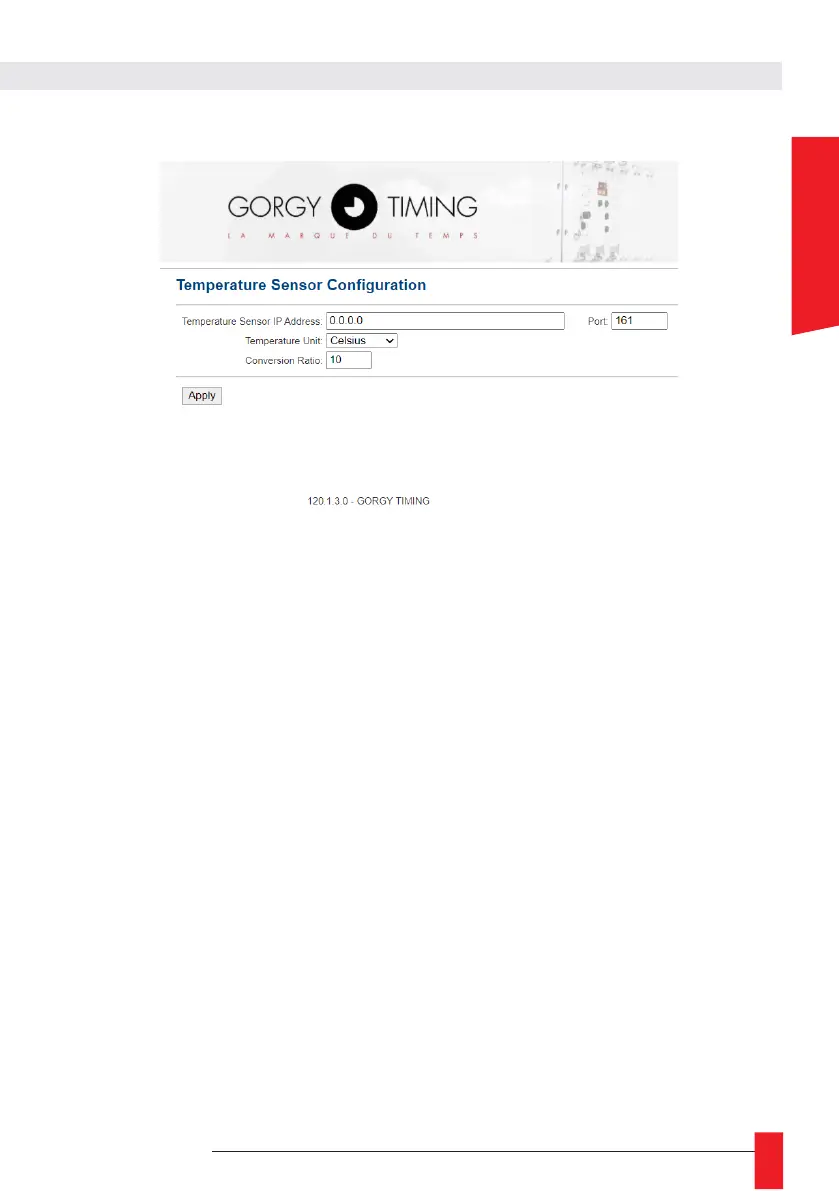
6.2.5. Temperature option configuration Web page « Temperature Sensor »
In this page you can configure the SNMP sensor associated with the clock, which can then display the
temperature.
Warning: This page is only available if the option "TEMPERATURE SENSOR VIA IP STATION"
has been added to the clock when ordering.
► Temperature Sensor IP Address: The IP address of the SNMP sensor. A host name can be used
for the sensor if it is indicated in the DNS.
► Port: the SNMP port of the SNMP sensor. The default SNMP port is UDP port 161.
► Temperature Unit: Unit in degrees Celsius, Fahrenheit or None.
► Conversion Ratio: The conversion ratio of the sensor data, by default 10. The system is
programmed to receive the data on an integer that represents 10 times the real value (to have the
tenth).
Display Temperature in the Display Configuration Page
With the "TEMPERATURE SENSOR" option enabled on the LEDI and after the SNMP sensor has been
properly set up in the "Temperature Sensor" web page, it is then possible to define the display duration
(in seconds) of the Temperature (alternating with the time and date) from the "Display configuration"
page.



 To Next Page