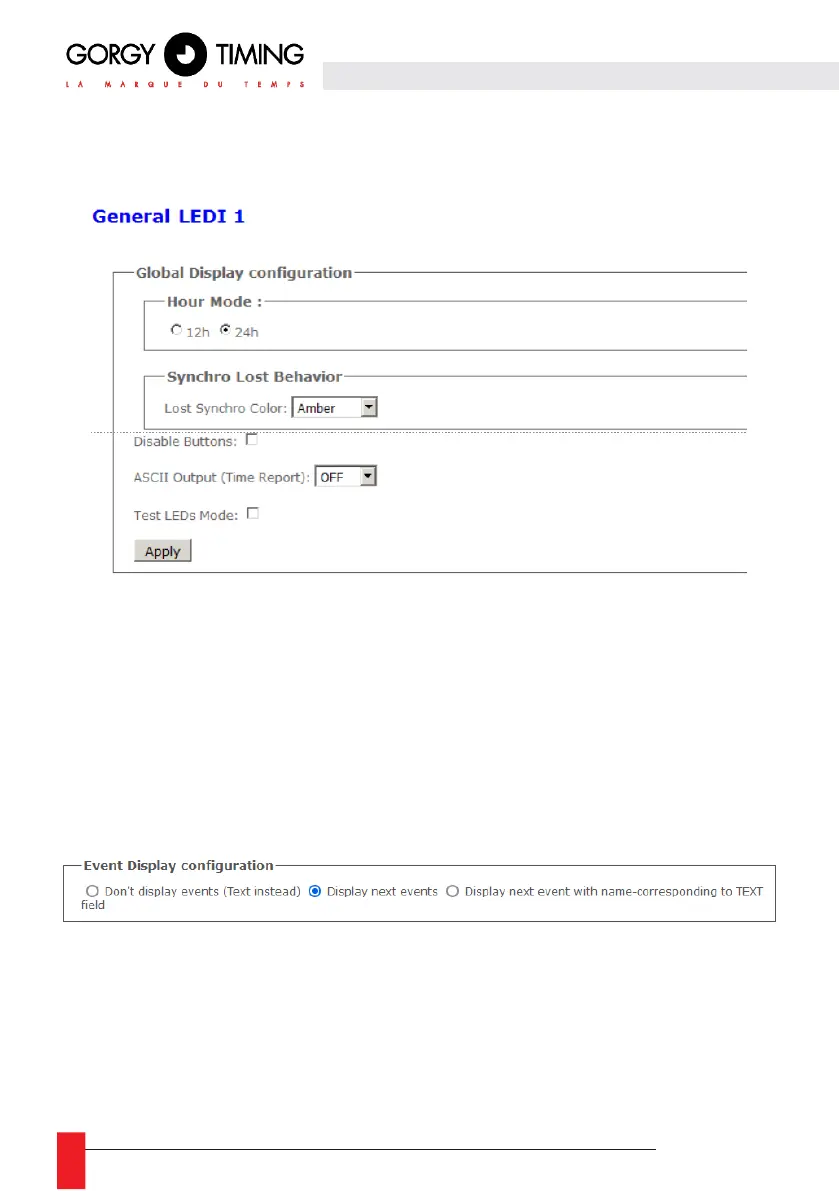
A. " General configuration" Tab
In this tab, you can set global LEDI configuration.
► Hour Mode: to choose between the "classic" 24H mode or the Anglo-Saxon 12H mode (AM/PM).
► Synchro Lost Behavior : With this parameter, the clock displays can change color in case of loss
of synchronization. By default, there is no change of color but only the 2 dots of the seconds blink
to indicate that the clock is synchronized.
► Disable Buttons: if there are buttons (+/-/PROG) on the clock, we can disable/enable them here
to avoid somebody to change clock configuration manually..
► Test LEDs Mode: This mode will change all displays to power on all the LEDs and help detect if
there is no hardware problems on LEDs.
EVENTS Option
If the clock has been ordered with the "Event Display" option, it will be able to display the next events of
a calendar with the following parameters:
► Don’t display events (Text instead): the management of events will be disabled. It will be possible
to display text instead of events like on a clock without the EVENTS option.
► Display next events: event management will be activated. Each "LEDI X" display will show the
date and/or start time of the Xth event
For example: on the "LEDI 1" part, we can display the next event, the next one on "LEDI 2" and so on
until LEDI 7. After the end of the next event, the events will all shift to the left.



 To Next Page