6.2.11. Firmware update by FTP
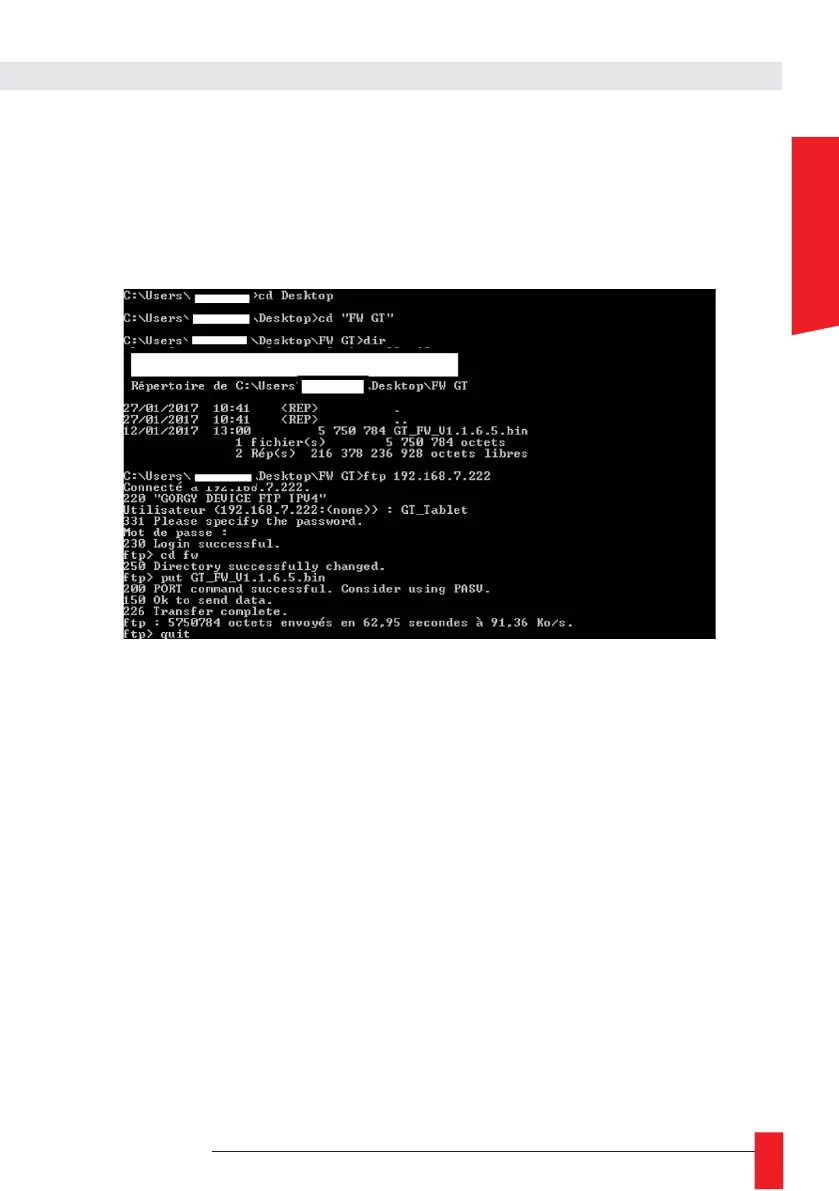
GORGY-TIMING products can also be updated via FTP with the command prompt (not possible via
fillezilla).
N.B: Check that FTP is enabled in the Security page and that you have the correct credentials.
With the Windows Command Prompt
► Open the Windows command prompt and browse the folders (with "cd") to the directory where the
update is located (GT_FW_Vx.y.z.bin).
Check the contents of the folder with "dir".
► Then enter:
► ftp <ip_address>
► User: admin
► Password: gtmt
► put GT_FW_Vx.y.z.bin
► quit
The update will be transmitted to the product and after 1 to 2 minutes, it will restart with the new version
(check the home page).



 To Next Page