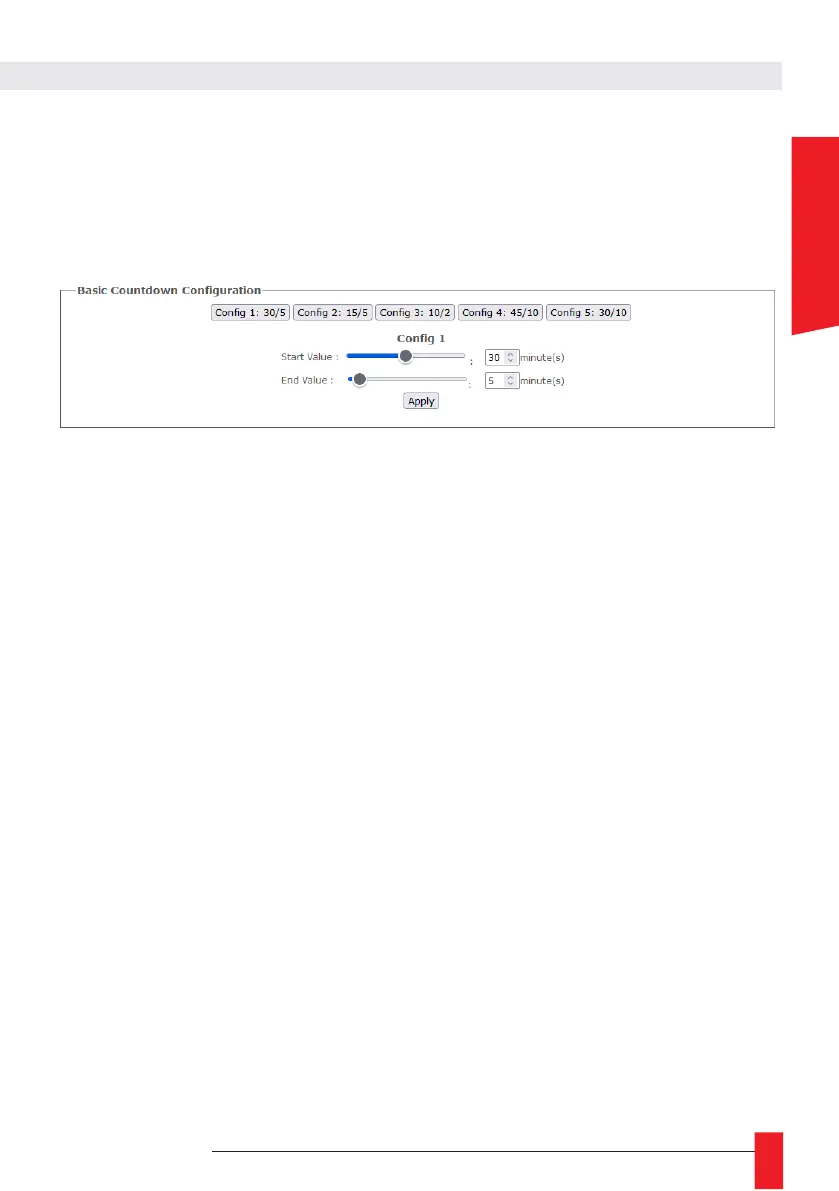
B. Basic Stopwatch programming
In basic mode, the stopwatch will be started in Countdown mode from a programmable start value. At
the same time, an end value or a color change value will be indicated (if the option "Continue after the
end of the timer" and the color setting is correctly made in the Advanced part).
N.B: We can use the pre-programmed configurations for more ergonomics.
► Pressing the 'Validate' button, will instantly start the countdown with the parameters entered.
N.B: A configuration in countdown by this means will only be taken into account when the stopwatch is
stopped or reset.
C. Advanced Stopwatch programming
The Advanced section allows you to configure the behavior of the displays and to carry out more
advanced programming of the chronometer.
Among the display configuration options are:
► The status of the display to show different information of the stopwatch
► The configuration of a color to indicate the change of status
► Other behavior options (milliseconds, infinite timer...)
In the same way, it will be possible to configure more finely the values of the Chronometer:
► Start value
► End value
► Start date and direction of the Chrono (countdown/counting) for an automatic start of the
Chronometer
► End date
The chronometer can take into account the counting/counting of several tens of days (or even a hundred,
but can only display tens and units). In the case of a value between 1 and 9 days, the left-hand side of
the display will show 'XD' with X the number of days, followed by the hours and minutes (Hours-Minutes-
Seconds displays). If the number of days exceeds 9, the 'D' indication will disappear and the days will
be displayed on the first 2 digits instead of only the first one. On the other hand, when the value falls
below 1 day, the hours will be displayed on the left-hand side of the display (unless the Milliseconds
option is activated).



 To Next Page