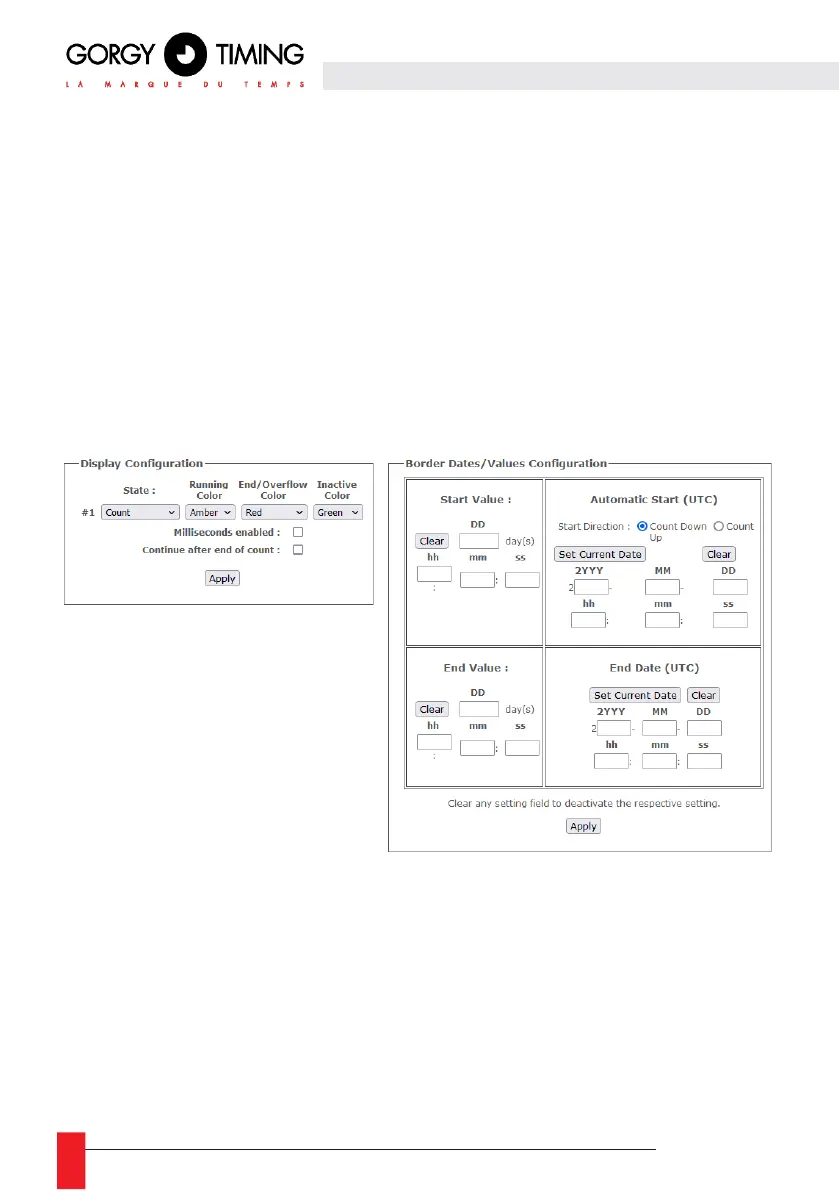
► Display status
By default in the Chronometer state. On a multi time zone clock, there will be several lines each
corresponding to a time zone (in the same way as the LEDI X tabs in the LEDI web page). In addition
to displaying the current value of the stopwatch (counting or decounting) on one display, it will be
possible to display one (or more) additional information(s) on the other displays. Among the additional
information, you can display: the Elapsed Time since the start of the timer, the Start Date and the
End Date.
N.B: It is normal for the use of the 'Start date' and 'End date' reports to result in a blank display in certain
cases. For example, when the data cannot be calculated (End date in an infinite count) or cannot yet be
determined (Start date without automatic start).
The "Disabled" state allows you to disable the display of chronometer information on a display. A display
configured in this state will keep its "classic" display of the time (or alternation depending on what is
configured in the LEDI X tab corresponding to this time zone) even when the chronometer is displayed.
This option allows, for example, the display of a chronometer in parallel with the display of the local time
(or even the date) on the same multi-time zone clock (LEDIWORLD).
Indicative colors of the current status of the stopwatch
You can also choose to configure a change of color for the displays to indicate the status of the
chronometer. To do this, you can assign a color to each of the following three statuses:
► Active status: the chronometer is started in counting or dec counting mode.
► Status End / Color Change: the chronometer has reached the value or the end date.
► Status Inactive: the stopwatch has been paused or restarted.
By default, all these statuses have the "Default" color, that is to say that it takes the setting configured
in the LEDI X tab corresponding to the time zone in the LEDI Settings web page. When a color is chosen
for a Status, all displays (Calendar and Hour-Minute(-Seconds) displays) of the concerned time zone
will take the configured color.



 To Next Page