B. Access to web interface of the clock
When the terminal is connected to the Wi-Fi access point of the clock, it is possible to find the IP address
of the clock by using the "Scan" feature on the GTNetworkManager2 software. By default the IP address
of the product is 192.168.0.2.
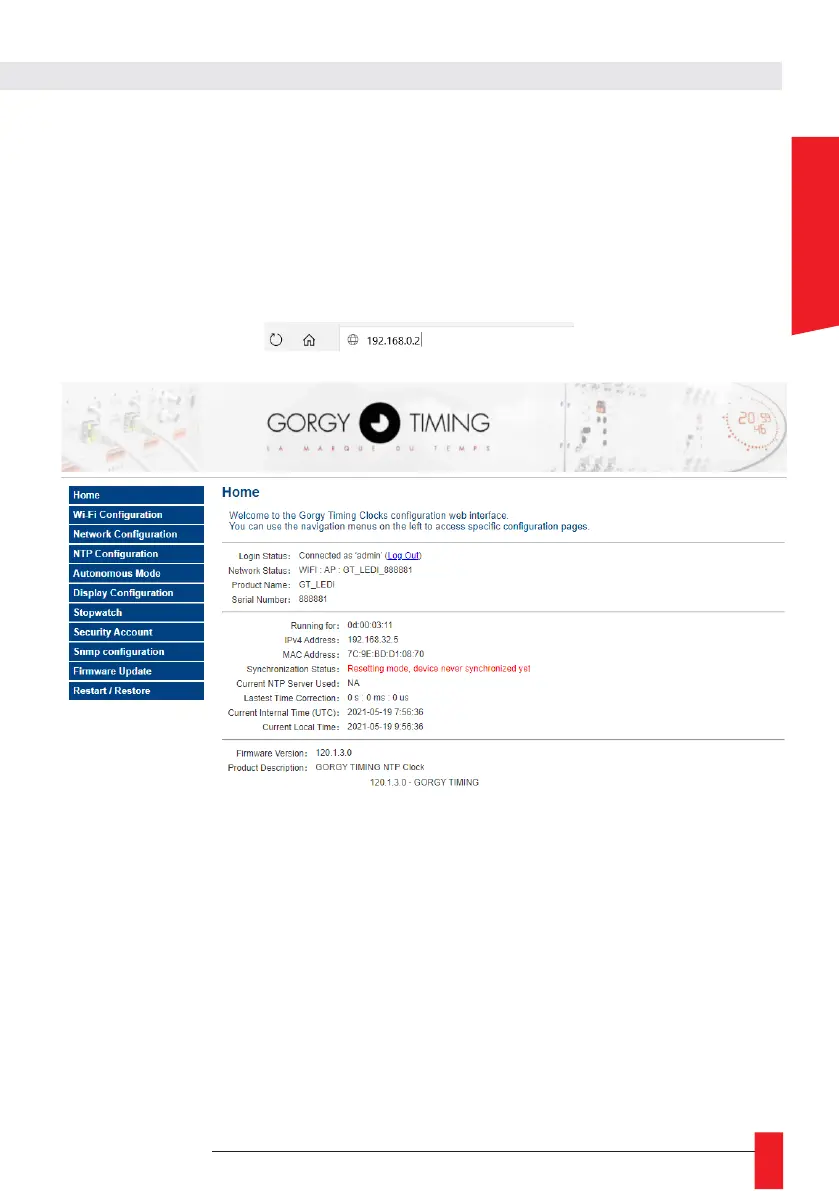
► To access the configuration interface, open a web browser (Firefox, Chrome, Internet Explorer, ...)
and enter the following IP address: 192.168.0.2 in the address bar.
In the Home page:
► Login Status: Requires login to follow the explanations in the next section.
By default
login: admin
password: gtmt
► Network Status: Corresponds to the network status of the clock.
WIFI: AP corresponds to the access point mode
WIFI: STA corresponds to the mode connected to a network



 To Next Page