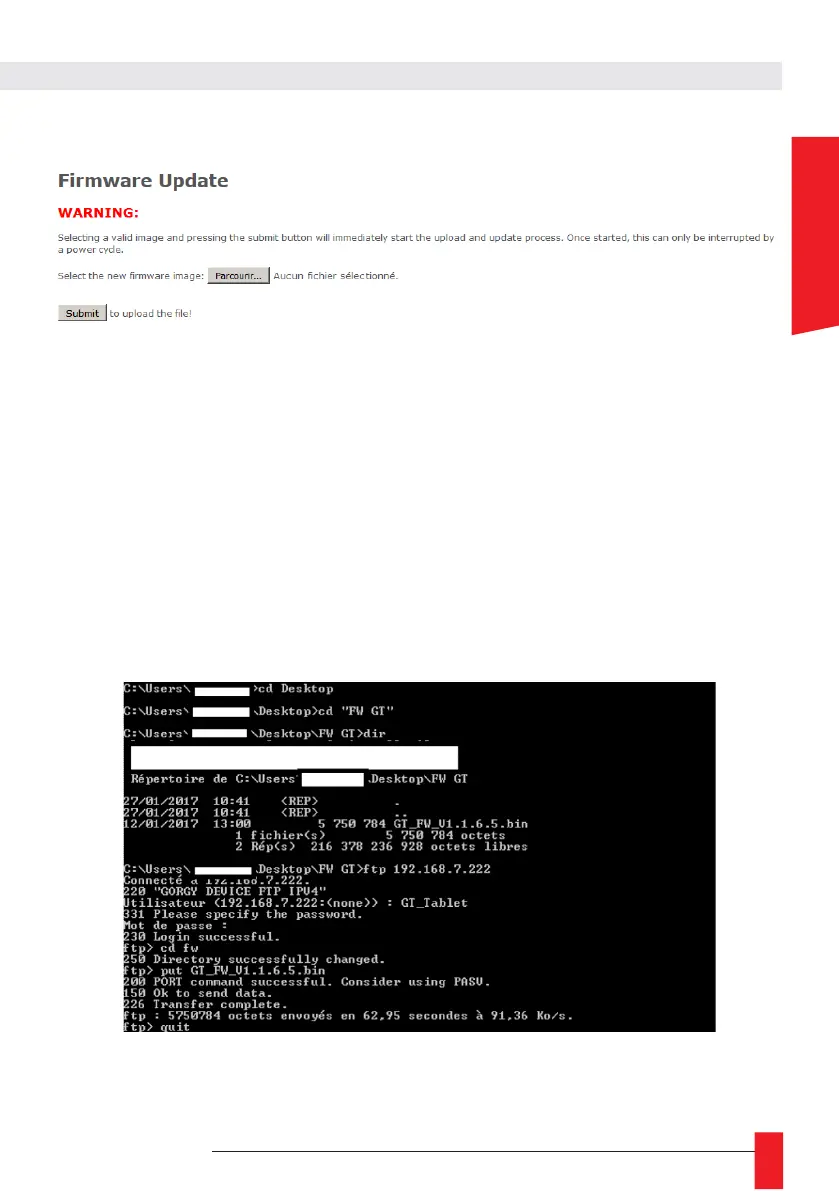
6.1.6. Firmware update web Page
► To update your GORGY-TIMING product, click on "Browse..." and select the firmware file
"GT_FW_xxxx.bin" given by GORGY-TIMING Support Team.
Then click on "Submit" to begin the update.
Please, do not power off or reset the GORGY-TIMING product during firmware update,
which will indicate you we when the product has been updated (around 2 minutes after fir-
mware installation and reboot). You can now check the product software version in
product Index Webpage.
6.1.7. FTP Firmware update
You can also update your GORGY-TIMING product with FTP protocol.
N.B: e sure FTP is enabled in the security Webpage and you have the correct system credentials
(GT_Tablet/gtandroid by default).
6.1.8. With Windows Command prompt



 To Next Page