► IPv4 Adress: IPv4 address - The product can have up to 2 IP addresses, 1 Auto-IP and 1 IPv4
(DHCP/Static IP)
► MAC Adress: the MAC address of the product's network interface.
► Synchronization Status: Network Status and Synchronization Status
► Current NTP server Used: Indicates the NTP server through which the product receives its UTC
time information.
► Latest Time Correction: Last correction of the internal time of the product (in seconds,
milliseconds and microseconds). It is done at each NTP request received.
► Current Internal Time (UTC): Internal UTC time of the product
► Current Local Time: Local internal time of the product (according to the time zone of the web
browser).
► Current Temperature (uniquement avec l’option Température): displays the temperature
measured by the sensor.
► Firmware Version: product firmware version
► Product description: Product description
To configure the product, navigate with the tabs on the left side of the product.
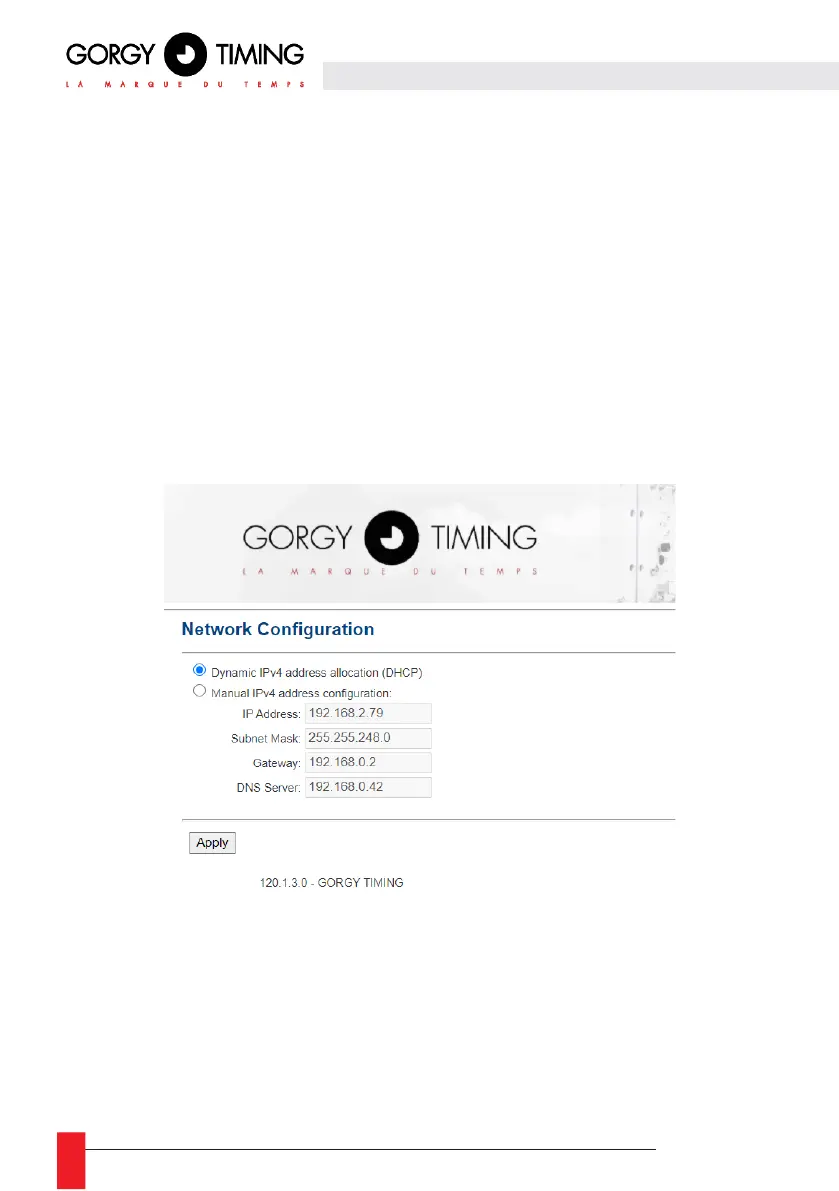
6.2.2. Ethernet network web page « NETWORK CONFIGURATION »
This page allows you to change the network configuration of the product. The automatic configuration
by DHCP (Dynamic IPv4 address allocation DHCP) is used by default.
It is also possible to specify a static IP address (Manual IPv4 adress configuration) with the subnet
mask, the gateway and a DNS server. If the network does not have these machines, the address of the
main time server can be used. The product supports IPv4 addresses.
The ENDMI protocol allows the discovery of clocks and Gorgy-Timing servers on the network.



 To Next Page