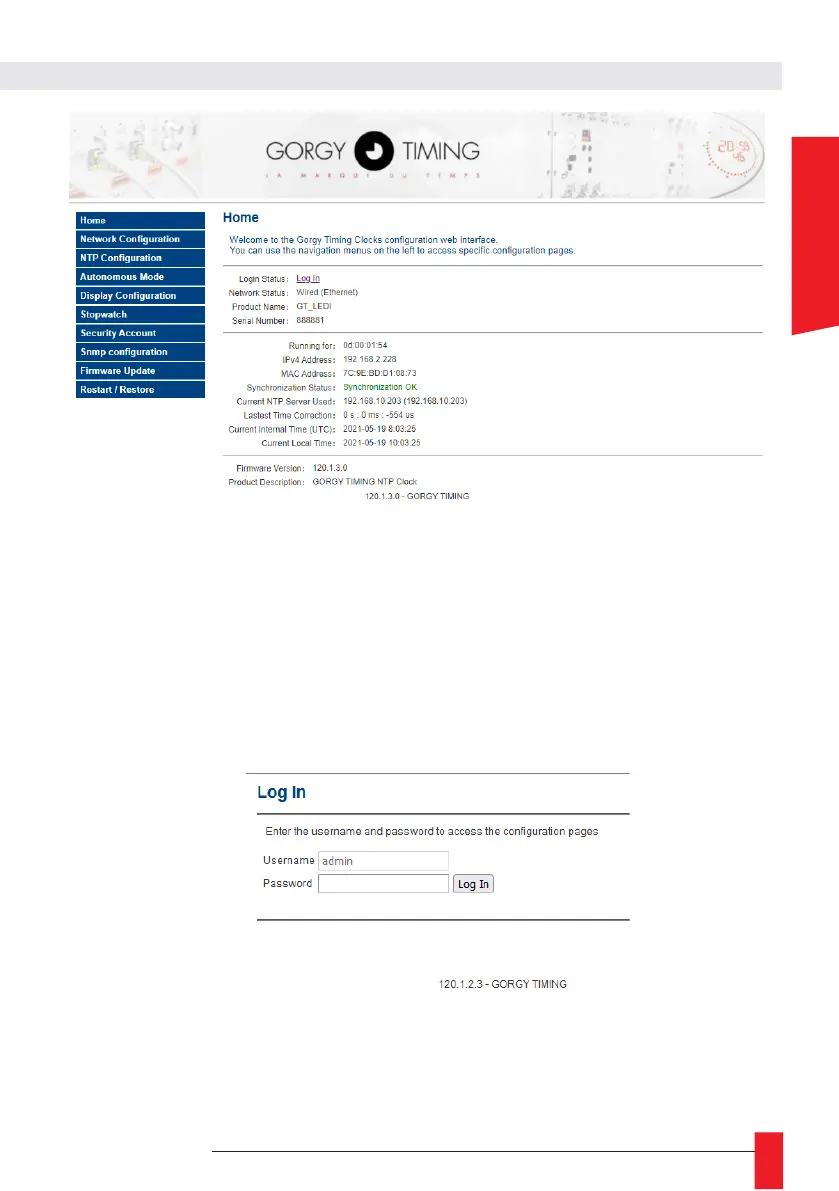
The main web page displays generic product information including:
► Login Status: Web page login status To access the product configuration through the web page,
it is necessary to log in with a user name and password. Lack of activity for more than 15 minutes
automatically logs the user out.
Upper and lower case letters are taken into account.
By default, the identifiers are:
Username: admin
Password: gtmt
► Network status: Network connection type - the clock can be set to Wi-Fi or Ethernet. This status
indicates which type of connectivity is being used. In the case of Wi-Fi, it also indicates whether
the product is in access point or to which access point it is connected.
► Product Name: Product Name and Serial Number to identify the GORGY-TIMING product and its
options.
► Running for: How long the product has been in operation.



 To Next Page