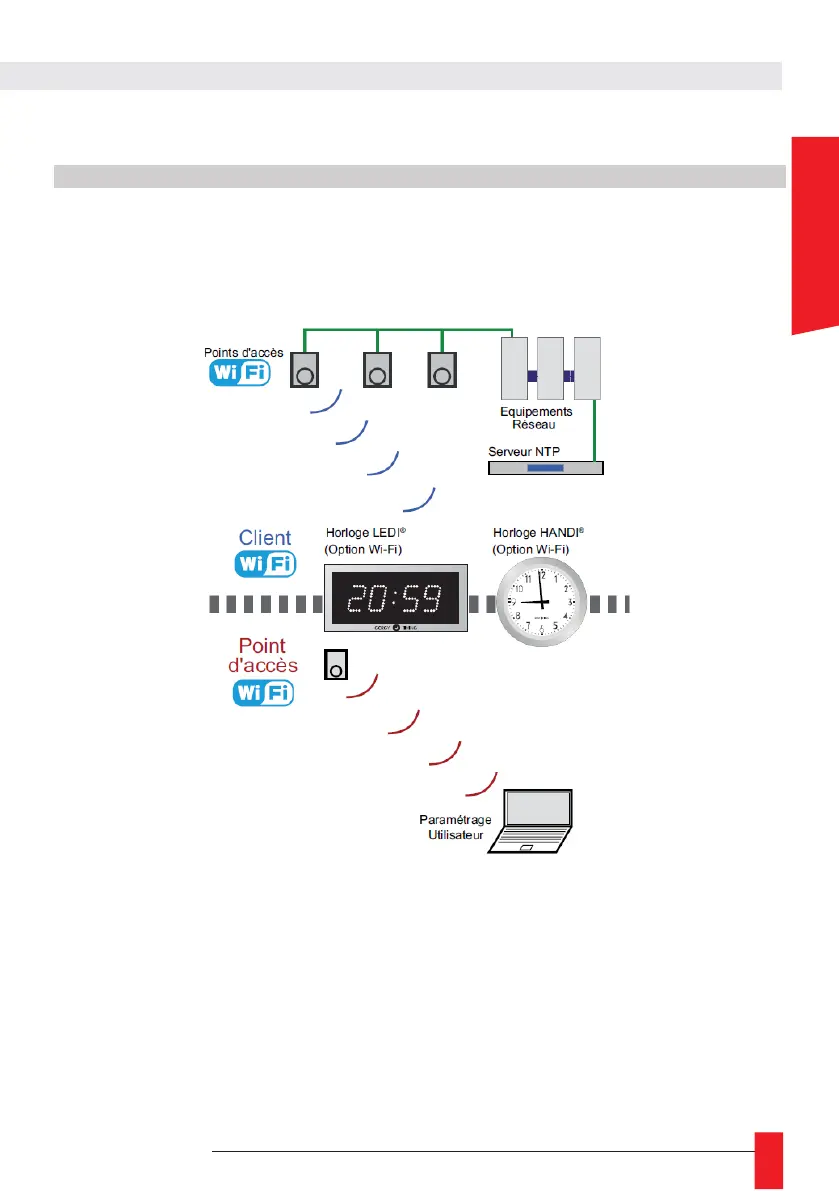
For Wi-Fi product, a speficic step is needed to correctly configure the Wi-Fi connection et
connect to Wi-Fi network.
7.1. GENERAL
Gorgy Timing products with Wi-Fi is compatible with the main part of existing Wi-Fi access point as we
support Wi-Fi 2,4GHz, IEEE 802.11b/g/n.
N.B: 5GHz Wi-Fi network ( IEEE 802.11ac) are not yet detected by Gorgy Timing products.
To connect to Wi-Fi access point, the product needs at least 2 parameters :
► SSID (name) of Wi-Fi access point which we want to connect the product.
► Access point password
N.B: In WPA-Enterprise mode, you will also have to give an username and sometimes a domainname
also.
When a Gorgy Timing Wi-Fi product fails to connect to a Wi-Fi network for any reason (no configuration,
no network, wrong encryption key...), it will create a Wi-Fi access point. The following diagram explains
the transition between the different states "Connected to a Wi-Fi network" and "Access point" mode.



 To Next Page