GSE Scale Systems - 81
Chapter 7 Calibration Mode Technical Reference Manual
that point.
Up to five calibration points may be established using
this procedure. However if fewer calibration points are
required, simply press <ENTER> without entering a
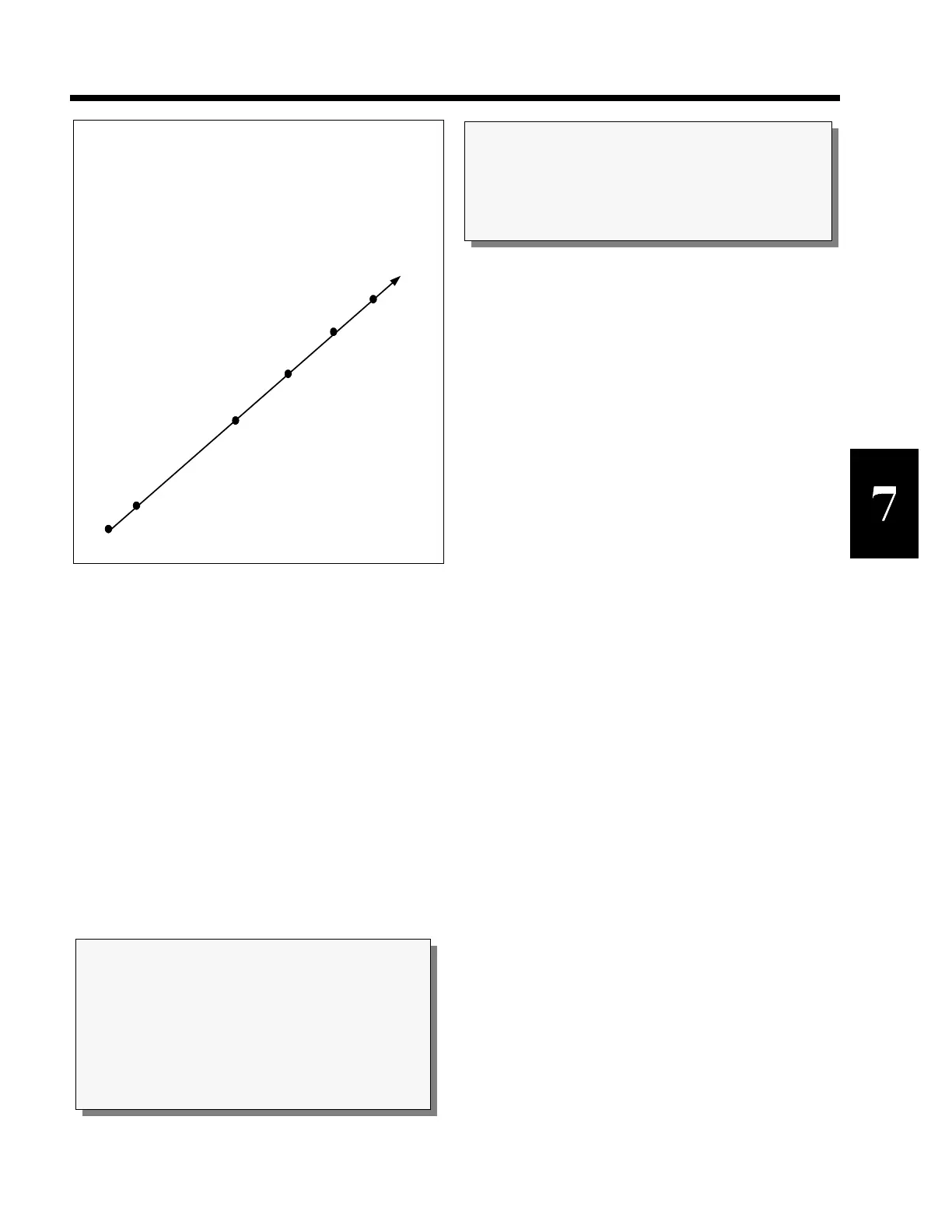
value at the Keyin PntX prompt. Refer to figure 12 for a
5 point calibration example. The values demonstrated
here are keyed in at each successive calibration point.
If items are consistantly being weighed on either the high
or low end of the cell capacity, the points of calibration
can be skewed to either end of the spectrum.
Multi-point linearization can compensate for a cell being
non-linear. Refer to Figure 13.
After the last point is established, the system will prompt
with CAL OK?. Press the <ENTER> key to accept the
calibration or press <CLR> to backup and redo the last
point as described below.
If you make a mistake at any point in the linearization
process, simply press the <CLR> key. The system will
backup one step in the procedure to the previous
linearization point.
After the linearization has been completed, the changes
must be saved by pressing <ENTER> at the ENTER =
SAVE prompt. Otherwise the previous calibration data
will remain in effect.
EXAMINING CALIBRATION RESULTS
Information Mode parameters P61100 through P61139
may be used to review the data established during the
multi-point linearization. For each point, you may review
the calibration weight and the established linearization
factor. (P61200 thru 61239 scl #2 and P61300 thru
61339 scl #3.)
LINEARIZATION DATA
If Multi-Point Linearization is enabled (P119), the ten
Parameters P61130 thru P61139 show the calibration
weights used and the resulting calculated factors.
Otherwise the message Not Used is displayed. Refer to
Chapter 4 and the chapter on Information Parameters for
functional details on Parameters P119 and P61130 thru
P61139. (P61230 thru 61239 scl #2 and P61330 thru
61339 scl #3.)
MEMORY STORAGE REQUIREMENTS
When you enable Multi-Point Linearization, the system
reserves 41 bytes of storage space. If less than 5
calibration points are used, then the unused storage
memory (8 bytes per unused point) is made available for
other features after the calibration is performed.
Maximum capacity of cell is 200 lbs. in this example.
Point #5, 200 lbs.
Point #4, 150 lbs.
Point #3, 100 lbs.
Point #2, 50 lbs.
Point #1, 10 lbs.
No Load or New Zero?, 0 lbs.
Figure 12 Five Point Linearization Graph
NOTE:
If you key in a cal weight and press <ENTER>
without adding any weight since the last calibration
weight, the 574 will prompt you to Add CalWT.
Add the weight and press <ENTER>.
NOTE:
Pressing the <CLR> key at any point in the calibration
routine will back you up one step.
SECTION - 7.2



 To Next Page