Model 574 Programmable Counting System (PCS)
194 - GSE Scale Systems
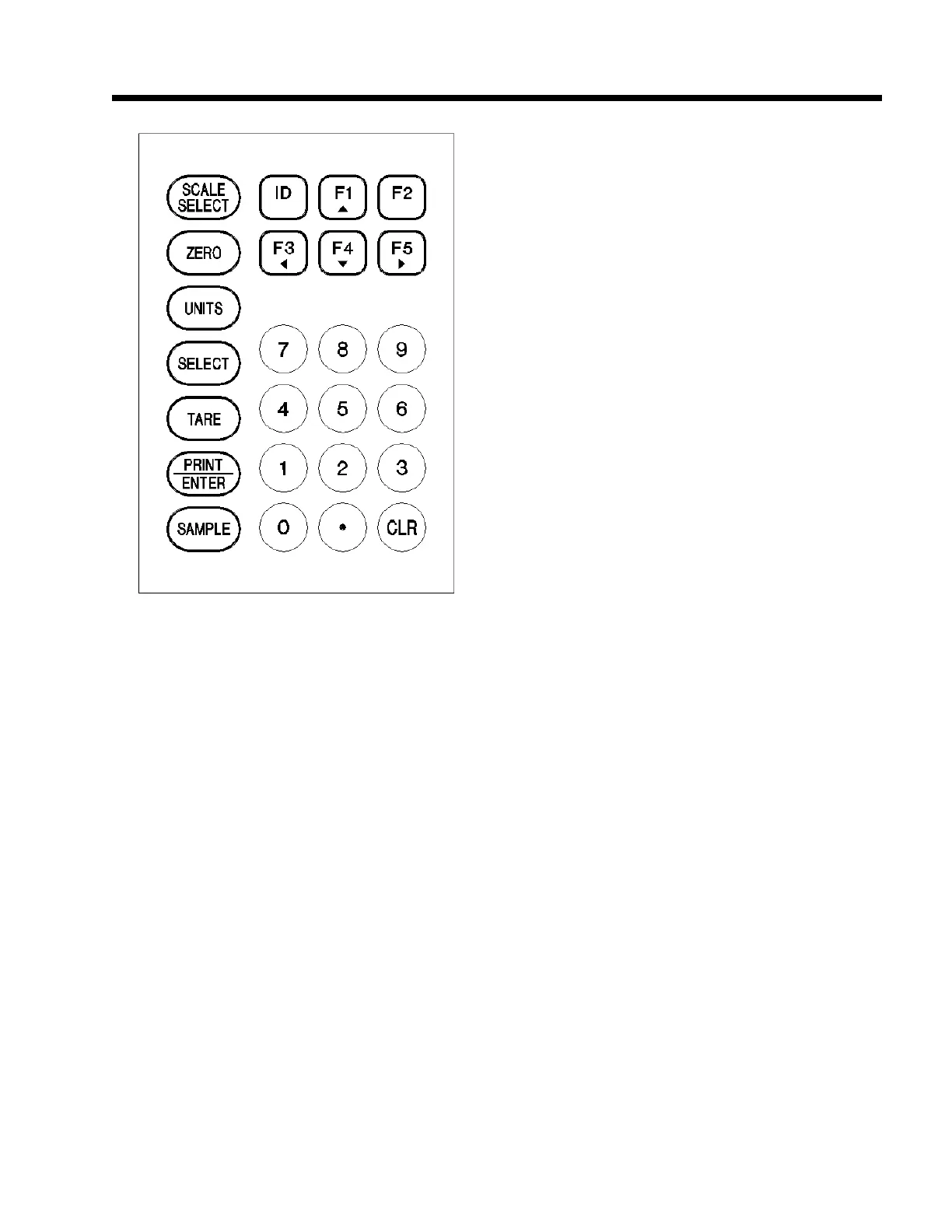
Figure 25 Keypad Cursor Keys). The <UPARROW>
key scrolls forward through the list of characters;
<DOWNARROW> key scrolls backward through a list
of characters; <LEFT ARROW> can be used as a
backspace key; <RIGHT ARROW> key advances to
the next location.
When you encounter a parameter that accepts this type of
information, press <UP ARROW> key and the 574 will
place an "A" in the dot matrix portion of the display. The
<UP> and <DOWN> arrow keys are then used to cycle
through the possible selections of upper-case and lower-
case letters, numerics and the standard set of punctuation
symbols, starting with the letter A. Holding down <UP>
or <DOWN> arrow keys will cycle you through more
quickly. When the desired character is displayed, press
<RIGHT> arrow key to move to the next location where
an "A" will be displayed so you can select the next
character. This operation is in effect when entering ID
data and while in Setup Modes P157, P600-P694, P157-
P158, P701 - P711, P800 - P816, P850 - P865 and
P1000 - P4000. Refer to Figure 26 Character Listing for
the available characters and their order of appearance.
18.4 Time and Date Battery Backed
Option
Description
The GSE Time / Date Option (GSE Part Number
200550-00TD0) is designed to provide battery backed-up
time and date for the GSE Model 500 series of Weighing
and Counting instruments. While the standard unit has
an on-board clock, it requires that the time and date be
set every time the unit is powered up. The Time / Date
Option provides battery backed time and date which
keeps the clock running continuously, even when the unit
is powered down. The time and date are programmed
(Eastern Standard Time) into the option module at GSE
when the module is tested prior to shipment.
Specifications:
Accuracy: +/- 1 minute per month at 25 degrees
Centigrade. The module automatically
corrects for leap year.
Battery Life: Minimum of 10 years with unit power
off.
If the unit which requires the time / date option is not
new, verify that the firmware currently installed in the
unit is not earlier than July 10, 1991. If the firmware is
earlier than this date, it will not support the Time / Date
Option. The firmware date code can be checked by
accessing one of the setup parameters within the unit.
Press the following keys on the unit’s keypad:
<60102> <SELECT>
This section is in reference of the model 550. The dot
matrix portion of the display will show the date code of
the installed firmware. If the date shown is before July
10, 1991, then the firmware will have to be updated in
order for the clock option to work. If this is the case,
contact GSE for upgrade assistance. If the date shown is
after July 10, 1991, proceed with the installation.
Installation Procedure
a. Remove power from the unit by disconnecting
the line cord from the AC power source.
b. Take the unit to a static-protected workstation.
Wear a static control wrist strap. If this
equipment is not available, ground your hands
Figure 25 Keypad Cursor Keys



 To Next Page