Model 574 Programmable Counting System (PCS)
88 - GSE Scale Systems
calibration units are the custom units, then enter the ratio
of custom units to pounds. For example, if troy ounces is
the calibration units then enter 14.5833 (troy oz./lb.). It
is not intended that torque units be mixed with force
units, such as lb-ft with lb. Do not attempt to mix
different types of units when setting up the indicator. If
you do, the converted units may be meaningless.
P156.- - Ucon2
This parameter allows input of a conversion factor for a
second custom weighing unit. The rules for making an
entry here are the same as for parameter P155. After
keying in the conversion factor press <ENTER>.
P157.- - Unam1
This parameter allows the input of up to five characters
as the name of the first custom units. To accomplish this,
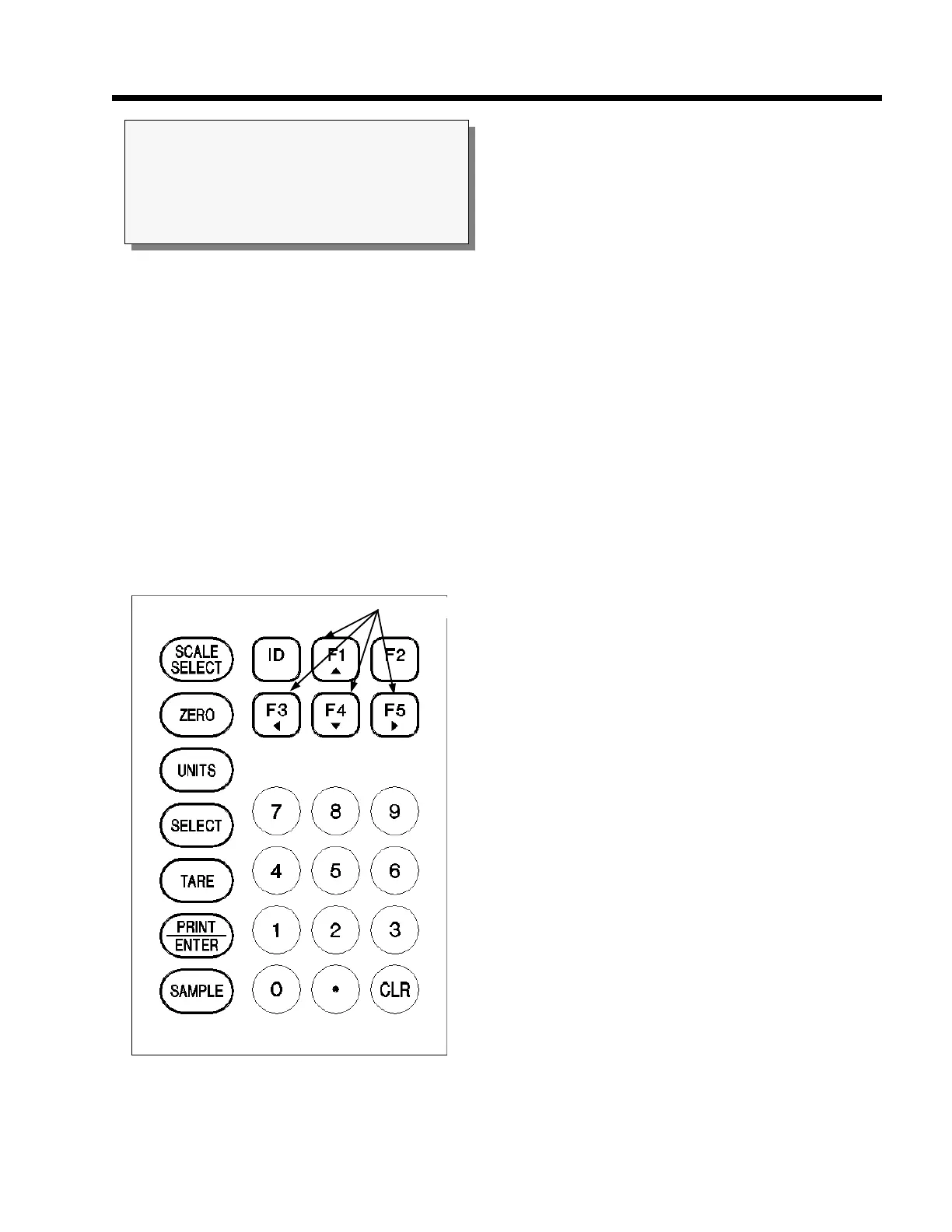
the <LEFT ARROW> <RIGHT ARROW> <UP
ARROW> and <DOWN ARROW> keys to scroll
through the ASCII character set (See Figure 14). Press
the <UP ARROW> and an upper-case "A" will appear
in the display. Then press either the <UP ARROW> or
<DOWN ARROW> to cycle through the possible
selections of upper-case and lower-case letters, numbers
and a set of punctuation and other symbols. (See Figure
15). Holding the <UP ARROW> or <DOWN
ARROW> down will step you through the choices more
quickly. When the desired character is shown, press the
<RIGHT ARROW> to move to the next location. You
can use the <LEFT ARROW> key to move the cursor
location to the left like a backspace key. When finished,
press <ENTER> and your selection will be shown on the
display. Then press <SELECT> to advance to the next
parameter. For example, if you are weighing in tons you
could use the following procedure once parameter P157
is displayed to enter the correct name.
1. With the prompt UNAM1 = XXXX in the dot
matrix display, press <UP ARROW> to move
to the first character position. An "A" will
appear.
2. Press and hold the <UP ARROW> key and
cycle through the alphabet until the letter "T"
appears. If you go to far, use the <DOWN
ARROW> key to back up.
3. Press <RIGHT ARROW> to move to the
second character position. Repeat step 2 to
select the letter "O".
4. In a similar fashion repeat these steps until you
have the name "TONS" spelled out.
5. When finished, press <ENTER> to save your
entry. Press <SELECT> to move on to the
next parameter.
P158.- - Unam2
This parameter lets you enter the name of the second
custom units that you may be using. Use the procedure
previously explained for P157 to enter the desired name.
NOTE:
Conversion factors are stored to an accuracy of 1
part in 16,000,000. However, the displayed value
will be rounded off to 4 or 5 digits of precision.
Figure 14 Keypad Cursor Keys
CURSOR KEYS



 To Next Page