Model 574 Programmable Counting System (PCS)
72 - GSE Scale Systems
plastic parts vary in weight from piece to piece by 10%
or more. Attempting to count these items with a high
degree of accuracy will require a very large hand-
counted random sample of the items during the piece
weight calculation process. The minimum accuracy
assurance is intended to guide the operator in sampling
parts with a fairly consistent piece weight.
COUNTING PARTS
There are several approaches toward counting parts on
the 574. A few of the primary methods are described
below:
Method 1: Counting a specific number of parts
Place empty container on platform (optional)
Press <Sample>
The 574 tares the instrument to a zero net weight. The
display shows the current net weight and the prompt:
Add 10 (the actual number is programmable by the setup
parameter P182).
Place the specified number of parts on the scale.
Press <ENTER> or <SAMPLE>. (Or add any number
of parts, key in the number added, then press <ENTER>
or <SAMPLE> ) The 574 then calculates the piece
weight of the sample parts. (If the number of parts added
were insufficient to achieve the required accuracy (as set
by P183), then you will be prompted to add an additional
number of parts. Add the specified number of parts and
press <ENTER> ).
Add the additional parts to be counted.
Method 2: Counting out a specific number of
parts with piece weight
enhancement.
Place empty container on platform. (optional).
Press <Sample>. The 574 tares the instrument to a zero
net weight. The display shows the current net weight and
the prompt: "Add 10" (the actual number is
programmable via setup parameter P182).
Place the specified number of parts on the scale.
Press <ENTER> or <SAMPLE>. The 574 then
calculates the piece weight of the sample parts and
momentarily displays the maximum number of parts
which may be added for a piece weight enhancement to
occur. Then the minimum achieved accuracy is
displayed.
If a greater accuracy is desired, add additional parts but
not more than the maximum enhanceable quantity.
As soon as motion ceases, the 574 will recalculate the
piece weight and then briefly display the new maximum
number of pieces which can be added and still accurately
enhance the piece weight.
Repeat as many times as desired.
Add the additional parts to be counted.
Method 3: Counting the total number of parts
on hand with a known container
weight
Place the full container of parts on the weigh platform.
Press <Sample>. The 574 tares the instrument to a zero
net weight. The display shows the current net weight and
the prompt: Add 10 (the actual number is programmable
using setup parameter P182).
Remove the specified number of parts from the box.
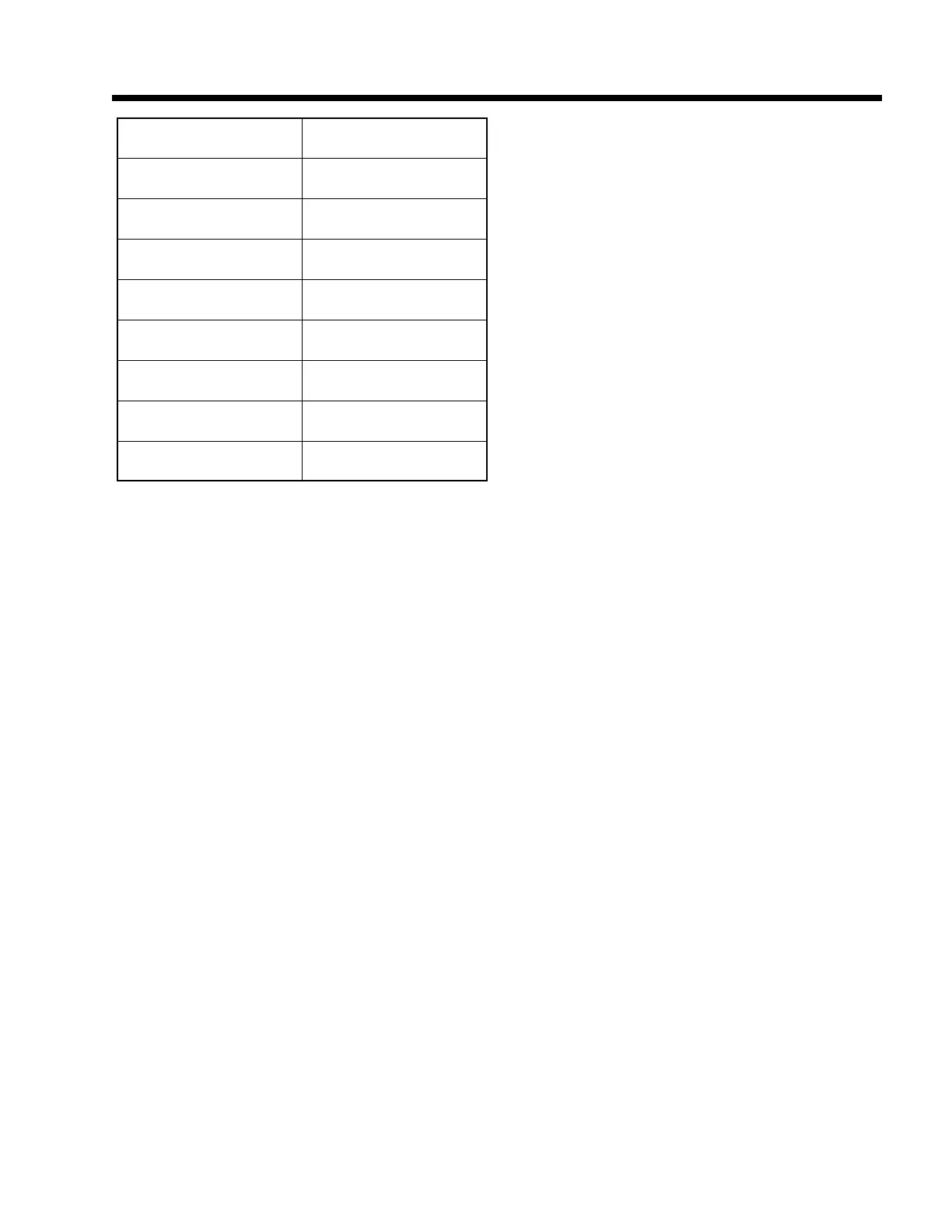
Table 5, Multiplier factors
Filter Selection Multiplier
8
1
4
1.33
2
2
1
2.66
0.5
3.11
0.25
4
0.13
4.66
0.06
5.55



 To Next Page