GSE Scale Systems - 113
Chapter 15 Communications Technical Reference Manual
perform better in high electrical noise environments.
The capacitance rating of the cable should be low for
long cable runs.
The shield for the communications cable should be
grounded to the connector housing on the cable at the
574 end. This is important in order to reduce the effects
of EMI, RFI, and ESD on the 574 operation.
COM Port Connections
There are several different ways of communicating from
the 574 to another smart device, and your application
will dictate the required connections and the required
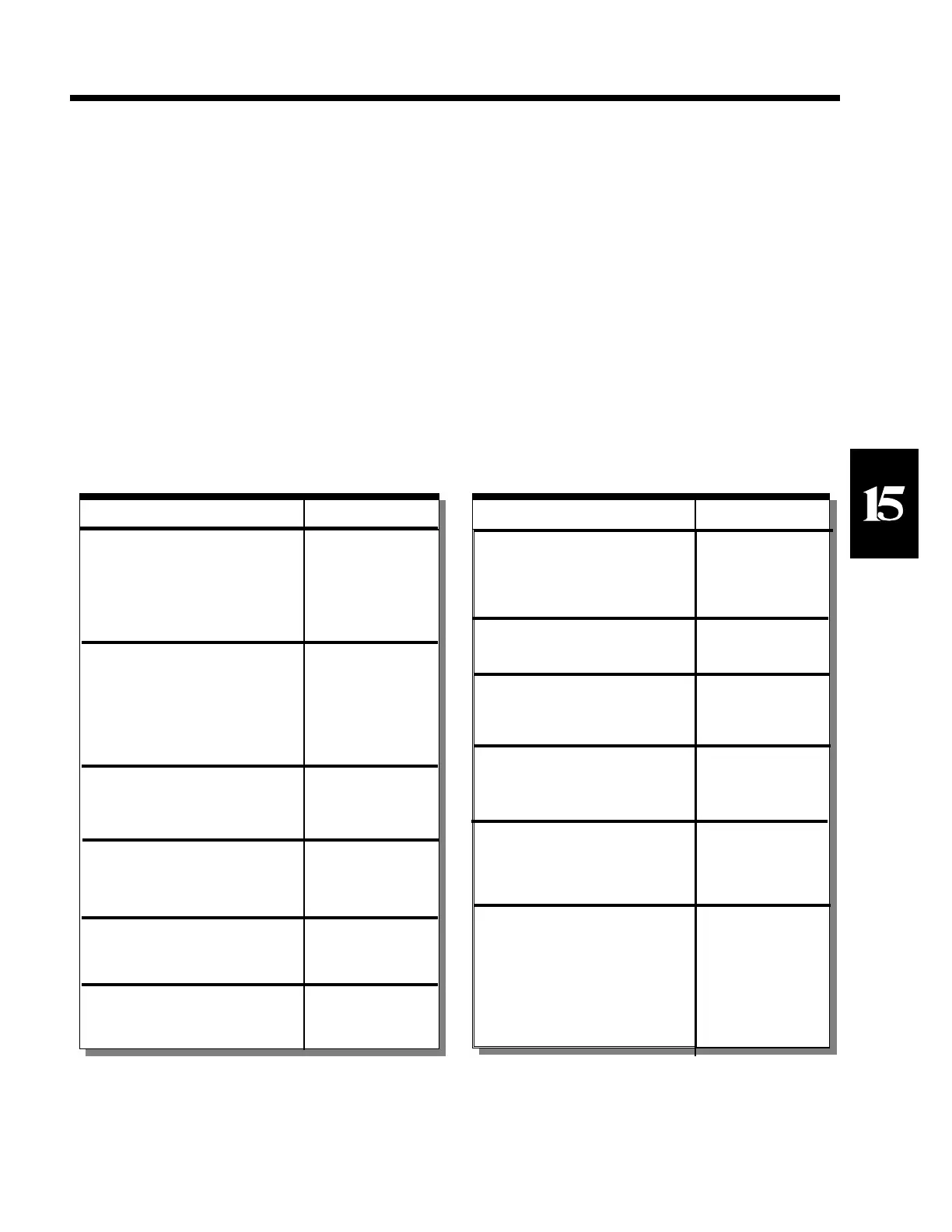
number of conductors. Refer to Table 11. COM Port
Connections, which lists six different communication
methods, and the required connections.
It is also necessary to define which of the six methods
you are using to the software in the 574. Parameter P204
of the setup mode is used to determine the handshaking
used by the instrument for the Communication (COM)
Port. If P204 is set for "com HS Xon" or "com HS both"
then connections to both RX and TX are required. If
either "Com HS CTS" or "Com HS both" are selected,
then the CTS and RTS physical wiring connections must
be made. The communication port may be used in a
uni-directional manner if desired and the appropriate
bi-directional connections may be omitted.
Print Port Connections
The print port is a transmit only output port from the
574. Two physical methods of serial communication are
possible through the print port connector. Either RS-232
or 20 mA current loop may be used (refer to GSE for
current loop availability). Transmissions directed out the
print port will provide the signals for both of these
SECTION - 15.3
Function Connections
Bi-directional with software
handshake, or Bi-directional with
no handshake, or Uni-directional
with software handshake.
Bi-directional with hardware
handshake or "both" handshake.
Uni-directional with hardware
handshake (transmit only).
Uni-directional with hardware
handshake (receive only).
Uni-directional with no handshake
(transmit only).
Uni-directional with no handshake
(receive only).
3 - TXD
2 - RXD
5 - GND
3 - TXD
2 - RXD
8 - CTS
7 - RTS
5 - GND
3 - TXD
8 - CTS
5 - GND
2 - RXD
7 - RTS
5 - GND
3 - TXD
5 - GND
2 - RXD
5 - GND
Table 11 COMM Port Connections
Function Connections
RS232 with hardware handshake.
RS232 with no handshake.
RS232 Scanner Input
TTL Keyboard Input
Current Loop (Undefined, contact
GSE, Inc.)
3 - TXD
8 - CTS
5 - GND
3 - TXD
5 - GND
2 - Scanner In
4 - (+5)
5 - GND
1 - Keyboard In
4 - (+5)
5 - GND
Table 12 PRINT Port Connections



 To Next Page