GSE Scale Systems - 5
Chapter 1 Introduction Technical Reference Manual
disabled in the Setup Mode (P166, P167).
PRINT/ENTER
Press to send data to a printer, computer or other
device. This key also doubles as an <ENTER>
key following certain numeric entries.
SAMPLE
(Fixed Sample)
If the <SAMPLE> key is pressed alone (not
preceded by a numeric entry), the Model 574
will perform an auto-tare, establishing a net zero
as a starting point. The current net weight will
then be actively displayed and the prompt "Add
XX" will be shown, where "XX" is the value set
by parameter P182 (10 pieces is the factory
default). The specified number of parts are then
added, with the <SAMPLE> or <ENTER>
keys being pressed to accept the sample. If a
different number of parts are added, then the
actual number of parts added should be keyed in
followed by the <ENTER> or <SAMPLE>
key. With the sample accepted additional
pieces can be added for counting. Sample
acceptance may depend on the selections made
for the auto-enhance and minimum accuracy
selections. In this case, the 574 will prompt for
the additional pieces needed for an acceptable
sample. Add the pieces and press <SAMPLE>
or <ENTER>.
(Variable Sample)
If a numeric entry precedes the <SAMPLE>
key then the 574 does not perform an auto-tare.
The entry is assumed to be the number of parts
already present on the scale platform. If when
the entry is made the current mode is GROSS,
GrTot, GrT+C, or GrT-C then the stored tare
weight is assumed to be from a previous
weighment and is cleared out. Otherwise, any
previous tare is assumed to be for a container
that is in use and the tare is retained and the
current net weight is used to calculate the piece
weight based on the entered sample size. This
allows for the situation where the tare weight of
the container (if any) is consistent and has
already been established.
The fixed sample method is the recommended
sampling approach since it eliminates the
possibility of inappropriate tare weights
affecting the piece weight calculation.
ID
This key has four functions, entering ID's, truck
operations, macro menu selection and database
access. The exact function of this key depends
on the selectable internal setup.
F1, F2, F3, F4 and F5
Keys <F1> through <F5> will invoke custom
macro programs. The custom macro allows
multiple operations to be executed
consecutively without interuption from the
operator unless prompting the operator is part of
the macro program. Refer to the technical
reference manual for more information on
macro programming. The <F1> and <F4> keys
double as Up and Down arrow keys
respectively. While having accessed any mode
SECTION - 1.8
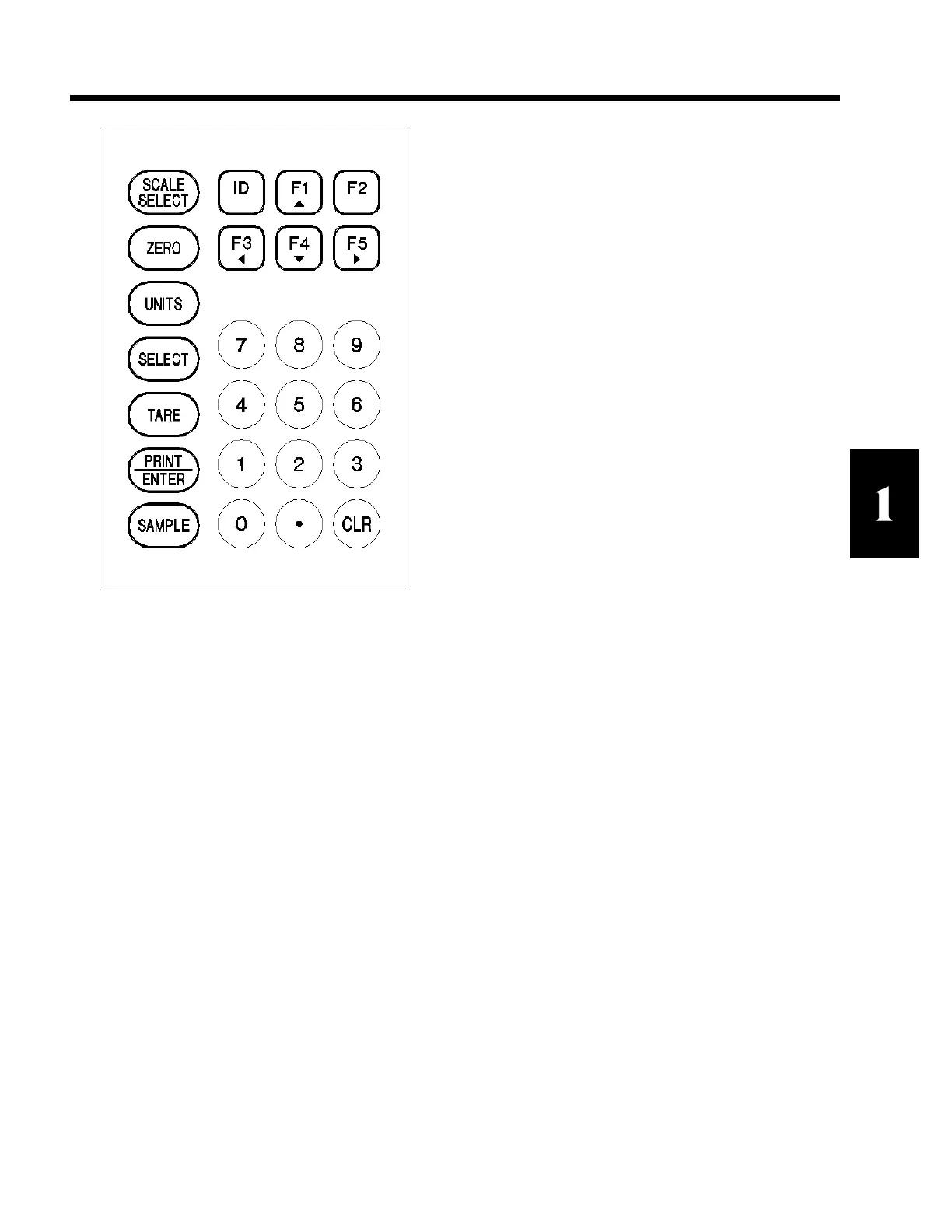
Figure 3 Model 574 keypad



 To Next Page