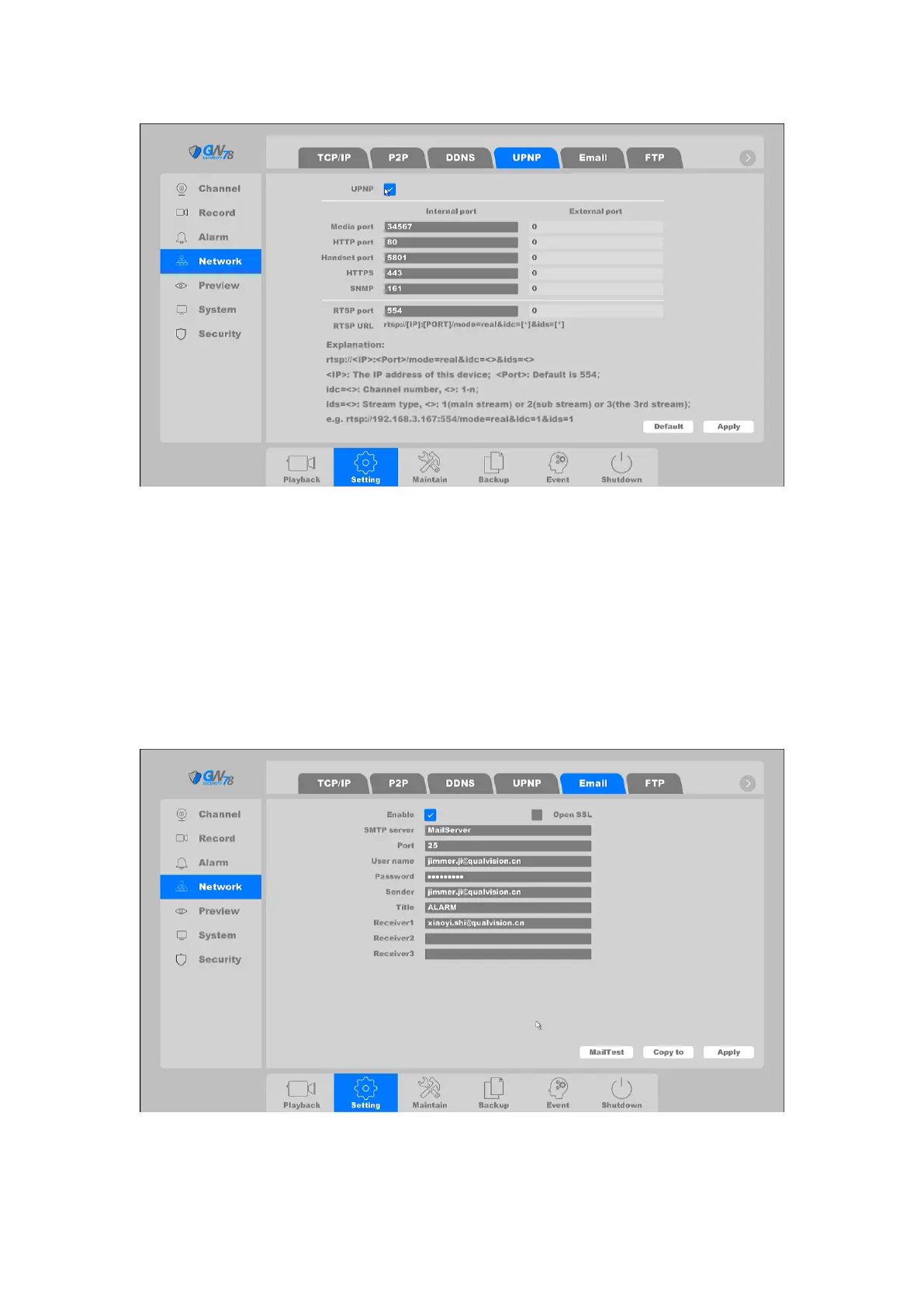
Figure 4-28 UPNP Setting
4.3.3.5 Email
The system can be configured to send an Email notification to all designated users if an alarm
event is detected, etc., an alarm or motion event is detected.
The network must be connected to the Internet in order to connect to the Email SMTP server.
Click on "Setting -> Network ->Email", as shown in figure 4-29.
Figure 4-29 E-mail Setting
Enable: Enable the Email service.



 To Next Page