SMTP Server: The SMTP Server IP address or host name.
SMTP Port: The SMTP port. The default TCP/IP port used for SMTP is 25.
Open SSL: Click the checkbox to enable SSL if required by the SMTP server.
User Name/Password: The username and password of the sender email accounts.
Sender: Displayed by the recipient of the message sender email address.
Title: The title displayed in the email.
Receiver: The Email address of user to be notified (3 receivers at most).
After finishing the setting, you can click the button MailTest to try to verify the email service is
available, and click the button Apply to activate the configuration.
4.3.3.6 FTP
You can upload a record file onto a FTP server by configuring the FTP settings. It allows you to
upload the record file by the record type and record time.
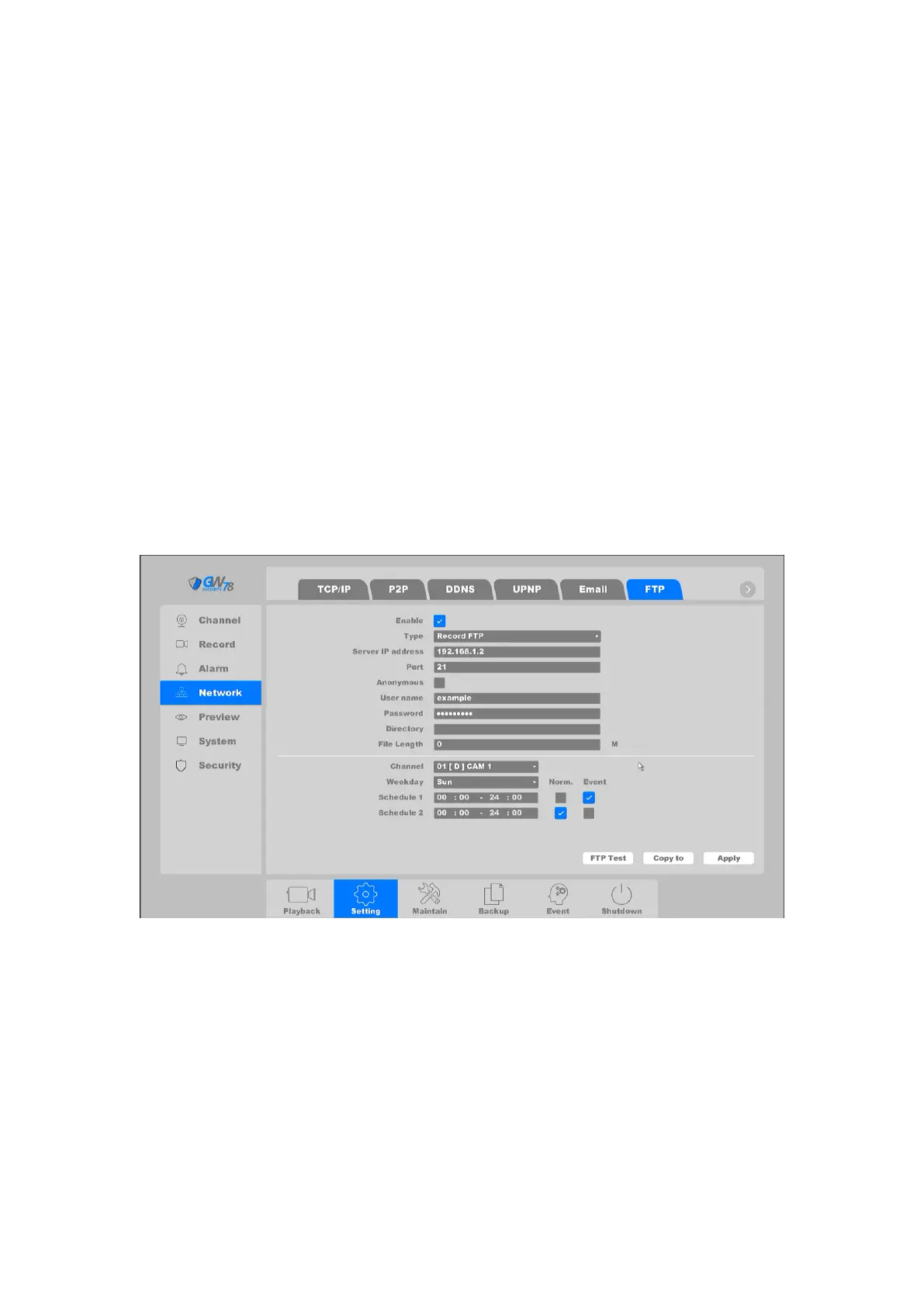
Click on "Setting -> Network ->FTP", as shown in figure 4-30.
Figure 4-30 FTP Setting
FTP setting: divided into video FTP and pictures FTP- you can set up your server IP, port,
user name, password, directory, and file length. There is also an Anonymous option.
Channel setting: you can select the channel to transmit, and the schedule of upload.
After finishing the setting, you can click the button FTP Test to try to verify the FTP service is
available, and Copy To button is used to copy the configuration of current channel to other
channels. Click the button Apply to activate the configuration.



 To Next Page