4.3.4.3 Video lost
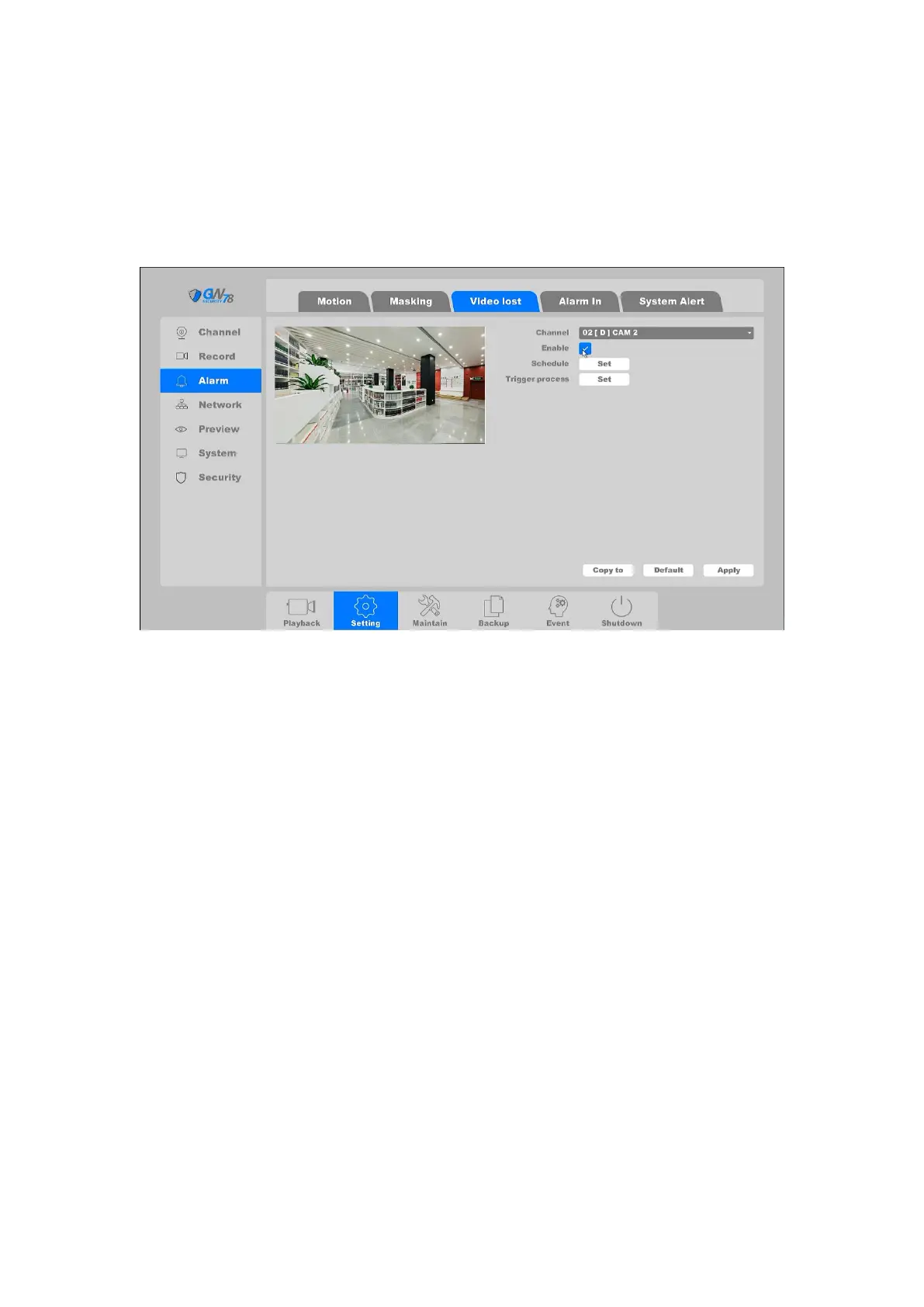
Click on the "Settings -> Alarm ->Video Lost”, as shown in figure 4-41.
Detect video loss of a channel and take alarm response actions.
Figure 4-41 Video Lost
Channel: Select the channel.
Enable: Video loss enable toggle
Schedule: Set time slot to detect video loss.
Trigger process: Set the handling action of video loss detection; please take the setting
of chapter 4.3.3.1 motion detection for reference.
After all the settings finished, click the button Apply to save all changes.
4.3.4.4 Alarm In
Click on the "Settings -> Alarm ->Alarm In "into the graphic interface”, as shown in figure 4-42.
Set the handling action of external sensor alarms, including alarm input and alarm output.



 To Next Page