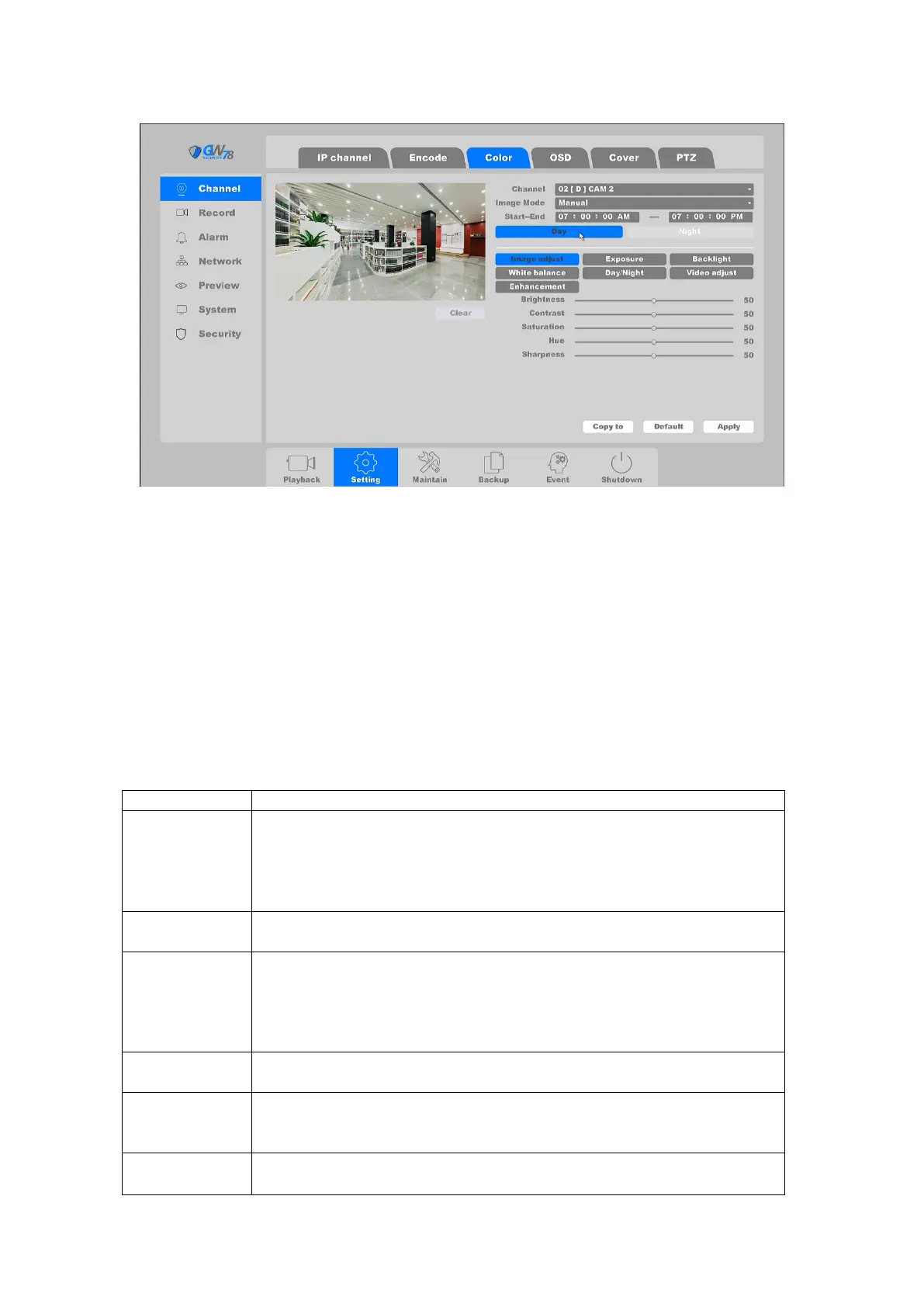
Figure 4-56 Channel Color Setting
Channel: Select the channel to configure.
Period: Set the effective period of the configuration, it supports 2 period settings.
Image Mode: The image mode for specific period of the configuration, there are
Auto/Manual for options. Auto mode keeps the image settings for 24h, and Manual mode
supports 2 period settings (Day period & Night period). You can set independent image settings
for each period.
Start-End: Set the image mode as Manual, then enter the starting time and ending time for
Day period or Night period.
You can adjust the IP Camera parameters on this screen, if the IP Camera is compatible with the
NVR.
Brightness: 0-100
Contrast: 0-100
Saturation: 0-100
Hue: 0-100
Sharpness: 0-100
Auto: Set exposure time automatically
Manual: Set exposure time by selecting exact value
DWDR: Close, DWDR, WDR(if IPC supports)
Limit: Set the degree of DWDR or WDR (Digital Wide Dynamic Range/Wide
Dynamic Range)
Back Light Comp: When DWDR is Closed, BLC function can be activated in
either two options: HLC, BLC
Auto: Set white balance automatically
Manual: Set white balance by selecting exact value of Red Gain and Blue Gain
Auto/Color On/Color Off
Switch Type: IR Synchronous Switch
Filter Time: from 0-120 seconds
Image: Close/Up down/Left right/Centre
Rotate: Off/90/180/270



 To Next Page