User Manual
Page 24
z SEQUENCE
To enable sequence mode, click on“SEQUENCE"from“MONITORING"menu and select “ON"to enable
sequence mode. (Clicking on “OFF" will disable sequence mode.)
You may select sequence mode from single view or 4 split view from live display.
To configure sequence interval, from “Monitoring" popup menu select “Setup Menu" you will
see setup menu with five large icons .
z PIP
Enable Picture in Picture (PIP) mode by selecting PIP button on the remote controller or in frontal keypad. With
mouse operation, PIP will be enabled from “MONITORING" popup menu then selecting “PIP". From here you
have an option to select “ON" or “OFF" to enable or disable PIP.
To configure PIP, select“Setup Menu"from“Monitoring" popup menu, you will see setup menu
with five large icons.
z AUDIO (Audio output configuration)
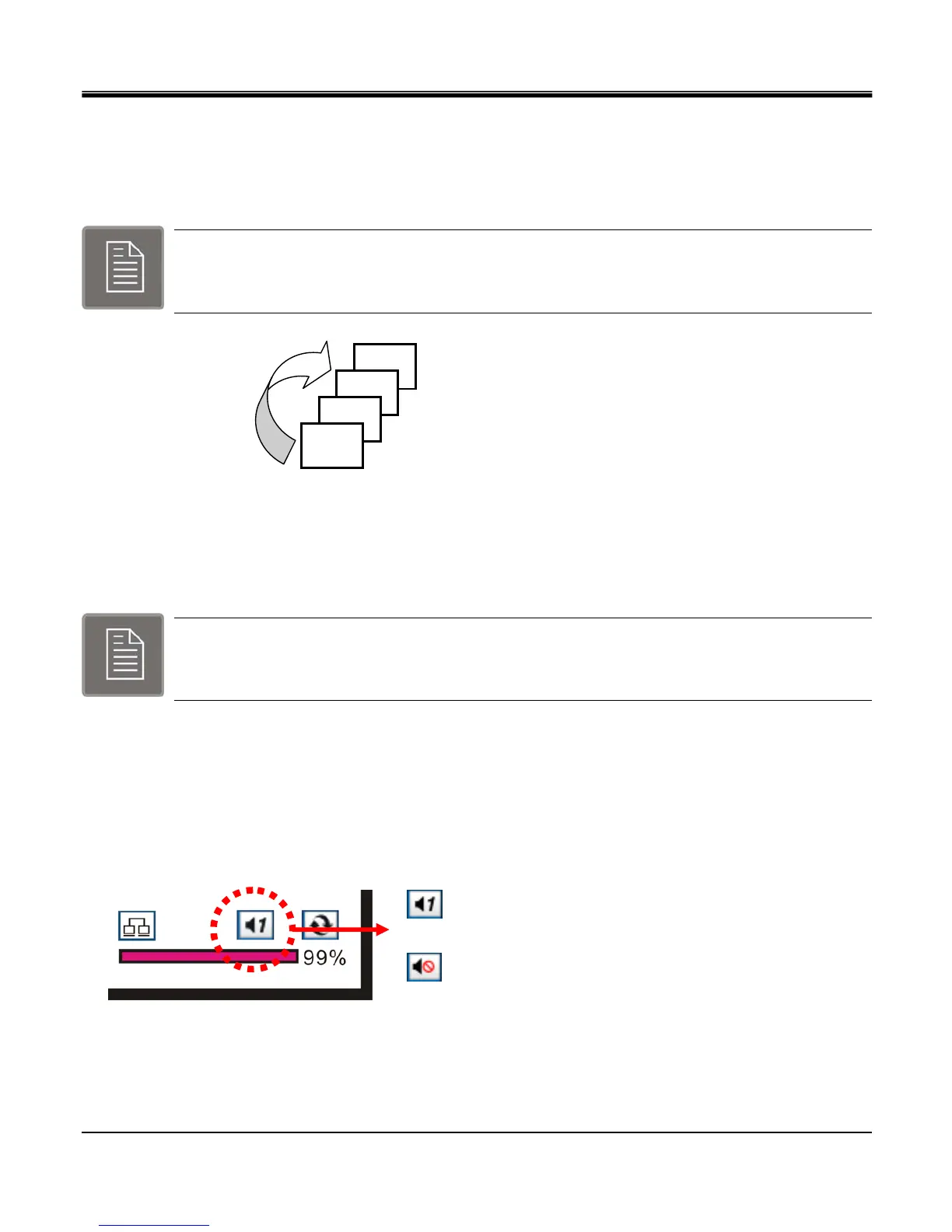
Audio output will be enabled by selecting “AUDIO" from `MONITORING" popup. There are 4 channels of
audio available for 16 channel DVR and 2 channels of audio available for 8 channel DVR. There is one channel audio
available for 4 channel DVR.
The audio channel one is being enabled for output.
The audio channel output is muted.
CH4
CH3
CH2
CH1
.
.



 To Next Page