80
etherStatsFragments : 0 , etherStatsJabbers : 0
etherStatsCRCAlignErrors : 0 , etherStatsCollisions : 0
etherStatsDropEvents (insufficient resources): 0
Packets received according to length:
64 : 235 , 65-127 : 67 , 128-255 : 4
256-511: 1 , 512-1023: 0 , 1024-1518: 0
• Perform SNMP Get operation on the NMS to obtain the value of the MIB node.
History group configuration example
Network requirements
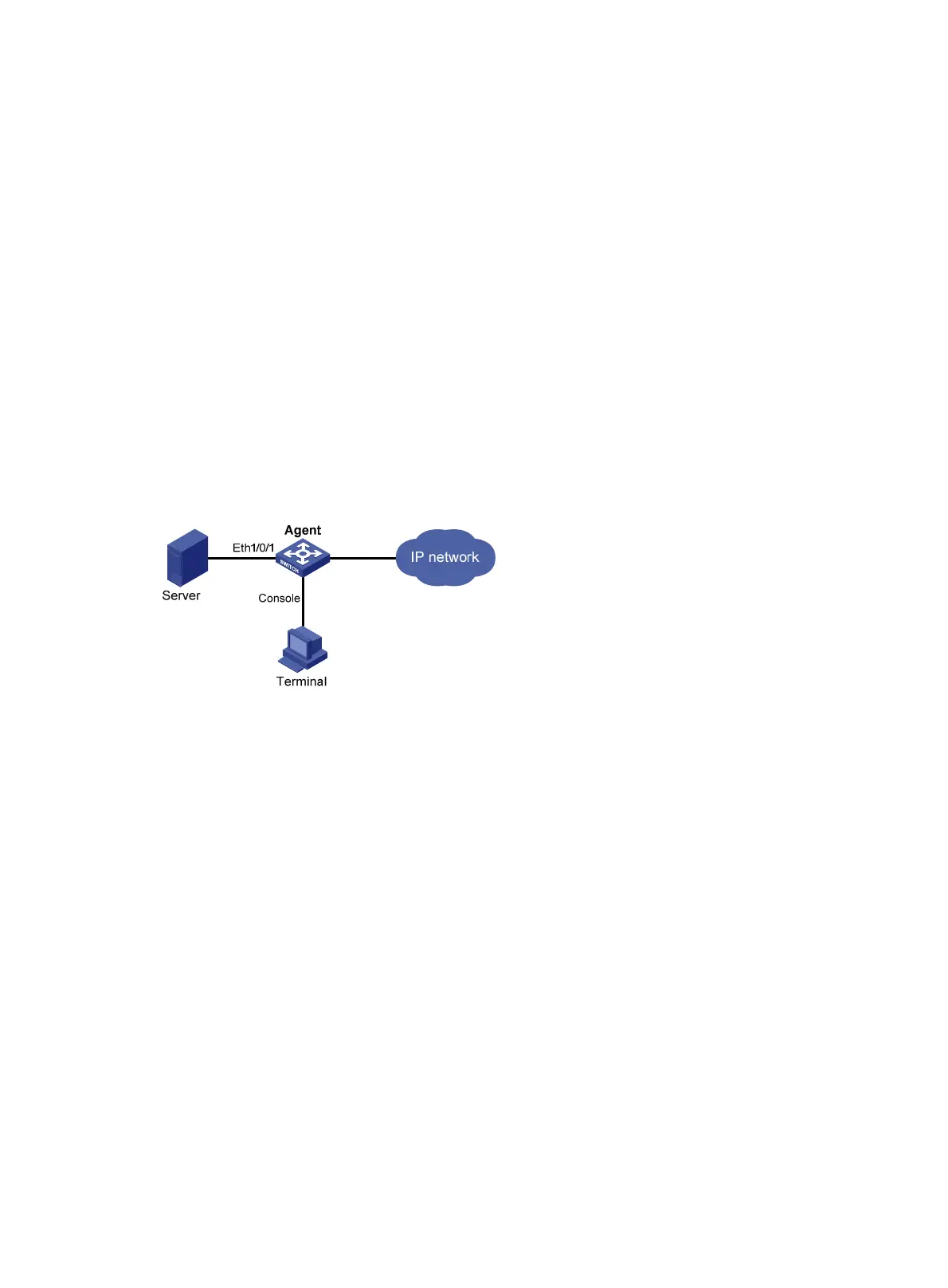
As shown in Figure 30, Agent is connected to a configuration terminal through its console port and to
Server through Ethernet cables.
Configure the RMON history statistics table to gather incoming packet statistics for Ethernet 1/0/1 every
one minute, so the administrator can view whether traffic bursts have happened on the interface in a
short time.
Figure 30 Network diagram
Configuration procedure
# Configure RMON to periodically gather statistics for interface Ethernet 1/0/1.
<Sysname> system-view
[Sysname] interface ethernet 1/0/1
[Sysname-Ethernet1/0/1] rmon history 1 buckets 8 interval 60 owner user1
The system gathers incoming packet statistics for Ethernet 1/0/1. To view the statistics:
• Execute the display command.
[Sysname-Ethernet1/0/1] display rmon history
HistoryControlEntry 2 owned by null is VALID
Samples interface : Ethernet1/0/1<ifIndex.3>
Sampled values of record 1 :
dropevents : 0 , octets : 834
packets : 8 , broadcast packets : 1
multicast packets : 6 , CRC alignment errors : 0
undersize packets : 0 , oversize packets : 0
fragments : 0 , jabbers : 0
collisions : 0 , utilization : 0
Sampled values of record 2 :
dropevents : 0 , octets : 962



 To Next Page